
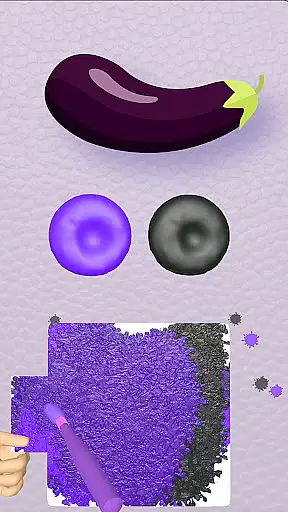
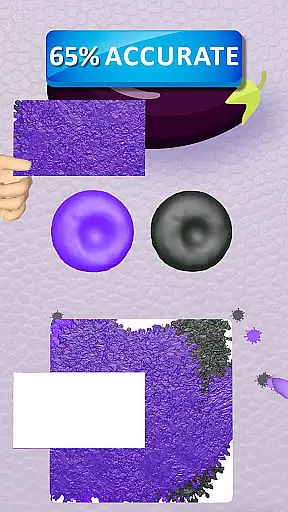
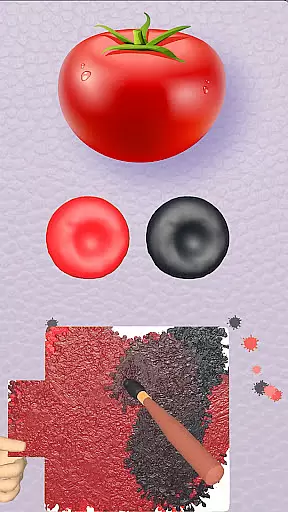
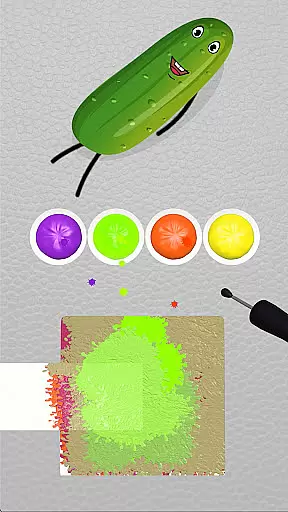
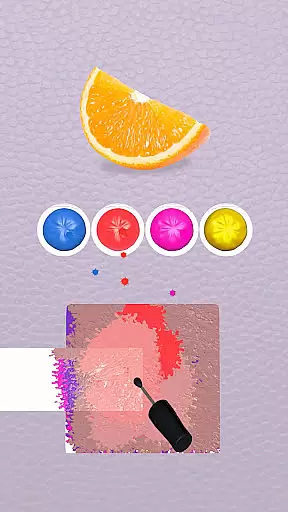
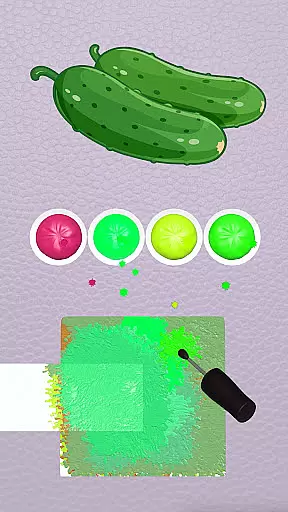
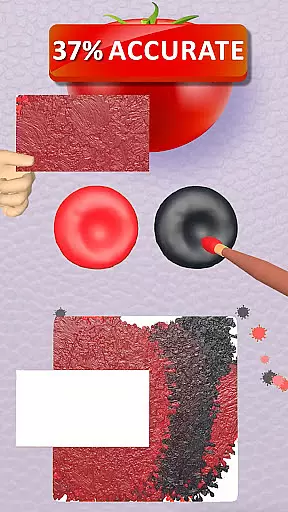
Color Match is a casual game that invites players into an immersive world of colors and creativity. This color-matching game allows users to blend colors and paint 3D objects, transforming them into vibrant masterpieces. With over 200 objects to paint, ranging from fruits in a garden to exotic animals, high-performance cars, and home appliances, the game offers endless opportunities for artistic expression. Players can explore various themed rooms such as the Garden, Kitchen, Garage, and Greenhouse, each filled with unique items waiting to be colored.
The game goes beyond simple painting by teaching players how to mix hues on a color palette, creating new shades and perfecting their artistic skills. Users can customize themed rooms, share their creations on social media, and even exhibit their painted objects in a personal 3D gallery. The ability to sell painted objects at auction adds an economic layer to the gameplay, enhancing its depth and engagement. Whether you're looking to unwind or unleash your inner artist, Color Match provides a creative outlet that celebrates artistic freedom and exploration.
Color Match stands out with its rich set of features designed to enhance the user experience. One of the key highlights is the effortless painting mechanism, where players bring objects to life by matching their original hues with unique color styles. The game also includes a comprehensive color mixing feature, allowing users to experiment with different shades, undo steps if needed, and use hints for assistance. This educational aspect helps players learn and refine their color-matching skills.
Another innovative feature is the ability to auction painted objects or showcase them in a personal home gallery, adding a strategic element to the game. Players can customize 12 unique themed rooms and the main screen, tailoring the environment to their preferences. Sharing creations on social media platforms like Instagram, Facebook, Twitter, and Snapchat is seamless, encouraging community interaction and admiration. The 3D gallery feature lets users display their uniquely painted objects, creating a vibrant exhibition of their artistic journey. These features collectively make Color Match not just a game but a celebration of creativity and color exploration.
At the heart of Coloring Match lies its core gameplay, which is designed to be both simple and engaging. The game invites players into a vibrant world where they can explore their creativity by painting various 3D objects. This process is not only intuitive but also requires no prior artistic skills, making it accessible to a wide audience.
The game mechanics revolve around color matching and mixing, allowing players to effortlessly apply colors to different objects. With an easy-to-navigate interface and responsive controls, users can focus on the joy of transforming monochrome models into vivid works of art. The undo feature and hints provide additional support, ensuring that players of all skill levels can enjoy the experience without frustration.
By simplifying complex artistic processes into enjoyable gameplay, Coloring Match offers a unique form of entertainment that encourages relaxation and self-expression. Players can lose themselves in a variety of themed rooms, each presenting new objects to paint, from fruits and animals to cars and home appliances. This diversity in content maintains user interest and provides countless opportunities for creative exploration.
One of the standout features of Coloring Match is its adaptability to various session lengths, accommodating the dynamic lifestyles of its players. Whether you have a few minutes or several hours to spare, the game's structure allows for seamless transitions between short bursts of play and extended creative sessions.
Each object in the game can be painted independently, meaning that players are not required to commit to long sessions to achieve a sense of accomplishment. This modular approach to gameplay ensures that users can complete tasks at their own pace, whether they're looking for a quick mental break or an immersive artistic experience.
This flexibility extends to the game's social sharing capabilities as well. Players can quickly share their creations on social media platforms, allowing them to showcase their work without disrupting their flow. By catering to both brief and lengthy play sessions, Coloring Match successfully captures the essence of casual gaming while providing meaningful engagement for more dedicated artists.
Easy-to-use interface
Vibrant 3D graphics
Extensive object variety
Interactive color mixing
Social sharing options
Limited free content
In-app purchases required
Occasional bugs
Ads between sessions
High system requirements

The SPY Corps needs your help! Spy Fox need’s you!
 4.10
4.10
Jurassic beast with one goal tear down everything in sight
4.4
All-in-one tricky challenges, viral trending mini games. Stay calm & relax.
4.20
Aim and Destroy as many blocks as you can!
4.40
Save the Candy Bears! Match, pop, and blast through fizzy match-3 puzzles!
4.60
A fun and relaxing idle game
4.20
Monster Attack! Hide and run cleverly or unleash your inner angry hunter!
4.20
Play the Angry Birds game enjoyed by millions of players every day!
4.10
Play the fashion dress up games! Style your avatar and be a legendary queen
4.50
Start with a simple lemon stand and grow into a business tycoon!
5.00
Help Austin renovate his home and solve exciting match-3 puzzles along the way!
4.70
Manage a fish tank of guppies and other aquarium creatures
4.60
Draft dice in Sagrada to construct your stained glass window masterpiece.
4.60
Instant town building toy
4.50
"My PlayHome School" expands the PlayHome world into the classroom!
4.30
Explore dungeons simple action RPG game Dungeons & Pixel Hero!
4.00
Compete with opponents through precise archery skills
3.20
Play music with emojis! A colorful and fun piano for all ages.
4.0
Train concentration, reasoning, coordination and patience in a fun way.
4.1


User Reviews