![Delta Touch [10 x Doom engine]](https://cdn.linksharehub.com/ocp/?u=https%3A%2F%2Fl1.fancapitalize.com%2Fimages%2F2025%2F12%2F0362662440744f9c4332472af4b0e734.jpg&t=webp)
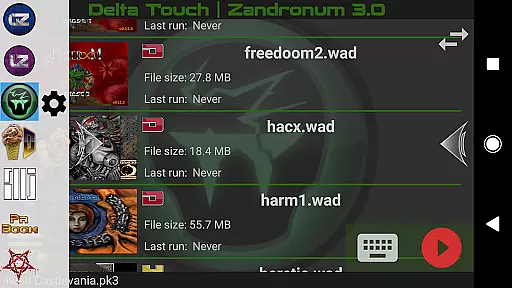
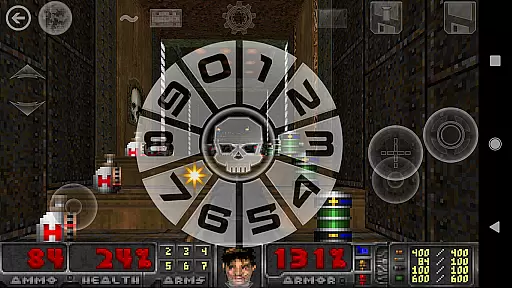
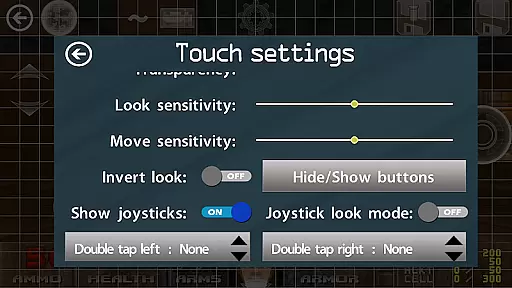
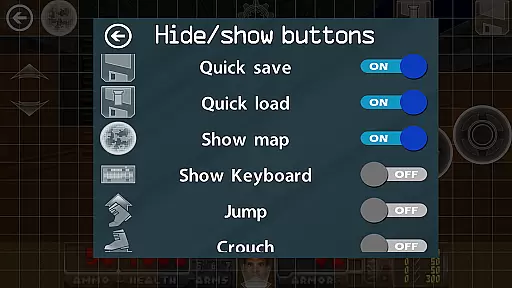
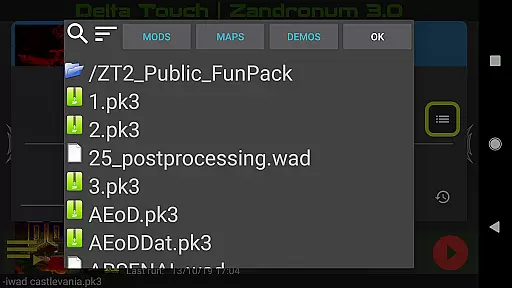
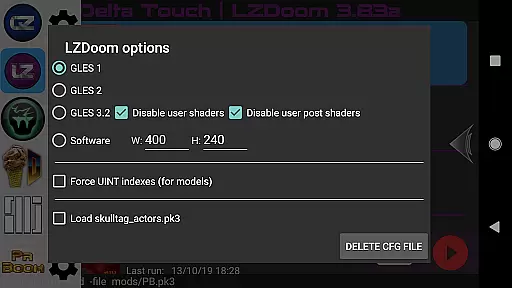
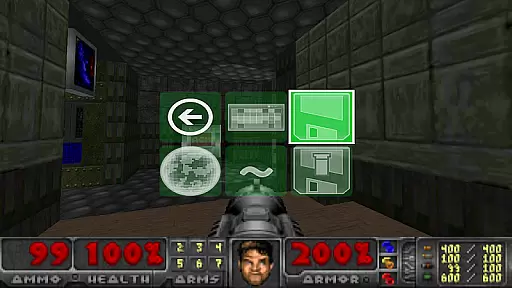
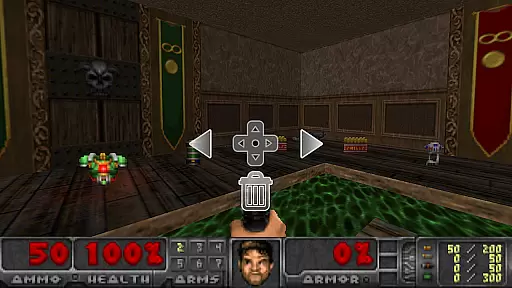
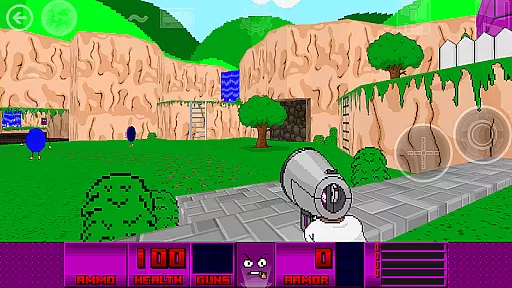
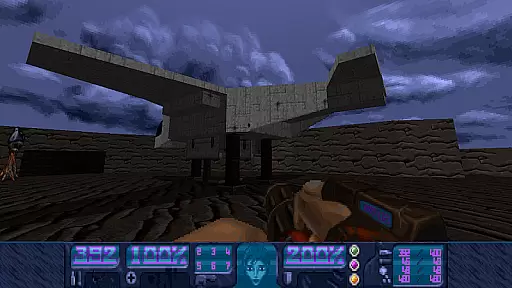
Delta Touch is an advanced Android platform that brings together ten of the most popular Doom engine source ports, offering a versatile and customizable gaming experience. The app supports classic Doom games as well as Hexen, Heretic, and Strife wads, allowing players to enjoy thousands of community-made mods and levels. With full touch screen controls, gamepad support, and features like gyro aim assist, this app caters to both casual and hardcore gamers.
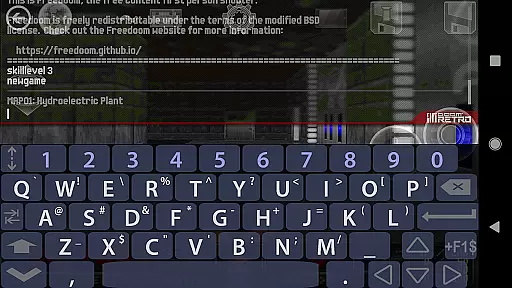
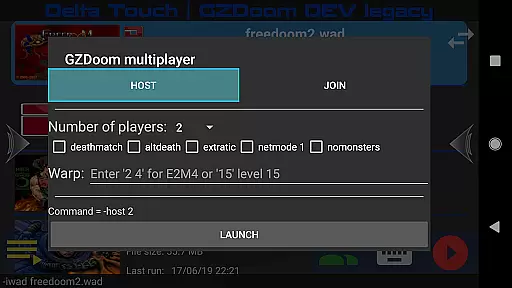
The platform includes powerful tools such as built-in keyboards for cheats, 18 custom buttons for GZDoom mods, and fully navigable UI via gamepads. It also provides various rendering modes and multiplayer launchers for certain engines. FreeDoom data is included for immediate play, though users need to supply their own Doom wad files for original gameplay. Optimized for high-end devices, Delta Touch ensures smooth performance even with demanding mods like Brutal Doom.
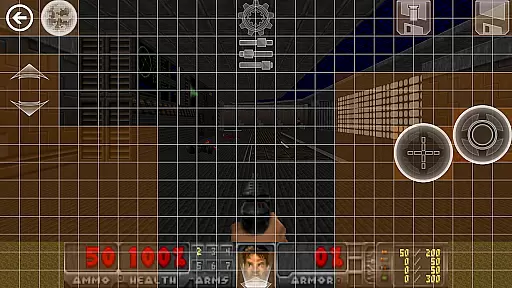
Delta Touch stands out with its extensive customization options and compatibility with multiple Doom engine versions. The app offers highly customizable touch screen controls, allowing users to save and load their preferred layouts. It includes a built-in keyboard for accessing cheats and console commands, along with a custom UI for easy selection of wads and mods.
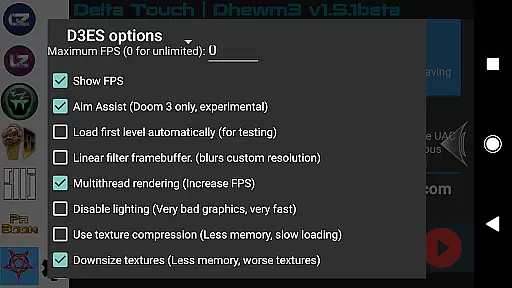
One of the key highlights is its support for a wide range of source ports including GZDoom, Zandronum, Chocolate Doom, and more. Each port comes with unique features such as multitasked rendering in Dhewm3 and mod selection capabilities. Additionally, Delta Touch supports multiplayer modes, mouse and keyboard inputs on Android 8 and above, and gyroscopic aiming assistance, making it a comprehensive solution for Doom enthusiasts.
Control responsiveness and latency are crucial factors in action games like Delta Touch. The app ensures that every touch or button press is registered instantly, providing a seamless experience.
Delta Touch offers highly customizable touch screen controls, allowing players to adjust the layout and sensitivity according to their preferences. This customization ensures that users can optimize their control setup for maximum efficiency.
In addition to touch controls, the app supports gamepads, mouse, and keyboard inputs, making it versatile for different play styles. The inclusion of gyro aim assist further enhances precision during gameplay.
With these features, Delta Touch guarantees minimal input delay, ensuring that players have a responsive and immersive gaming experience, which is essential for fast-paced action games.
Combat feedback tightness refers to how well the game communicates the results of combat actions to the player. In Delta Touch, this aspect is meticulously crafted to provide clear and satisfying responses during battles.
The app includes various rendering modes and high-quality sound effects that enhance the visual and auditory feedback during combat. These elements work together to create an engaging and immersive experience.
Furthermore, Delta Touch supports thousands of community-made mods and levels, allowing players to customize their combat experience. This flexibility ensures that combat remains fresh and exciting, with tight feedback loops that keep players engaged.
Overall, Delta Touch delivers a robust combat feedback system that enhances the excitement and satisfaction of playing classic Doom engine games on mobile devices.
Highly customizable
Wide game compatibility
Excellent touch controls
Multiplayer support
FreeDoom included
Needs high-end device
No BFG edition support
Complex setup
Large storage needs
Limited mod support
Retro pixel war game! Destroy enemies and survive the chaos!
 4.2
4.2
Prove your ninja skills by creeping through the shadows and taking out bad guys
4.40
Try yourself at intense combat & tactical stealth missions in our shooting game!
4.40
Escape the pixel maze full of traps! Fun games for arcade and old games lovers!
4.30
Throw shurikens and cut through your enemies!
4.60
Keep an eye on the animatronics and you'll make it thru the night... probably.
4.70
Build, equip, upgrade your tower and make your way through huge waves of zombies
4.40
Draw lines to defeat the enemy!
4.40
Let's make the numbers bigger!
4.30
BLEACH anime action RPG. Relive the story, unleash Bankai, battle Hollows!
4.80
Survive epic space battles in an offline roguelike bullet heaven adventure
4.60
Swing into action as a spider legend in an epic fighting adventure
4.60
Carjack the open world like it's 1989!
4.50
Die Again - Troll Game Ever A fantastic, goofy, crazy and always makes you laugh
4.50
Race around the world!
4.30
Try not to fall while rolling the ball high in the sky and on the ground!
4.20
Fast-paced multiplayer fun. 3v3 & 5v5 matches, PvP brawls and battle royales!
4.20
Run, jump, and escape in the ultimate endless jungle adventure game!
4.10
Welcome to the 1980s.
3.50


User Reviews