
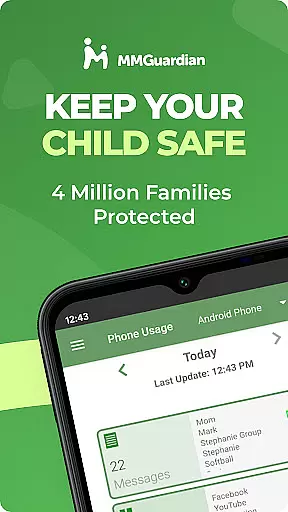
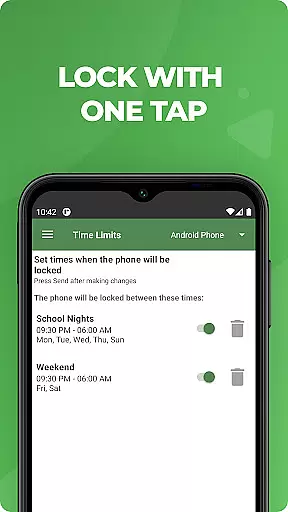
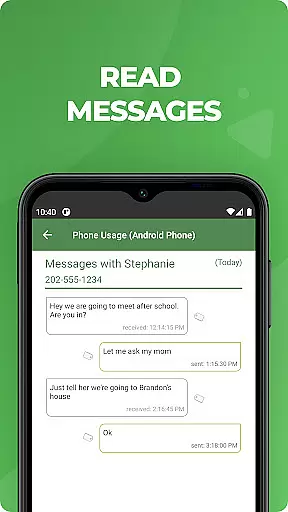
MMGuardian Parental Control is a comprehensive parental monitoring solution designed to ensure children's online safety. This app, installed on the parent's phone, works in tandem with a separate child app that must be installed on the child's device. It allows parents to remotely monitor and manage their child's smartphone activity, including text messages, web browsing, app usage, and even social media interactions.
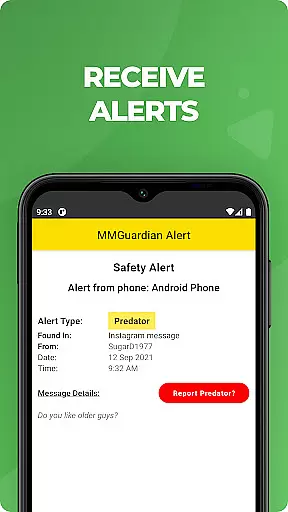
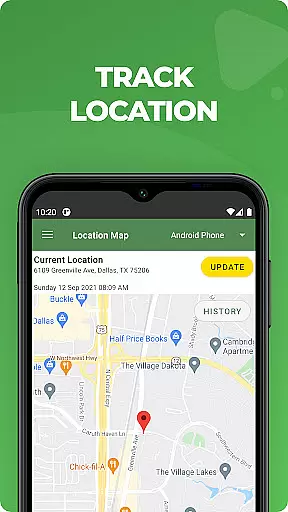
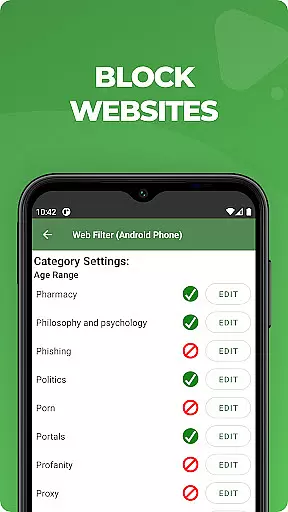
The service provides real-time alerts for potential dangers such as cyberbullying, sexting, or suicidal thoughts detected through text messages or web searches. Additionally, MMGuardian offers GPS location tracking, remote phone locking, screen time management, and web filtering capabilities. These features work together to create a safer digital environment for children while giving parents peace of mind.
Parents can try the service with a 14-day free trial before committing to a subscription plan. The app requires both parent and child devices to have network data capability and must be registered using the same email address. This robust parental control solution helps families maintain healthy digital habits and protect children from various online risks.
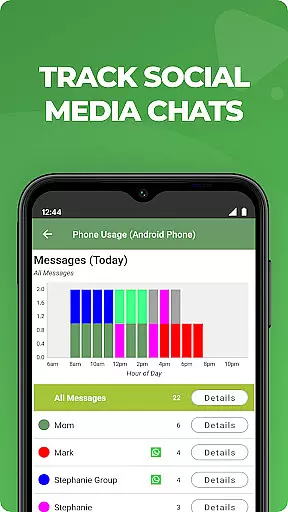
MMGuardian Parental Control stands out with its comprehensive monitoring capabilities across multiple communication platforms. The app enables parents to monitor traditional SMS text messages while extending protection to popular social media platforms including Facebook Messenger, WhatsApp, Snapchat, Instagram, Kik, TikTok, and Discord. This multi-platform coverage ensures parents stay informed about their child's digital interactions across various channels.
The application's alert system is particularly noteworthy, providing real-time notifications when detecting potentially dangerous content related to drugs, violence, or mental health issues. Its advanced content analysis algorithms scan both text messages and web searches, flagging concerning patterns. The app also includes sophisticated image analysis capabilities that can detect adult content or sexting attempts through MMS messages.
Additional features include remote device management tools such as instant phone locking/unlocking, detailed usage reports, and precise GPS location tracking. The screen time management function allows parents to set healthy boundaries for device usage, while the web filtering feature helps block inappropriate content. These capabilities are accessible through a user-friendly interface that consolidates all monitoring functions in one place.
When it comes to parenting apps, the credibility of content and expert validation are crucial factors. MMGuardian Parental Control stands out by offering advanced monitoring features developed with child safety experts. The app's safety alerts system is designed based on professional guidelines to detect potential risks such as cyberbullying, sexting, and suicidal thoughts.
The application employs sophisticated algorithms that have been refined through expert consultation. These algorithms analyze text messages and social media chats from platforms like Facebook Messenger, WhatsApp, and Snapchat. When the system identifies content related to nine specific risk categories, parents receive immediate notifications. This expert-backed approach ensures the alerts are meaningful and actionable.
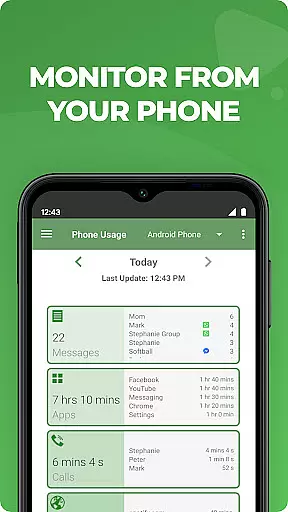
Parents benefit from comprehensive reports that are not only data-rich but also contextually relevant. The app provides detailed insights into text messages, web browsing activities, and application usage. Each report is structured to help parents understand their child's digital behavior patterns while maintaining the highest standards of accuracy and reliability.
While primarily a safety-focused application, MMGuardian Parental Control also offers valuable growth tracking features that help parents monitor their child's development in the digital space. The app's accurate tracking system enables parents to observe changes in their child's online behavior over time, providing valuable insights into their growing interests and habits.
The application's detailed reporting features extend beyond basic monitoring. Parents can track screen time patterns, application preferences, and communication trends. This data helps identify behavioral shifts that might indicate important developmental milestones or potential issues that need attention. The historical data is presented in easy-to-understand formats for better analysis.
MMGuardian's growth tracking extends to technical proficiency as well. The app monitors how children interact with their devices, which applications they use most frequently, and how they manage their digital resources. These insights, combined with regular updates and improvements to tracking algorithms, ensure parents receive the most accurate and helpful information about their child's digital development journey.
Comprehensive monitoring
Real-time alerts
Multi-platform support
Advanced content filtering
GPS location tracking
Separate child app needed
Paid subscription required
Technical setup complexity
Limited iOS functionality
Privacy concerns possible

SENSORYSOOTHE and SENSORSAFE: Making car seats smarter and families safer.
 4.70
4.70
Track Pregnancy, Baby Feeding, Sleep, Diaper Changes, Postpartum Health & More!
4.80
Sleep better with white noise app! Discover rain sounds, fan noise and more.
4.70
A Coloring for the Whole Family! Discover the Joy of Family Love Through Colors!
3.60
Save money on diapers. Get the Pampers Rewards app.
3.90
Track pregnancy health and wellness with pregnant tracker from healthcare advice
4.5
GeoLog - Real-Time Location Tracker
4.40
Speech Therapy Exercises For All!
4.40
Track baby’s development & growth week by week with BabyCenter’s pregnancy app!
4.90
3D Baby size, Fruit comparisons, Smart Checklist, Trending Names & Training.
4.90
Track your pregnancy & your baby's growth in 3D. Get support from our community
4.60
Track your pregnancy, kick & contraction counter, baby & mom's heartrate monitor
4.60
Live Location, Alerts & 2-Way Voice for Kids and Adults with Special Needs
4.60
The Most Trusted Co-Parenting App.
4.60
It is a screen time management tool for games and mobile applications
4.50
Parental control: child monitoring app, screen time control, GPS child tracker
4.40
Learn according to the age of your child and consult with other moms.
4.20
Pregnancy and baby formula tips for moms, plus Enfamil coupons & cash back
4.10
The 10 development leaps of your baby | newborn milestones & leap days tracker
4.10


User Reviews