
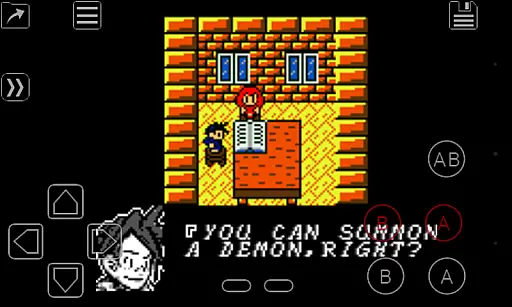
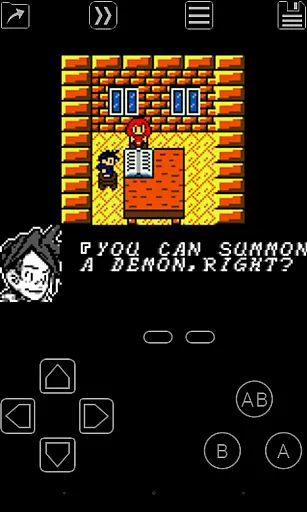
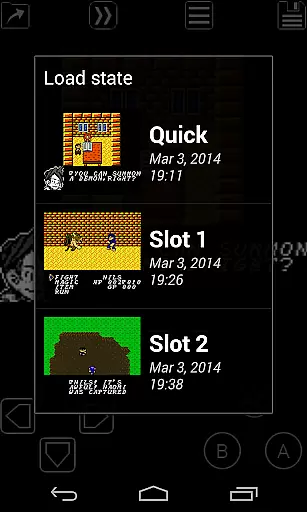
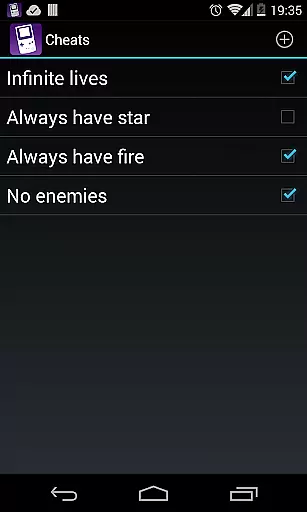
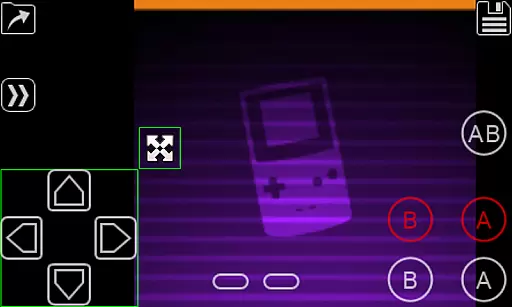
My OldBoy! - GBC Emulator is a top-tier emulator designed for Android devices, allowing users to play Game Boy and Game Boy Color games with remarkable accuracy. The app supports a wide range of hardware, from low-end phones to modern tablets, ensuring broad compatibility.
One standout feature is its ability to emulate special hardware aspects such as the link cable, rumble, and tilt sensor, enhancing gameplay immersion. Additionally, users can customize their experience by applying custom palettes to bring color to classic GB games. With save states, fast-forward, and cheat code support, My OldBoy! offers both convenience and customization for an enriched gaming experience.
Whether you're revisiting nostalgic classics or exploring these games for the first time, this emulator provides a seamless blend of authenticity and innovation, making it an essential tool for any retro gaming enthusiast.
My OldBoy! stands out with its robust feature set tailored for both casual players and hardcore retro gaming enthusiasts. The emulator leverages ARM assembly code to deliver super-fast performance, achieving 60 FPS even on low-end devices without frame skips. This ensures smooth gameplay across a broad spectrum of Android hardware.
Beyond speed, the emulator boasts extensive compatibility with a vast library of games. It also includes advanced features like link cable emulation over Bluetooth or Wi-Fi, rumble and tilt sensor support via Android's hardware, and Game Boy Camera/Printer emulation. Users can further enhance their experience with custom Super Game Boy palettes, cheat code functionality, and IPS/UPS ROM patching.
Additional conveniences include OpenGL rendering, video filters via GLSL shaders, save states with screenshots, Google Drive sync, and customizable on-screen controls. These features collectively ensure that My OldBoy! delivers both precision and personalization, setting a high standard for Game Boy emulation on mobile devices.
Arcade authenticity is crucial for users seeking a genuine retro gaming experience. My OldBoy! delivers this by accurately emulating the original Game Boy and Game Boy Color hardware. The emulator supports a wide range of features including link cable, rumble, and tilt sensor functionalities.
Players can relive the nostalgia with precise emulation that mirrors the real hardware's performance. This includes support for peripherals like the Game Boy Camera and Game Boy Printer, enhancing the classic gaming experience.
The app allows users to apply custom palettes to their monochrome games, bringing new life and color to cherished classics. With multilined cheat code support, gamers can modify gameplay while preserving the authentic feel.
Ultimately, My OldBoy! offers an immersive arcade experience, letting users enjoy their favorite retro games on modern Android devices without losing the original charm.
Control responsiveness is vital for an optimal gaming experience. My OldBoy! ensures this through its super-fast emulation powered by ARM assembly code. Even on low-end devices, users can achieve 60 FPS without frame skips.
The emulator provides various control options, including an on-screen keypad and external controller support. These controls are customizable via a powerful screen layout editor, allowing players to adjust positions and sizes according to their preferences.
Fast-forward and slow-down features enable gamers to navigate through lengthy storylines or challenging levels effortlessly. Depending on the device, speeds can reach up to 50x normal speed, ensuring responsive and adaptable gameplay.
With these capabilities, My OldBoy! guarantees a seamless and responsive control experience, making it easy for users to engage deeply with their favorite arcade games.
Fast emulation
Wide game compatibility
Customizable controls
Save state functionality
Advanced hardware support
No games included
Requires manual setup
Legal concerns
Complex for beginners
Ads in free version

Welcome back to Vice City. Welcome back to the 1980s.
 3.30
3.30
Try this unique restaurant sim and enjoy the fun of cooking in busy kitchens!
4.70
Motorcycle racing games! Prove your paperboy can win in the bike race 3D!
4.50
Playing venom RPG alien games? Set spider alien isolation base, with no survivor
4.30
Fruit is waiting to be sliced, ninja. Play the hit mobile game !
4.50
Infinite Arcade
4.5
Create your restaurant story & make food on a crazy kitchen in this cooking game
4.70
This app is a very fast emulator
3.40
Draw your legs to win the race!
4.20
Catch ghosts, shoot monsters and defeat bosses in this RPG idle shooting game.
4.70
Cool car builder & racing simulator: make a car to win the obstacle course race!
4.60
Merge bowmasters to win the bow and arrow war! Play the fun archery game!
4.60
Suck the other’s blood and be the longest surviving mosquito!
4.40
Antistress & relaxing games,stress relief; Antistress toys, calming games.
4.20
Join the art challenge: Guess the word and draw fast before the timer runs out!
4.20
Epic offline war strategy game - build your city, train your army, conquer
4.20
Get into your tractor to cut grass and harvest the crops in our mowing simulator
4.10
NEOGEO's masterpiece game is now available in the app!
4.10
It's quite possibly the world's hardest game!
3.90


User Reviews