


Pizza Boy C Pro is a highly precise 8-bit handheld emulator, designed for arcade gaming enthusiasts who value authenticity and performance. The app offers an enhanced user experience through its beautiful GUI, customizable palettes, and advanced cheat manager.
With features like quick/auto save, BIOS support, and camera integration, it ensures convenience and versatility. The emulator also supports MBC7 with gyroscope functionality and provides fully customizable skins using standard PNG files.
Ideal for retro gaming fans, Pizza Boy C Pro guarantees 60 FPS performance even on older devices, making it a reliable choice for enjoying classic games on modern hardware.
This emulator stands out with its super-accurate emulation capabilities, passing all challenging Blargt tests, which ensures unprecedented precision. Written entirely in C, the app delivers incredible performance while conserving battery life.
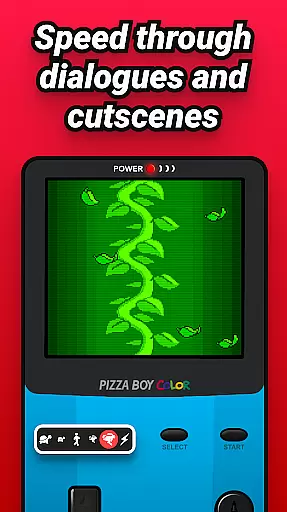
Utilizing OpenGL and OpenSL native libraries, Pizza Boy C Pro optimizes video and audio performance. It includes valuable features such as save state functionality, slow motion/fast forward options, and total button customization.
Additional highlights are hardware joypad support, shaders, and serial link emulation via Wi-Fi. These features collectively offer a versatile and high-quality emulation experience that caters to both casual players and hardcore enthusiasts.
Arcade authenticity and nostalgia are at the heart of Pizza Boy C Pro, offering users an immersive experience that harks back to the golden era of 8-bit handheld gaming. This emulator meticulously replicates the original gaming environment, ensuring that every pixel and sound resonates with the classic arcade feel.
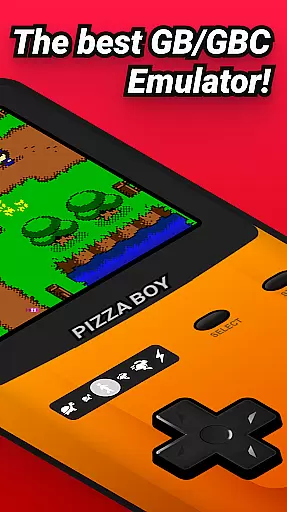
The emulator boasts enhancements like beautiful GUI, customizable palettes, and super 8-bit borders which contribute to a genuine retro aesthetic. These features not only preserve the original charm but also enhance visual enjoyment without compromising the nostalgic essence.
For enthusiasts seeking to relive the past, Pizza Boy C Pro includes functionalities such as BIOS support and camera integration, alongside MBC7 with gyroscope support. Such elements ensure that gameplay remains true to its origins while embracing modern technology for an enriched user experience.
Control responsiveness in Pizza Boy C Pro is engineered to deliver a seamless and intuitive user interaction, capturing the swift precision required in classic arcade games. The emulator's enhanced control system guarantees that every touch or command translates instantly into action, maintaining the fast-paced nature of arcade gaming.
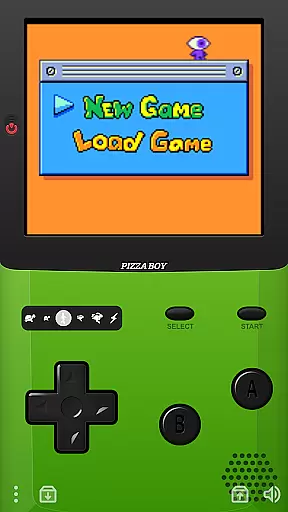
With features like hardware joypad support and fully customizable button sizes and positions, users can tailor their control setup to match personal preferences and play styles. This customization ensures optimal comfort and efficiency during extended gaming sessions.
Furthermore, the emulator supports serial link emulation through wifi, allowing multiplayer experiences that retain the immediacy and competitive spirit of arcade classics. By prioritizing responsive controls, Pizza Boy C Pro upholds the dynamic engagement synonymous with beloved arcade titles.
Highly accurate emulation
Customizable controls
Supports hardware joypads
Advanced cheat manager
Beautiful GUI design
No included ROMs
Not for 32-bit systems
Consumes more storage
Limited to 8-bit games
Paid version only

Genesis, Mega Drive, Mega CD, Master System, Game Gear Emulator!
 4.20
4.20
Dig yourself a way to gold, diamonds and success with this addictive mining game
3.90
Welcome back to Vice City. Welcome back to the 1980s.
3.30
Infinite Arcade
4.4
Mine & Craft Block Mini World! Survival Crafting and Building & Creative Online.
4.30
You are a Black Hole, escaping the darkness trying to swallow you!
3.60
Outrun cops, ignite the thrill of a high-speed chase!
4.50
You control the ball! Dribble, shoot and score against eleven soccer players!
4.60
Addictive basketball game with challenging one-touch controls
4.50
Save the Galaxy from galaxiga alien - Classic arcade shooter game
4.60
Venture into the galaxy to fight against the invasion of space invaders.
4.60
Nostalgia.GBC is a high quality GBC emulator.
4.50
Motorcycle racing games! Prove your paperboy can win in the bike race 3D!
4.50
Fruit is waiting to be sliced, ninja. Play the hit mobile game !
4.50
Suck the other’s blood and be the longest surviving mosquito!
4.40
Granny keeps you locked in her house.
4.30
Sit back and relax! Tap to move the black hole, and swallow weapons to win.
4.20
Get into your tractor to cut grass and harvest the crops in our mowing simulator
4.10
Bounce through platforms. Avoid obstacles. Get the bouncing ball to the finish.
4.00


User Reviews