

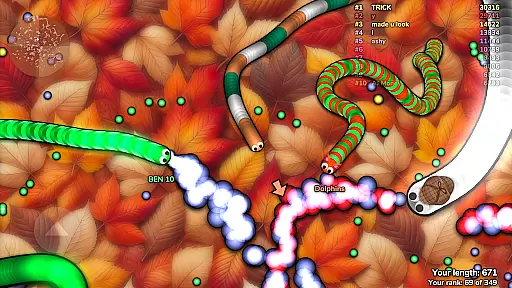



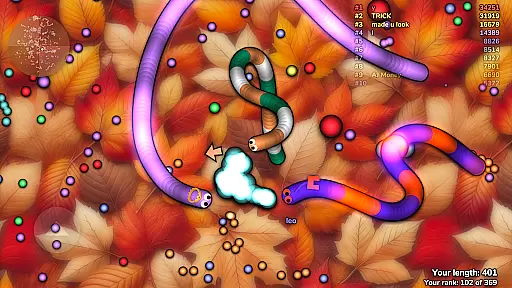




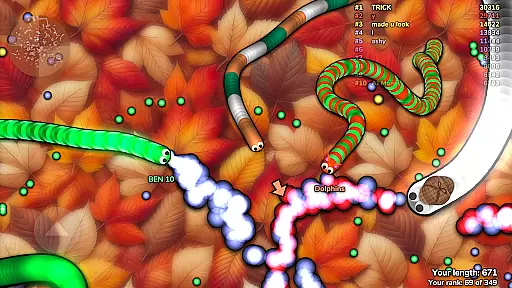


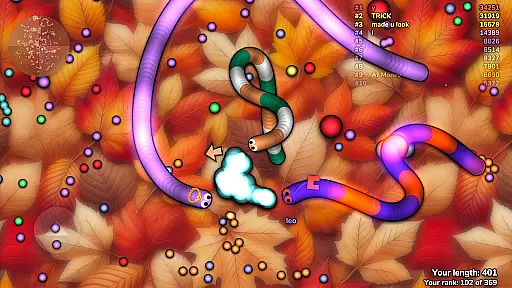



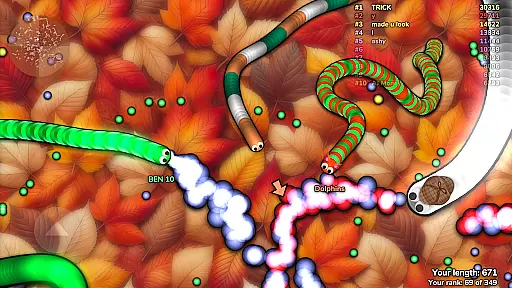



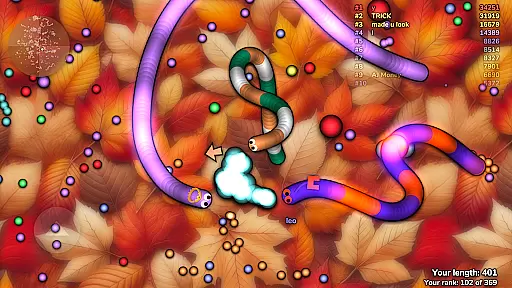


Slither.io is a multiplayer online game where players control snakes in a bid to become the longest. The primary goal is to consume glowing orbs scattered around the map while avoiding collisions with other players. If your snake's head touches another snake, you explode and lose the game. However, if you manage to make other snakes crash into you, they will explode instead, allowing you to grow longer by eating their remains.
This game offers an engaging experience for action game enthusiasts who enjoy competitive gameplay. It provides a dynamic environment where strategy and reflexes determine success. Whether playing casually or competitively, slither.io delivers fast-paced excitement that keeps players coming back for more.
Slither.io stands out with its simple yet addictive gameplay mechanics. Players can use strategic movements to encircle opponents and cause them to collide with your snake's body. This feature adds depth to the gameplay, allowing even smaller snakes to defeat larger ones through clever tactics.
The game also features vibrant graphics and smooth controls, ensuring an enjoyable user experience across various devices. With real-time multiplayer functionality, users from around the world can compete against each other at any time. Additionally, regular updates introduce new elements and improvements, keeping the content fresh and engaging for the community.
Control responsiveness and latency are crucial elements in action games like slither.io. These features ensure that every movement you make is accurately reflected in the game world.
In slither.io, players can expect immediate reactions to their inputs, allowing for precise maneuvers around opponents. This real-time interaction keeps the gameplay dynamic and engaging.
The game's design prioritizes low-latency connections, ensuring that even during intense moments, your controls remain fluid and uninterrupted. This allows for split-second decisions that could mean the difference between victory and defeat.
Combat feedback tightness refers to how well a game communicates the results of player actions during combat scenarios. In slither.io, this translates into clear visual cues when snakes collide and explode.
Players receive instant visual confirmation when they hit another snake or get hit themselves. This feedback loop is essential for understanding what happened and adjusting strategies accordingly.
Moreover, the satisfaction of seeing an opponent explode after skillfully maneuvering in front of them adds an extra layer of excitement. The tight combat feedback enhances the overall thrill of competition within slither.io.
User-friendly interface
Engaging multiplayer mode
Vibrant and colorful graphics
Regular updates and improvements
Accessible on multiple platforms
Occasional lag issues
In-app purchases may affect balance
Limited offline play options
Repetitive gameplay over time
Ads between games

Run and jump through the depths of the jungle!
 4.2
4.2
NEOGEO's masterpiece game is now available in the app!
4.70
Memorize Scripture and climb through a vibrant hand-drawn Bible adventure!
5.00
Fast-paced multiplayer fun. 3v3 & 5v5 matches, PvP brawls and battle royales!
4.20
Whack, smash, and toss the puppet! Let’s destroy the ragdoll in this funny game
4.40
Fun knockout battle royale, play with your friends!
4.30
Agent Shooter FPS action shooter with sniper & cover missions.
4.70
Plan. Adapt. Assassinate.
4.80
Brotato: The Ultimate Bullet Hell Experience!
4.80
Childhood nightmares should remain in the past.
4.60
Swing into action as a spider legend in an epic fighting adventure
4.60
Defend the last base and protect humans against alien monsters !
4.40
NEOGEO's masterpiece game is now available in the app!
4.30
Epic Fantasy RPG & Arena
4.30
Try not to fall while rolling the ball high in the sky and on the ground!
4.20
A fun platform run game with thousands of traps and wow that push your limits
4.00
Castlevania: Symphony of the Night
3.70
Secret of Mana—the landmark action RPG first released for SNES in 1993!
3.60
Five years ago, Carl ‘CJ’ Johnson escaped the haze of Los Santos, San Andreas…
3.30


User Reviews