

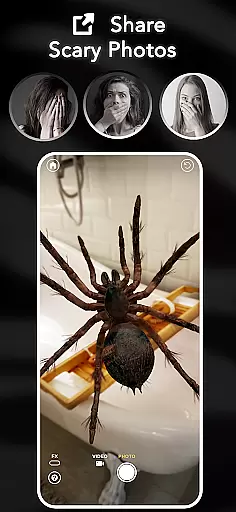




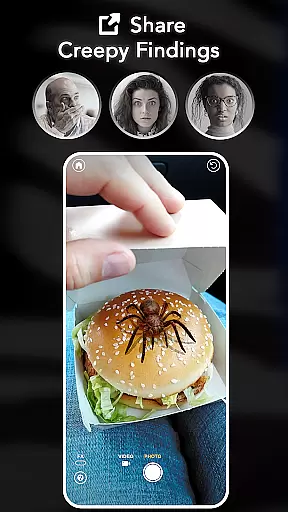



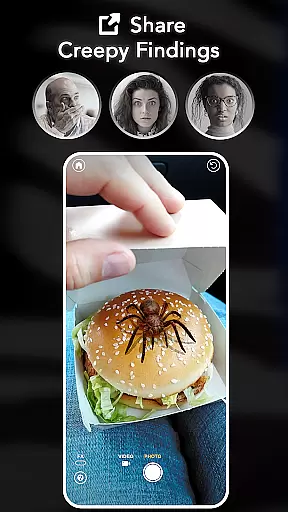

ARSpiders.com is an innovative entertainment app that brings realistic 3D spiders and other creepy-crawlies to life through augmented reality (AR). The app allows users to place ultra-realistic spiders, tarantulas, or scorpions on various surfaces such as walls, floors, tables, or even faces. With interactive gameplay features, users can control these creatures to simulate attacks, creating a shocking prank effect.
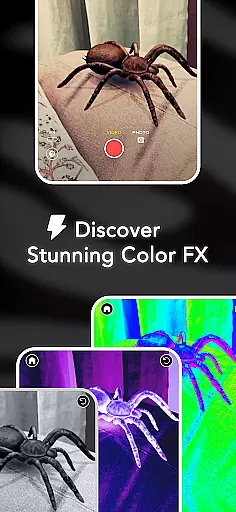
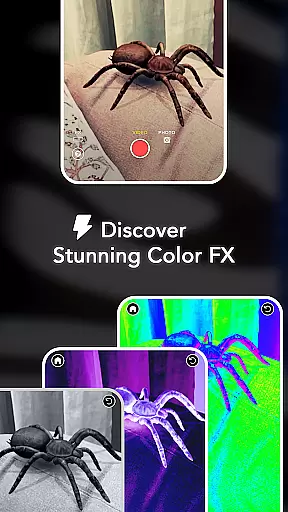
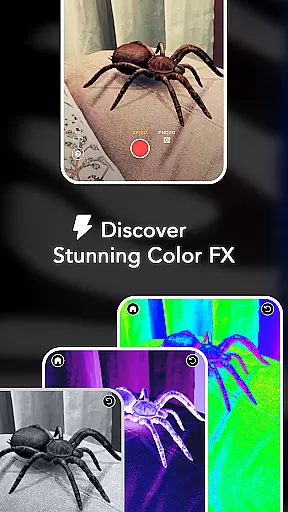
The app also includes advanced camera effects like Color Correction, Vignette, and Film Grain, enabling users to capture high-quality horror-themed photos and videos. Perfect for those who enjoy AR filters, pranks, and horror effects, this app offers a complete package with no ads or in-app purchases. It works offline and provides a unique opportunity to face fears or entertain friends with its immersive experience.
One of the standout features of ARSpiders.com is its ability to leverage augmented reality technology to create ultra-realistic 3D spiders and scorpions. Users can place these creatures anywhere around them, thanks to advanced AR capabilities. The interactive gameplay lets users control the movement and actions of these creatures, making it possible to simulate attacks for a more convincing prank.
In addition to its core AR functionality, the app offers cinematic camera effects such as Color Correction, Vignette, and Film Grain. These effects enhance the realism of captured photos and videos, making them perfect for sharing on social media or pranking friends. The app also supports offline mode, ensuring users can enjoy its full range of features without needing an internet connection. Furthermore, the Spider Selfie Mode allows users to create highly realistic spider selfies, provided their device supports the TrueDepth API.
ARSpiders.com offers a diverse range of content that keeps users engaged with its realistic 3D spiders, tarantulas, and scorpions. The app leverages advanced AR technology to provide an immersive experience where users can place these creatures in various environments.
The interactive gameplay allows users to control the movements of the virtual spiders, making it possible to execute pranks or simply explore their behavior. This feature adds an element of surprise and engagement as users can make the spiders 'attack' for a more shocking effect.
With regular updates planned, including new creatures based on user feedback, ARSpiders.com ensures that its content remains fresh and exciting. Users can look forward to additional features and enhancements that will keep them coming back for more thrilling experiences.
User engagement is at the core of ARSpiders.com's design. By offering high-quality AR effects and interactive gameplay, the app encourages extended use. The ability to capture and share scary photos and videos provides a social aspect that motivates users to spend more time within the app.
One significant advantage is the offline mode, which means users can enjoy the app anytime, anywhere, without needing an internet connection. This accessibility helps increase the duration of each session and promotes frequent returns to the app.
Additionally, the app's unique features like Spider Selfie Mode and cinematic camera effects contribute to higher retention rates. These creative tools not only entertain but also empower users to produce content that stands out on social media platforms, further enhancing user loyalty and long-term engagement.
User-friendly interface
High-quality AR effects
No in-app purchases
Offline functionality
Interactive gameplay
Requires TrueDepth API for selfies
May not appeal to all audiences
Limited to spider-related content
Potentially scary for some users
Device compatibility issues

A wonderful collection of the most beautiful sounds of animals and birds
 4.4
4.4
Live TV, sports & holiday movies — stream on phone, tablet & TV
4.60
Triple A is a highly complex, kinetic, and interactive visualizer.
4.50
Find out if you're on Santa's Naughty or Nice List with this magical scanner!
4.60
Create melty bead designs by numbers, photos or your imagination
4.40
Catalog & tracker of your DVD, Blu-ray & Digital Movie and TV Collection Library
4.80
Scan sets, track your builds, and enjoy intuitive digital instructions.
4.70
Earn Real Rewards Playing Fun Mobile Games & Easy Cash Out - PayPal & Gift Cards
4.40
Play casual games to get gift cards and money. More playing, more earning.
4.70
Original short dramas with diverse genres for a rich viewing experience!
4.80
5 funny and lovely ponies waiting for you to style them!
4.80
Unleash Your AI Imagination
4.60
Come and watch short dramas, reels with diverse genres!
4.40
Music visualizer and party effects for Hue
3.90
Exclusive Short Drama Video! All in HD. Bringe trending reels & enjoy drama time
3.80
Watch New Episodes & Live TV
3.80
Connect. Discover. Control.
3.60
VR 360 Cinema Player is the ultimate VR player for playing videos on mobile
3.50
See the frequencies! Watch the magic!
4.3


User Reviews