
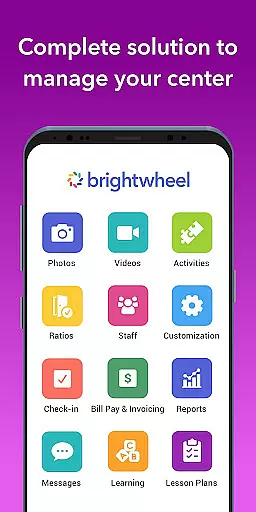
Brightwheel is a comprehensive childcare management software designed to streamline operations for early education providers. This all-in-one platform combines essential tools such as billing, attendance tracking, family communication, lesson planning, and reporting, enabling educators to focus more on children and less on administrative tasks.
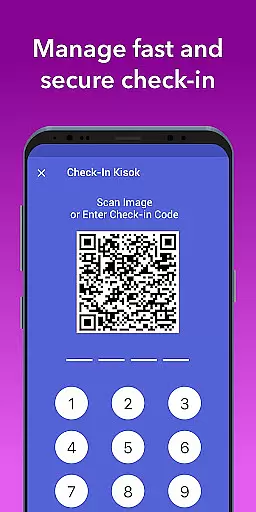
The app's user-friendly design ensures quick setup and ease of use for both staff and families. With features like automated billing, real-time family communication, photo and video sharing, and detailed reporting, brightwheel enhances operational efficiency while strengthening family connections. Backed by a dedicated support team and robust security measures, it ensures reliable performance and data protection.
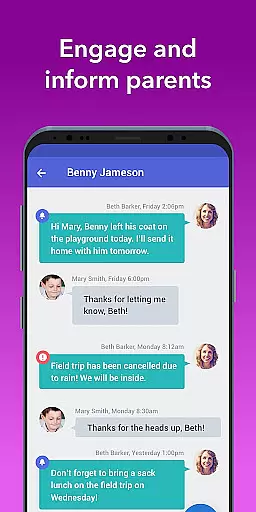
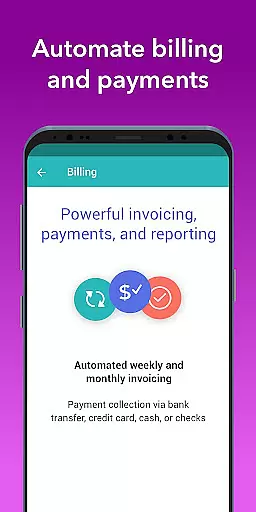
Brightwheel stands out with its extensive feature set tailored for early education providers. The platform offers automated billing and payment processing, customizable financial reports, and expense tracking, simplifying financial management for educational institutions. Its family communication tools facilitate real-time messaging, newsletters, and alerts, creating stronger connections between educators and families.
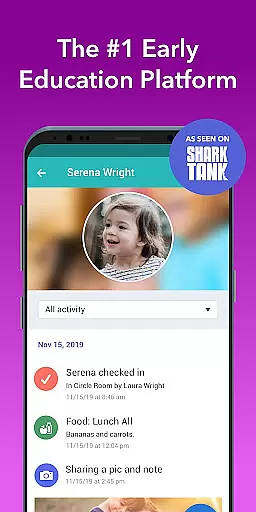
In addition to communication tools, brightwheel provides daily activity logging for naps, meals, and bathroom visits, which are shared with families through personalized feeds. The app also supports lesson planning, assessment tracking using state standards, and admissions management with custom admission packets and waitlist handling. With real-time syncing across devices and advanced security features like two-factor authentication, brightwheel ensures data integrity and seamless access.
In the realm of early education, content accuracy and authority are paramount. Brightwheel ensures that all educational materials and resources provided within its platform are meticulously vetted by experts in early childhood education.
The app's curriculum tools are aligned with state standards and include features such as DRDP assessments, which are recognized for their validity and reliability. This guarantees that educators can confidently utilize the platform to track student progress and achievements.
Furthermore, brightwheel's lesson planning capabilities allow teachers to incorporate high-quality digital lessons and hands-on learning materials, enhancing the overall program quality. The ability to customize and share these plans ensures that each child receives an education tailored to their individual needs.
By integrating these authoritative educational tools, brightwheel not only supports educators in delivering accurate and reliable content but also strengthens the connection between school and home, ensuring parents are engaged with credible information about their child's development.
Brightwheel excels in creating personalized learning paths, a critical component in modern educational practices. By leveraging advanced algorithms and teacher input, the platform crafts individualized educational journeys that adapt to each student's unique pace and learning style.
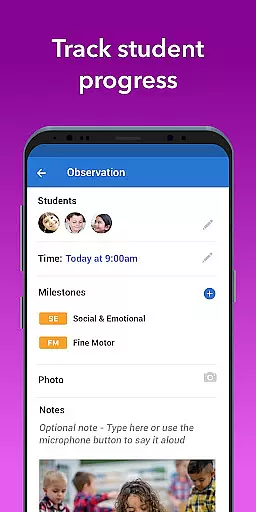
Teachers can easily log observations, track milestones, and document each child's activities throughout the day. These daily reports provide valuable insights into a childu2019s progress and interests, enabling educators to adjust learning plans accordingly.
Moreover, the photo and video sharing feature allows teachers to capture moments of achievement and tag them to specific students. This not only enriches the personalized data set but also keeps families connected with real-time updates on their child's experiences and growth.
With automated reporting tools, educators can generate detailed analyses of every aspect of a child's development, from academic milestones to social interactions. This comprehensive approach ensures that personalized learning is not just a concept but a tangible reality for each child using brightwheel.
User-friendly interface
Comprehensive feature set
Reliable performance
Robust security measures
Dedicated support team
Limited free plan features
Occasional syncing issues
Steep learning curve
High cost for premium plans
Dependent on internet connectivity

FAR/AIM, FAR for Flight Crew and FAR for Aviation Maintenance Technicians
 3.80
3.80
Turn scrolling hours into improving your knowledge, communication, intelligence
4.50
Study the questions most likely to be asked during the Oral & Practical Exams.
2.80
An easy to use yet powerful and full-featured flashcard study app.
4.50
Master the NRP with 700+ questions, rationales, and updated NREMT scenarios.
3.00
The Fighter Verses Bible memory system helps you memorize God's Word.
4.50
Quiz App to help case managers studying for CCMC Certification, 200+ Questions
3.40
Hasbro's Classic Board Game - Make Cavity Sam better or get the buzzer!
3.50
Master note reading with StaffWars….
4.00
Explore myths and gods across cultures with in-depth insights and stories.
5.00
Guitar chord finder, analyzer, smartly visualized theory, progressions, quizzes.
4.70
Practice Casino Roulette Payouts for Table Game Dealers and Croupiers
4.40
One of the most engaging and innovative ABC apps on the market.
4.30
Monkey Preschool Lunchbox: 7 exciting educational games for your preschooler.
4.30
Astronomy app ? Discover the universe scope, explore solar system model in 3D.
4.20
Learn to make peaceful contact with extraterrestrial civilizations
4.10
scanner body part for fun Prank friends realistic scan effects
3.00
Your best partner for learning Japanese words. Based on a best-selling textbook.
2.80
Test prep for Indiana students
4.1


User Reviews