
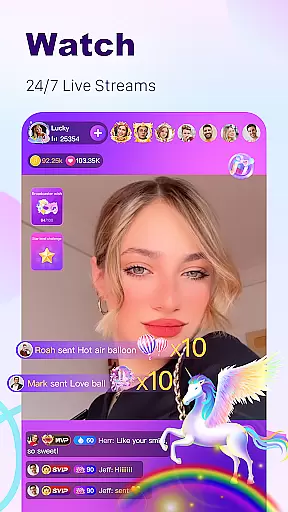
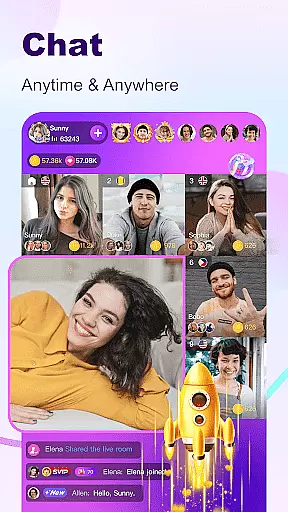
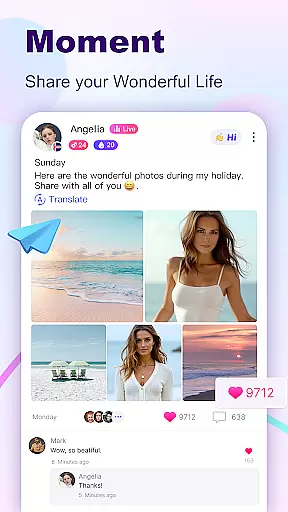

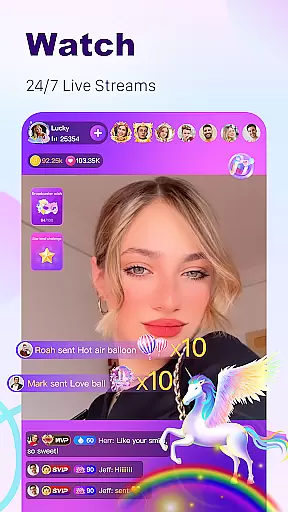
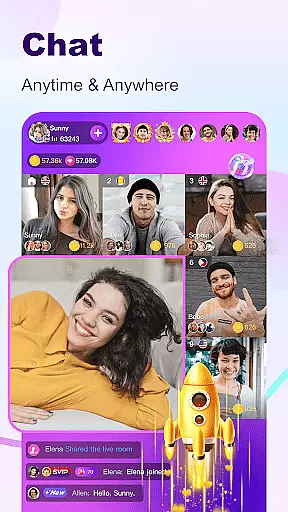

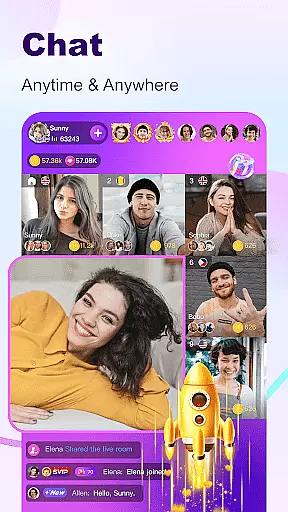

BuzzCast is a dynamic social platform that combines live streaming, instant messaging, and creative content sharing. As a global community, it allows users to engage in 24/7 live streams, exchange messages with friends without limitations, and interact with a diverse audience through video and voice chats. The app breaks language barriers using AI-powered translation, making communication seamless across borders.
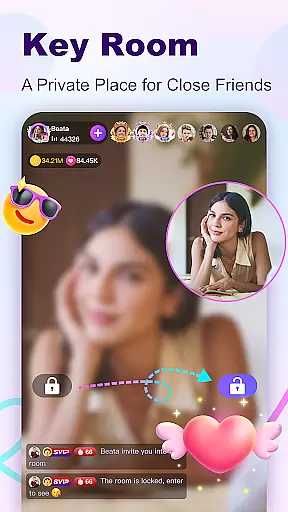
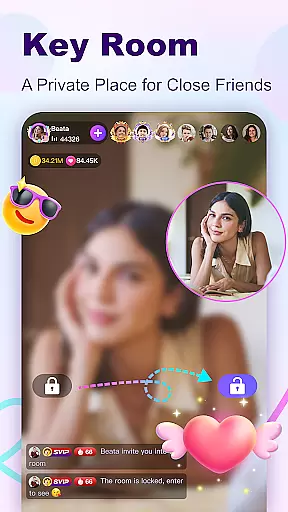
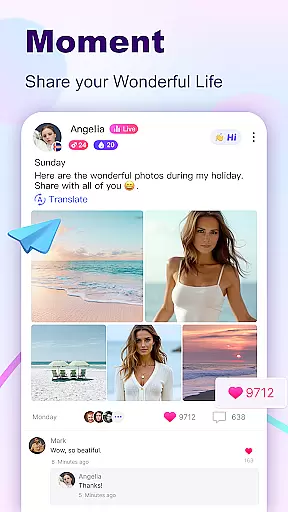
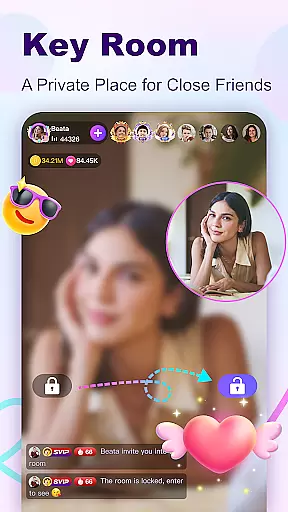
One of BuzzCast's standout features is its inclusive broadcasting environment, where anyone can go live without restrictions on levels or followers. Users can also enjoy private live rooms by setting passwords, ensuring a secure space for more personal interactions. Additionally, the Nearby Moments and Creative Short Videos sections provide opportunities for localized discovery and viral fame, respectively.
Whether you're looking to become a social media influencer, connect with like-minded individuals, or simply enjoy entertaining content, BuzzCast offers an all-encompassing experience tailored to enhance your digital social life.
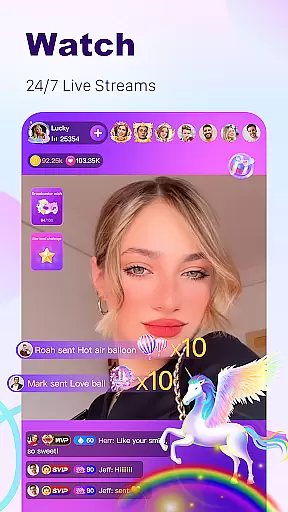
BuzzCast boasts a variety of innovative features designed to enrich user interaction. The Charming Live Streaming function lets users broadcast freely, showcasing their talents or sharing daily moments with a worldwide audience. Special effects and virtual gifts add an extra layer of engagement during these live sessions, allowing viewers to show appreciation for their favorite broadcasters.
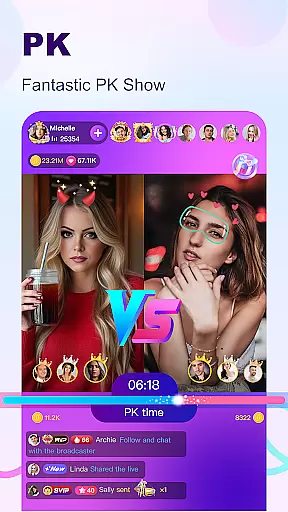
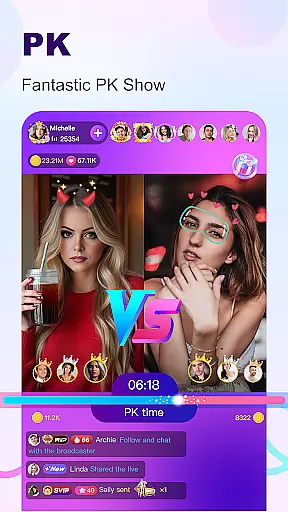
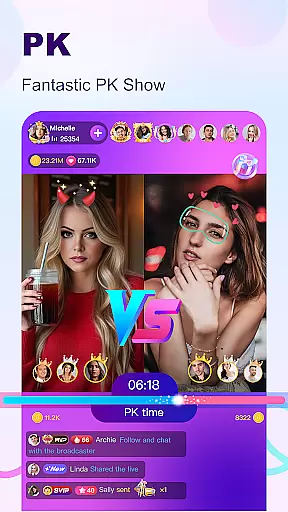
The Live PK feature introduces a competitive element, enabling broadcasters to challenge each other while fans support their idols by sending gifts. This interactive gameplay not only entertains but also strengthens community bonds. Meanwhile, the Instant Message Chatting system supports multimedia exchanges, including texts, photos, videos, and voice messages, catering to different communication preferences.
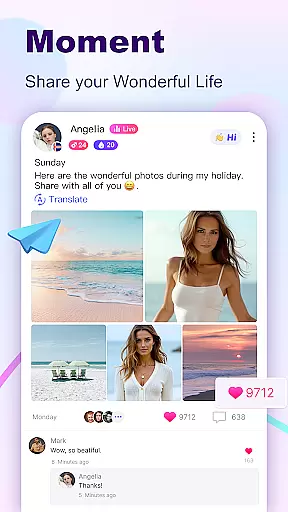
BuzzCast further enhances user experience with its Nearby Moments and Creative Short Videos sections. These platforms encourage local discovery and creativity, offering tools for video editing and real-time bullet comments. By integrating these multifaceted features, BuzzCast creates a vibrant ecosystem that fosters meaningful connections and self-expression.
User profile customization is a crucial aspect of any social platform, allowing users to express their individuality and connect with like-minded individuals. BuzzCast offers a comprehensive profile customization feature that enables users to showcase their interests, talents, and personality.
Upon creating an account, users can personalize their profiles by adding profile pictures, cover photos, and personal information such as age, location, and hobbies. This level of customization not only enhances the user experience but also facilitates more meaningful connections within the BuzzCast community.
BuzzCast places a strong emphasis on authenticity verification to ensure a safe and trustworthy environment. Through various verification methods, including social media linking and identity confirmation, users can verify their profiles, gaining credibility and trust among their peers.
The benefits of these features are manifold. Users can create genuine connections based on verified information, enhancing the overall quality of interactions. Additionally, the ability to customize and verify profiles contributes to a vibrant and authentic community where users feel empowered to express themselves freely.
Connection discovery is at the heart of BuzzCast's social experience, designed to help users expand their networks and meet new people from around the world. This feature leverages advanced algorithms to recommend potential connections based on shared interests, mutual friends, and user activity patterns.
BuzzCast's connection discovery mechanism goes beyond simple friend suggestions. It incorporates AI-driven matchmaking that considers user preferences, engagement history, and behavioral data to provide highly relevant connection recommendations. This ensures that users are introduced to individuals who are more likely to share common interests and values.
The implementation of this feature is seamless and intuitive. Users can easily navigate through suggested connections, view detailed profiles, and initiate contact with a single click. The platform also supports various interaction methods, including text messages, voice chats, and video calls, facilitating diverse forms of communication.
By prioritizing meaningful connection discovery, BuzzCast creates opportunities for users to build lasting relationships, both online and offline. This focus on quality connections enhances user engagement and satisfaction, making BuzzCast a preferred destination for those seeking genuine social interactions in a digital environment.
User-friendly interface
AI-powered translation
Unlimited messaging
Private live rooms
Vibrant community
High data usage
Occasional bugs
Limited offline features
Ads between sessions
Regional restrictions

Looking for a date or a friend? Swipe to match and meet open-minded singles.
 4.20
4.20
Honest dating app where real people find genuine love and real matches.
4.20
Follow the Truth! Join America's leading free-speech social platform.
3.10
Instant video chat with cool people. Live video call & make friends with Monkey!
3.80
Chat and make new friends around the world!
3.90
Build Your Team With One App
4.30
Widget Together, Share Whatever! Keep Pets & Share Sleep, Poop, Moods on Screens
4.70
Watch 24/7 great live stream, or go live to boost your social followers!
4.50
A video app from OpenAI - AI video generation by the maker of ChatGPT
4.60
Get notifications of FREE Stuff for Nextdoor, Letgo, offerup & TrashNothing
4.70
A little connection can go a long way
4.60
Global short video platform: epic effects, trending videos & vibrant community!
4.40
Social App Used By Millions
4.40
Sell unwanted items and buy preloved stuff in your local community.
4.10
Unlimited messages, WiFi Calling, Texting app. Text now with Second Phone Number
4.10
Connect and share ideas
4.10
Create & share photos, stories, & reels with friends you love
3.90
Swipe, Meet & Chat Real People
3.80
Video call, live video chat & talk to strangers. Meet people on Omega!
3.60


User Reviews