



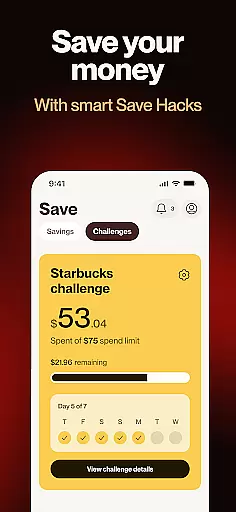
Cleo AI is a personal finance coach designed to simplify your financial life through conversational interactions. With over 8 million users, Cleo helps you manage budgets, save money, build credit, and even access cash advances when needed. The app provides a unique chat-based interface where you can ask specific questions about your spending habits or financial health without feeling overwhelmed.
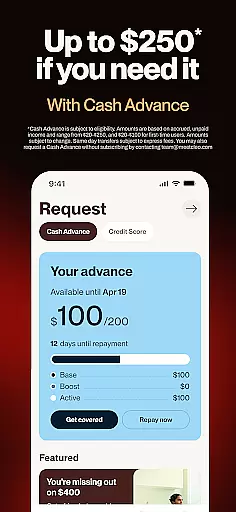
Key features include budget tracking with flexibility, high-yield savings accounts offering 3.14% APY, credit building without requiring a credit card, and early paycheck access up to two days in advance. Cleo also offers Earned Wage Access of up to $250 with no interest, credit checks, or late fees, making it an ideal solution for those looking to avoid traditional banking pitfalls like overdraft charges.
Whether you're trying to understand how much you spent on takeout last month or aiming to improve your credit score, Cleo's personalized approach ensures that managing finances becomes less stressful and more engaging.
Cleo AI stands out due to its innovative combination of financial tools and user-friendly design. One of the standout features is the ability to have real-time conversations about your finances. You can ask Cleo anything from how much you've spent on coffee this week to requesting detailed breakdowns of monthly expenses. This interactive element makes budgeting feel less restrictive and more intuitive.
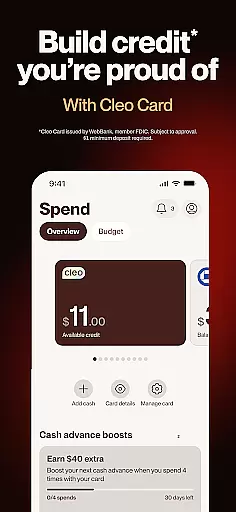
The app offers several advanced functionalities such as Earned Wage Access, which allows eligible users to receive up to $250 with no interest or credit checks. Additionally, Cleo provides a high-yield savings account with an impressive 3.14% APY—almost nine times higher than the national average. Users can also build credit without needing a credit card by utilizing Cleo’s Credit Builder program, which includes perks like cash advances and credit score coaching.
Another notable feature is the integration with Plaid, enabling Cleo to aggregate all your financial accounts into one dashboard. This gives users a comprehensive view of their financial status, including spending patterns and upcoming bill reminders. Overall, these features collectively empower users to take control of their financial future while enjoying a seamless digital experience.
Account and Fund Security is a critical aspect of any financial application, ensuring that users' data and funds are protected from unauthorized access and fraud. Cleo AI employs advanced security measures to safeguard user information and transactions. The app uses Plaid to read transaction history in a read-only mode, which means it can display account details without risking the safety of users' funds.
Cleo's approach to security extends to its cash advance feature, which is designed without credit checks or hidden fees, providing users with a secure and transparent way to access funds. With no interest charges or late fees, Cleo ensures that users can manage their finances without worrying about escalating debts. This commitment to transparency and user protection helps build trust and confidence among its 8+ million users.
Furthermore, Cleo AI adheres to strict legal standards and partners with Thread Bank, a Member FDIC, to provide banking services. This partnership ensures that all financial operations conducted through Cleo meet the highest security and regulatory requirements. Users can feel secure knowing that their financial activities, including savings and credit building, are backed by robust security protocols and compliant with federal regulations.
The Transaction Experience in Cleo AI is designed to simplify and enhance the way users interact with their finances. By turning stressful money management into a simple chat interface, Cleo allows users to ask questions and receive instant answers about their spending habits, budget, and savings. This conversational approach makes financial management more accessible and less intimidating, encouraging users to take control of their financial health.
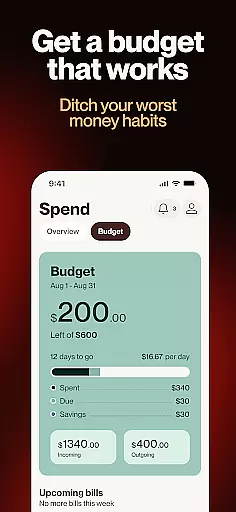
Cleo's budgeting tools offer personalized insights without making users feel restricted. Users can effortlessly track their spending, set up monthly bill reminders, and even inquire about specific expenditures, such as how much they spent on takeout last month. This level of detail and customization empowers users to make informed decisions about their money, ultimately leading to better financial outcomes.
In addition to its intuitive interface, Cleo provides features like early paycheck access and high-yield savings accounts with an impressive 3.14% APY. These offerings not only improve the transaction experience but also help users grow their wealth and achieve financial stability. With seamless integration and user-friendly functionalities, Cleo AI transforms the often daunting task of managing finances into an engaging and rewarding experience.
User-friendly interface
No hidden fees
High-yield savings
Credit building tools
Early paycheck access
Limited to US users
Subscription required
Variable interest rates
Eligibility restrictions
Dependent on third-party integrations

Pay rent on your schedule.
 4.70
4.70
Get a cash advance instantly. File taxes & cover unexpected bills in minutes.
4.60
Money transfer made easy. Send money to friends and family with great rates.
4.70
PayMe helps you claim money from settlements on companies that harmed you.
4.80
All your crypto & stocks in one secure and trusted app.
4.40
The US Debt Clock .org App gives you a Real-Time glimpse of US Financial Stats
4.60
SuperQi, Your all-in-one Super App.
1.30
Our Chase Mobile App makes it easy for you to bank on the go 24/7.
4.60
The PayPal app is the secure way to send and receive money, shop and pay in 4.
4.20
Easy budgeting planning on a calendar!
4.80
Secure, simple money transfer app. Send money to Mexico and worldwide fast.
4.80
Keep track of your subscriptions with no limitations
4.80
Early payday cash advance up to $150 a day with a max of $1,000 per pay period
4.70
Managing your money just got easier. Get the new Mobile app.
4.70
Play for fun, earn for real. Collect rent by owning virtual land & get cashback
4.60
Debt pay off. Build credit history. AI budget tool. Loan offers.
4.60
Payday cash advance & Instant cash advance: Borrow money instantly, Get cash now
4.60
The all-in-one app to save, earn, travel, and put more money in your pocket
4.50
Retirement plan, IRA, retail and HSA customers serviced by Empower.
3.10


User Reviews