
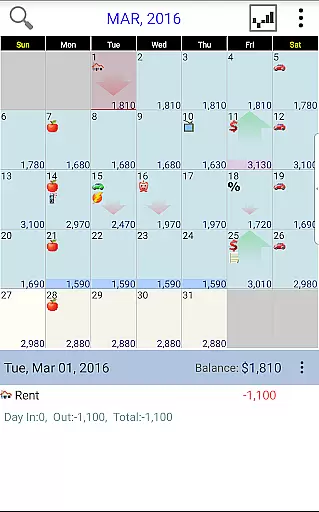
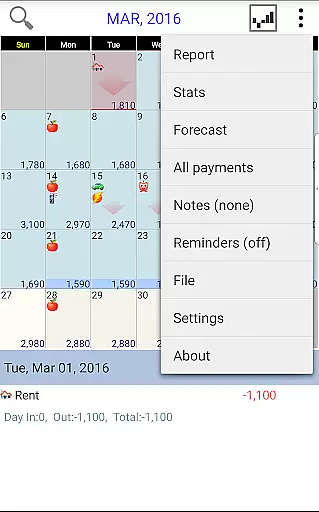
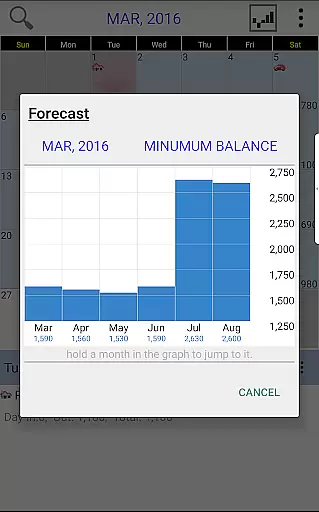
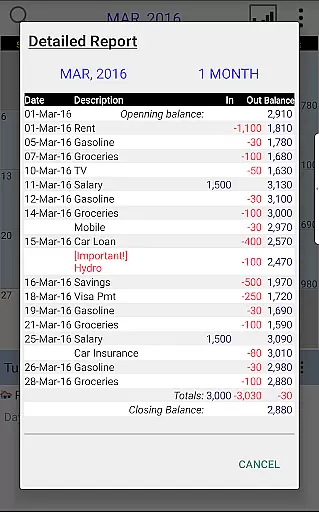
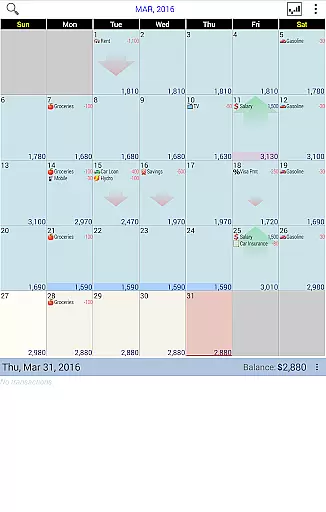
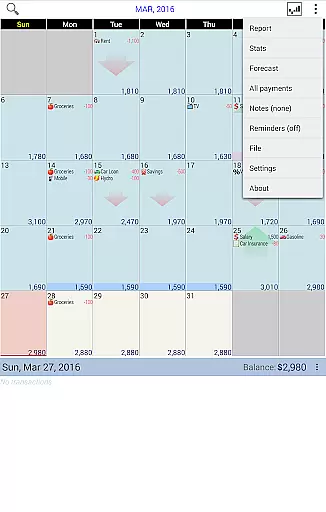
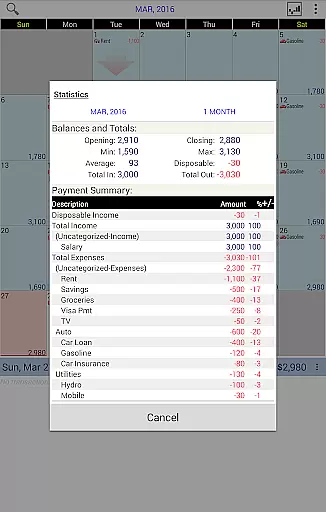
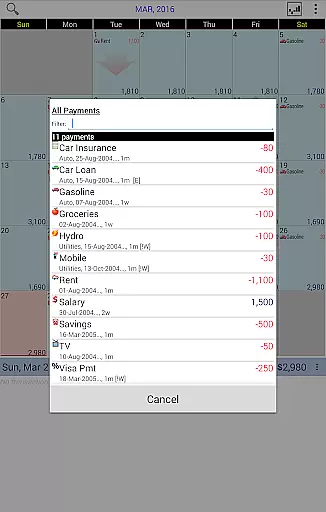
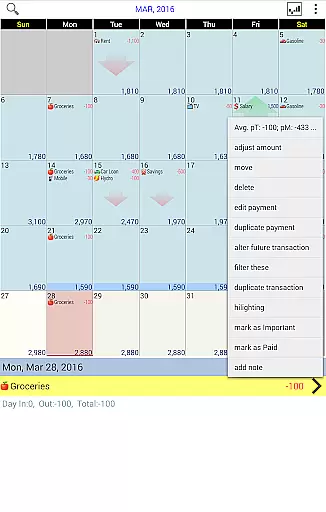
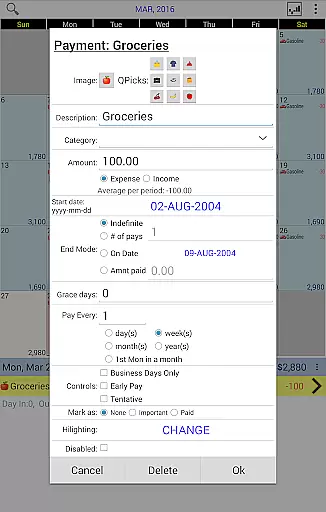
Budget Calendar is a comprehensive financial planning tool designed to simplify budget management through an intuitive calendar-based interface. Unlike traditional ledger systems, this application visualizes all transactions directly on a calendar, making it easier to track and manage payments. Each transaction can be customized with unique icons for quick identification, and users can effortlessly reschedule payments by dragging them to different dates. The app provides clear statistics and reports for single or multiple months, enabling users to monitor their spending patterns and adjust their budget balance to reflect actual account status.
One of the standout features of Budget Calendar is its cross-platform compatibility. The smartphone version uses a file format that is fully compatible with desktop versions, allowing seamless synchronization between mobile devices and PCs. Users can leverage Google Drive for syncing data across multiple devices, ensuring that their financial information is always up-to-date and accessible wherever they are. Whether you're planning your monthly expenses or preparing for future financial commitments, Budget Calendar offers the tools you need to stay organized and in control of your finances.
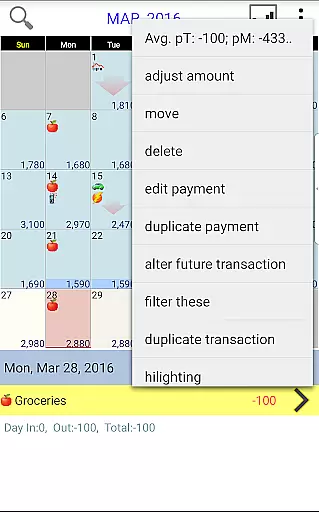
Budget Calendar stands out with its innovative calendar-based approach to budgeting, which transforms the often tedious task of financial management into a more engaging and visually intuitive process. At the core of the application is the ability to display all transactions on a calendar interface, eliminating the complexity associated with traditional ledger systems. This feature allows users to see at a glance when payments are due and easily reschedule them by simply moving entries to different dates. Each transaction can be assigned a unique icon, providing quick visual cues about the nature of each payment.
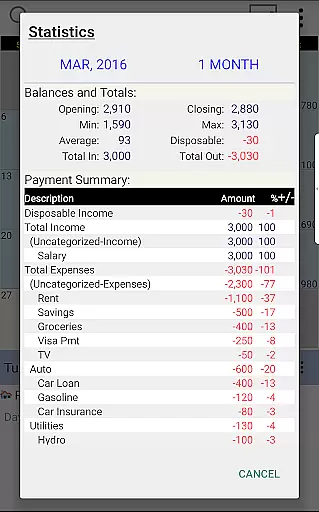
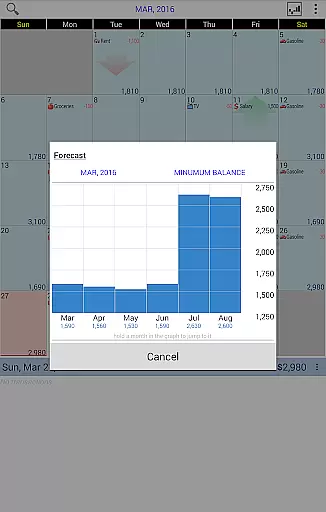
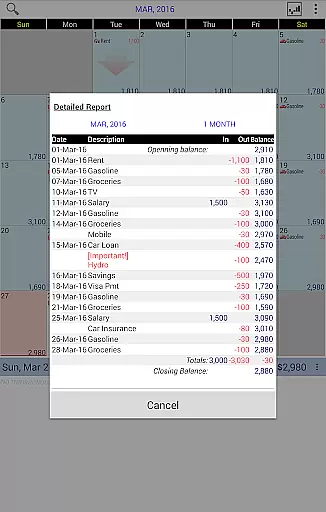
The application also excels in its reporting capabilities, offering detailed statistics and reports that cover one or multiple months. These insights help users understand their spending habits and make informed decisions about their financial future. Additionally, Budget Calendar supports cross-platform synchronization, ensuring that data remains consistent across smartphones and desktop versions. By integrating with Google Drive, users can effortlessly sync their financial data between various devices, creating a unified and up-to-date view of their budget. This combination of user-friendly design, powerful analytics, and seamless integration makes Budget Calendar an invaluable tool for anyone looking to take control of their finances.
Budget Calendar ensures robust account and fund security through advanced encryption protocols. This guarantees that all your financial data remains protected from unauthorized access.
The application employs multi-layered security measures including password protection and optional biometric authentication. These features work together to safeguard your sensitive information while providing convenient access.
Users can trust that their transaction details and personal data are kept confidential. The app's security framework is designed to meet industry standards, giving you peace of mind when planning your budget.
Regular security updates ensure the application stays ahead of potential threats. This commitment to security makes Budget Calendar a reliable choice for managing your finances.
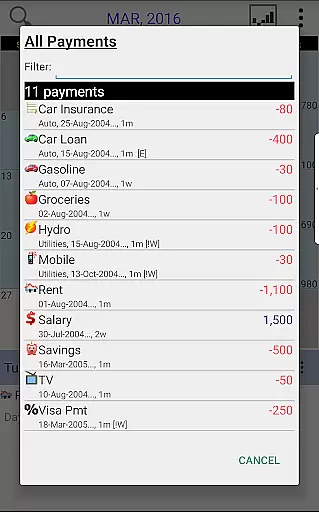
Budget Calendar offers an intuitive transaction experience by displaying all financial activities on a calendar interface. This visual approach simplifies tracking income and expenses compared to traditional ledger systems.
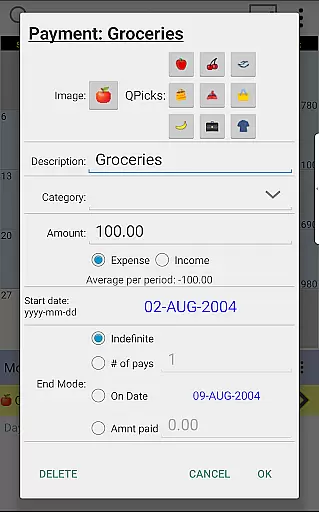
Each transaction can be customized with unique icons, making it easy to identify different payment types at a glance. The drag-and-drop functionality allows users to effortlessly reschedule transactions to match their actual payment dates.
The application provides clear statistics and reports for any selected period. Users can view their spending patterns and adjust their budget balance to reflect their current financial situation.
With seamless synchronization across devices via Google Drive, maintaining an up-to-date financial overview has never been easier. This comprehensive transaction management system enhances user experience while ensuring accurate financial planning.
User-friendly interface
Customizable transaction icons
Powerful reporting tools
Cross-platform compatibility
Google Drive integration
Desktop version not free
Limited advanced features
No automatic categorization
Subscription fees apply
Occasional sync issues

Currency Converter, Exchange Rates, Widgets
 4.90
4.90
Manage your Discover account conveniently from anywhere.
4.80
Get a cash advance instantly. File taxes & cover unexpected bills in minutes.
4.60
No credit checked needed.
4.80
Manage your credit card account with the Credit One Bank mobile app.
4.70
View BSC Transactions for multiple accounts
3.90
Access State Farm accounts, policies, ID cards and more
4.60
Trade NFL, NBA, Crypto, Tech
4.50
Pay, bank & build credit.
4.70
Early payday cash advance up to $150 a day with a max of $1,000 per pay period
4.70
Manage your prepaid cards and add to Google or Samsung Wallet.
4.60
Earn cash back. Build credit.
4.60
Amazing Financial Calculator. Based on HP 10bII, but easier to use!
4.40
Change the way you money with Credit Genie
4.30
Earn money as a tester with Testerup, get cash testing apps and games
4.20
The PayPal app is the secure way to send and receive money, shop and pay in 4.
4.20
Venmo is the fun and easy way to pay and get paid.
4.10
Your insurance, anytime, anywhere
4.00
StockTiles lets you view prices & charts of your favorite stock assets
2.30


User Reviews