
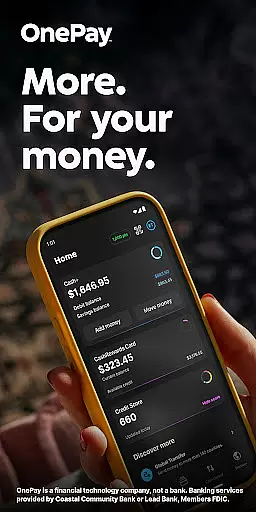
OnePay - Mobile Banking is a comprehensive financial technology application that offers users an innovative way to manage their money. As a non-bank financial service provider, OnePay partners with established banks like Coastal Community Bank and Lead Bank to deliver FDIC-insured banking services. The app provides users with versatile tools for managing finances, including the ability to earn cash back through OnePay Points when making purchases or transferring funds.
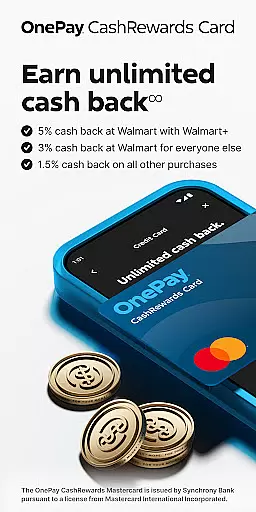
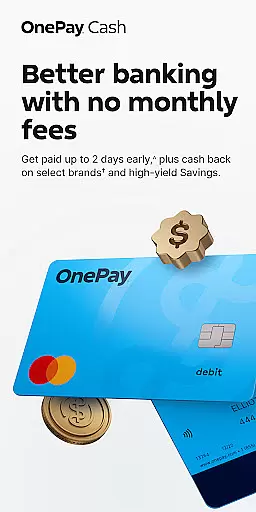
The core functionality of OnePay revolves around its digital banking solutions, which include features such as direct deposit options, customizable rewards programs, and seamless fund transfers. Users can access these services through either the OnePay CashRewards Mastercard or the OnePay Debit Card, both issued under licenses from Mastercard International Incorporated. This ensures secure and reliable transactions while offering additional benefits like cashback rewards on eligible purchases.
OnePay is particularly beneficial for individuals seeking flexible banking options without traditional brick-and-mortar limitations. Whether you're looking to earn rewards on everyday spending or need a convenient way to handle your finances digitally, this app caters to modern banking needs by providing robust features within an intuitive mobile platform.
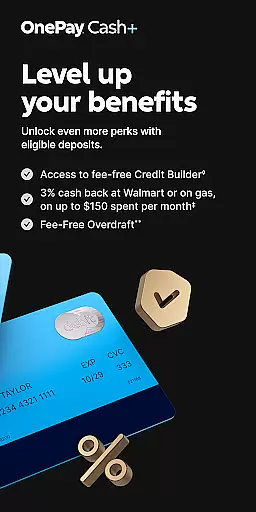
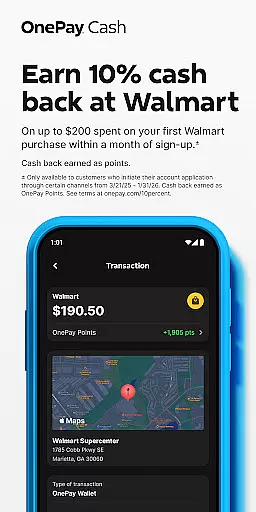
OnePay - Mobile Banking stands out due to its rich feature set designed to enhance user experience in managing personal finances. A key highlight is the ability to earn cash back in the form of OnePay Points, redeemable into your OnePay Cash account or other available options. This rewards system incentivizes regular use while offering tangible benefits for maintaining eligible deposits and engaging in specific spending categories each month.
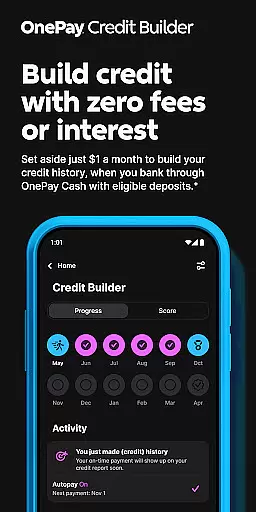
Beyond rewards, OnePay provides advanced financial management tools such as Savings Backup and Fee-Free Overdraft protection. These features ensure users have a safety net when unexpected expenses arise, helping maintain financial stability. Additionally, the Credit Builder Program allows users to improve their credit scores over time by making consistent monthly payments towards a 12-month loan at 0% APR—offering flexibility in repayment amounts based on individual circumstances.
Security remains paramount within OnePay's design; all transactions are safeguarded through partnerships with reputable institutions like Synchrony Bank and adherence to Mastercard’s stringent security protocols. Furthermore, customers benefit from transparent terms and conditions readily accessible via the app, ensuring they understand how best to utilize these powerful financial tools effectively.
Account and fund security is a critical aspect of any financial application, ensuring the safety of users' personal and financial information. OnePay u2013 Mobile Banking employs advanced encryption protocols to protect data during transmission, safeguarding sensitive details from unauthorized access. The app also features multi-factor authentication, adding an extra layer of security by requiring users to verify their identity through multiple methods before accessing their accounts.
Beyond encryption and authentication, OnePay provides real-time fraud monitoring. This system analyzes transaction patterns and flags any unusual activity, immediately notifying users of potential security breaches. Such proactive measures allow users to act swiftly in securing their accounts, providing peace of mind when managing finances digitally.
The benefits of these security measures are manifold. Users can confidently perform transactions, knowing their funds and personal information are protected against cyber threats. By prioritizing account and fund security, OnePay not only meets regulatory standards but exceeds user expectations for a secure mobile banking experience.
A seamless transaction experience is essential for any mobile banking application, directly impacting user satisfaction and trust. OnePay u2013 Mobile Banking offers an intuitive interface that simplifies the process of transferring funds, paying bills, and managing expenses. With just a few taps, users can execute transactions quickly and efficiently, eliminating the need for time-consuming visits to physical bank branches.
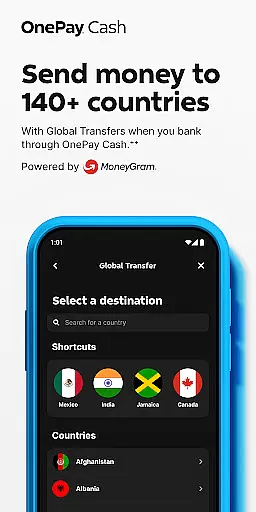
OnePay enhances this experience with features like real-time transaction notifications and detailed transaction histories. These tools empower users to monitor their financial activities closely, ensuring they are always informed about their account status. Additionally, the integration of various payment methods, including Direct Deposits and global transfers, caters to diverse user needs, making transactions more versatile and convenient.
Ultimately, the value of a superior transaction experience lies in its ability to save time and reduce stress for users. OnePay's commitment to providing a smooth, reliable, and feature-rich transaction process fosters greater financial control and confidence among its users, setting a high standard in mobile banking services.
User-friendly interface
Flexible banking options
FDIC-insured accounts
Rewarding points system
Secure transaction processing
Limited physical branch access
Eligibility requirements for rewards
Potential fees for certain services
Dependent on partner banks' policies
Requires direct deposit activation

Debt pay off. Build credit history. AI budget tool. Loan offers.
 4.60
4.60
Retirement plan, IRA, retail and HSA customers serviced by Empower.
3.10
Payday cash advance & Instant cash advance: Borrow money instantly, Get cash now
4.60
Get, Earn, and Save Money
4.30
Car Insurance Made For You.
4.50
Manage your credit card account with the Credit One Bank mobile app.
4.70
Loan Calculator, Mortgage Calculator, Compound Interest Calculator
4.70
Manage budget, save money, or file tax. Build, track & improve your credit score
4.40
Cash Advance, Credit Cards, Credit Lines, Score Monitoring, Saving, Budgeting
4.70
Early payday cash advance up to $150 a day with a max of $1,000 per pay period
4.70
Money App - Earn Cash back, Fast Cash Advance, Personal Loan Offers, Banking
4.70
“Money Manager” is an optimized application for personal asset management.
4.70
Get a cash advance instantly. File taxes & cover unexpected bills in minutes.
4.60
Banking, Budgeting & Investing
4.60
Our Chase Mobile App makes it easy for you to bank on the go 24/7.
4.60
Trade NFL, NBA, Crypto, Tech
4.50
Amazing Financial Calculator. Based on HP 10bII, but easier to use!
4.40
Mine Bitcoin in the cloud! Earn BTC daily with high-speed mining power.
4.30
Invest, bank & save in one app. Trade stocks, earn high APY & budget smarter.
4.00


User Reviews