
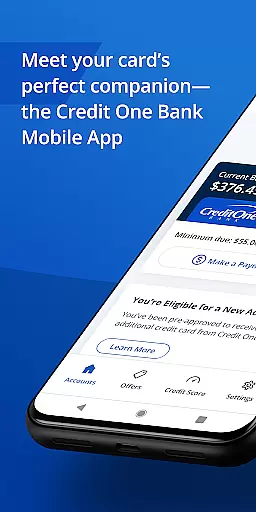
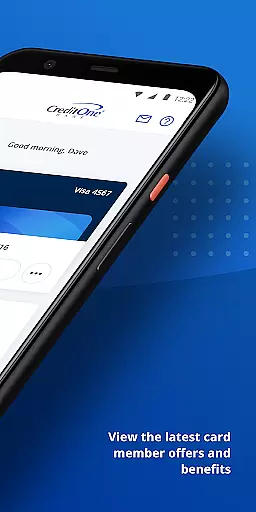
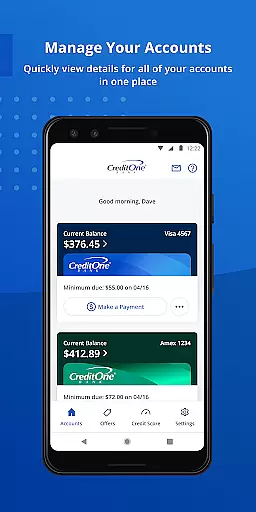
Credit One Bank Mobile is a comprehensive financial management tool designed specifically for Credit One Bank cardholders. This app allows users to manage their accounts with ease, offering features such as account activation, statement viewing, and secure login using fingerprint authentication.
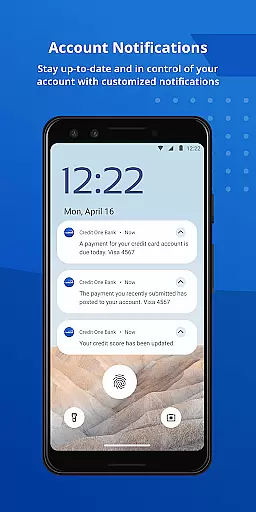
One of the standout capabilities of this app is its robust security framework. Users can lock and unlock their cards, set up customized fraud alerts, and receive notifications about transactions and balances. Additionally, the app provides tools for tracking rewards, scheduling payments, and monitoring credit scores, making it an indispensable companion for anyone looking to take control of their financial health.
Whether you're at home or on the go, Credit One Bank Mobile ensures that you have quick access to your financial information. With features like Quick View, users can check their balance or make payments without needing to sign in, providing unparalleled convenience and accessibility.
Credit One Bank Mobile offers a wide array of features tailored to enhance the banking experience. The app's security measures are top-notch, allowing users to sign in quickly and securely using fingerprint authentication. This feature not only speeds up the login process but also adds an extra layer of protection against unauthorized access.
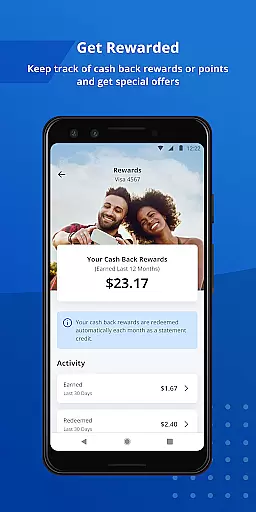
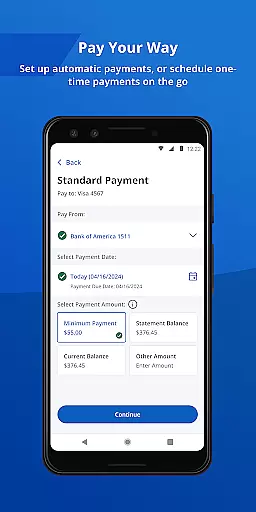
In addition to security, the app excels in providing users with tools to manage their finances effectively. Users can activate new cards, view statements, and track rewards such as cash back or points earned through their card usage. The app also supports convenient payment options, including scheduling payments and setting up AutoPay, which automates monthly payments.
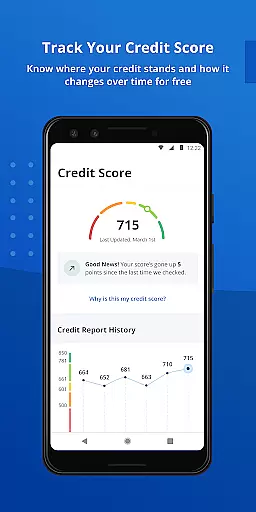
Another significant feature is the ability to monitor credit health. Users can track their monthly credit scores for free and receive detailed credit reports that explain factors affecting their scores. These insights empower users to make informed decisions about their financial future, ensuring they stay on top of their credit game.
Account and fund security is a critical feature for any financial application, ensuring that users' personal and financial information remains protected. Credit One Bank Mobile offers robust security measures designed to safeguard your accounts against unauthorized access and potential fraud.
The app employs advanced security protocols such as fingerprint authentication, allowing users to sign in quickly and securely without the need for remembering complex passwords. This biometric verification method adds an extra layer of protection, making it significantly harder for unauthorized individuals to gain access to sensitive account details.
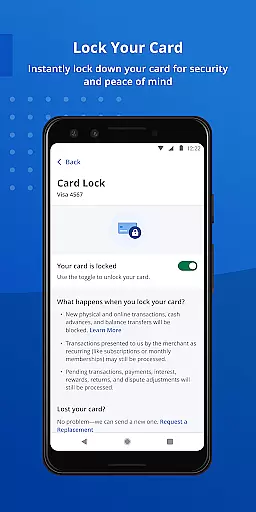
In addition to biometric login options, Credit One Bank Mobile enables users to lock and unlock their cards directly from the app interface. This feature provides peace of mind by giving cardholders immediate control over their card's usability, effectively preventing any unwanted transactions during periods of suspected loss or theft.
Furthermore, the app allows for customized fraud alerts, transaction notifications, and balance updates. These proactive measures ensure that users are always informed about their account activities, empowering them to detect and respond to suspicious behavior promptly. By keeping customers alerted and engaged with real-time updates, Credit One Bank Mobile reinforces its commitment to maintaining top-tier account and fund security.
A seamless transaction experience is essential for users managing their finances through a mobile application. Credit One Bank Mobile excels in providing a smooth and efficient platform for handling various types of transactions, ensuring that users can perform necessary financial operations with ease and confidence.
One standout feature is the ability to quickly schedule payments at any time. Whether you need to make a last-minute payment or plan recurring transfers, the app streamlines this process, saving you valuable time and reducing the risk of missed deadlines. The intuitive interface guides users through each step, making it simple even for those who may be less tech-savvy.
To further enhance convenience, Credit One Bank Mobile offers an AutoPay option. By enabling AutoPay, users can automate their monthly payments, eliminating the hassle of manual entry and ensuring consistent on-time payments. This feature not only simplifies financial management but also helps maintain a positive credit history by avoiding late fees and penalties.
Additionally, integrating your card with Google Pay allows for effortless payments both online and in-store. With just a few taps, users can complete purchases using their digital wallet, enjoying a fast and secure checkout experience. Overall, these comprehensive transaction capabilities underscore Credit One Bank Mobile's dedication to delivering an exceptional user experience while managing day-to-day financial tasks.
User-friendly interface
Secure login options
Comprehensive account management
Free credit score tracking
Convenient payment scheduling
Limited to Credit One Bank customers
Occasional bugs reported
No investment tracking
Some features require enrollment
Dependent on internet connectivity

Play for fun, earn for real. Collect rent by owning virtual land & get cashback
 4.60
4.60
Bill Manager is a simple app to help you keep track of your upcoming bills.
4.1
Earn cash & save money daily. Access instant cash advances* - no credit check!
4.50
Get 250$ Cash Advance to solve emergencies instantly in loan app called LendMe
4.70
Get, Earn, and Save Money
4.30
No credit check, no interest, no worries.
4.70
All expenses at a glance.
4.80
Venmo is the fun and easy way to pay and get paid.
4.10
Send money and bitcoin easily. Invest, bank and do more with your money
4.70
Currency Converter supports all currencies of the world.
5.00
Get a cash advance instantly. File taxes & cover unexpected bills in minutes.
4.60
Easily invest, save, and plan—all in one app.
4.60
Early payday & cash advances with no-fee mobile banking!
4.60
Banking, Budgeting & Investing
4.60
Save, spend & get paid faster²
4.50
All your crypto & stocks in one secure and trusted app.
4.40
Make your paycheck work harder for you with Perpay.
4.10
NFC mobile payment app Use your phone as a contactless bank card
4.00
Bitcoin gpu app helps you remote mine using your cell phone easily .
3.60


User Reviews