
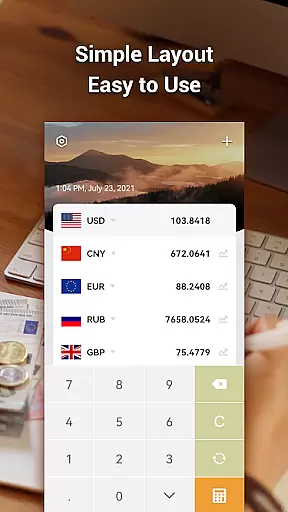
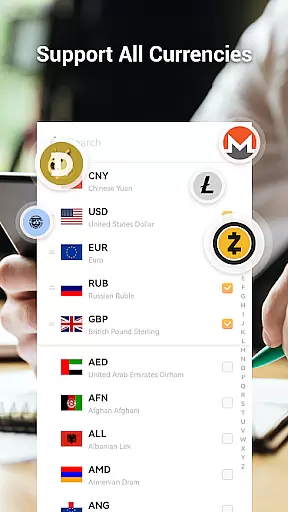


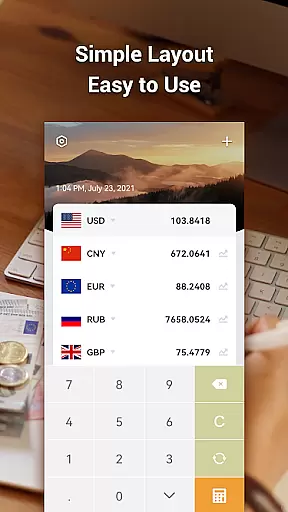
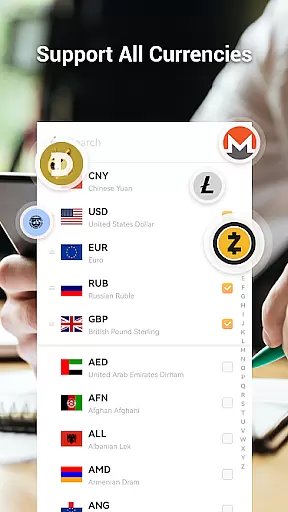


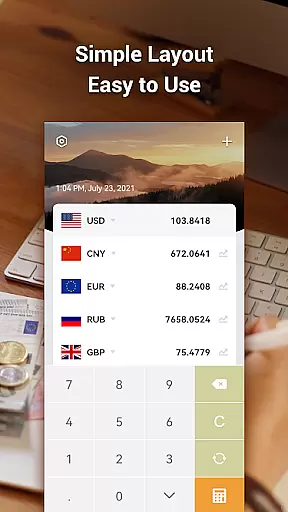
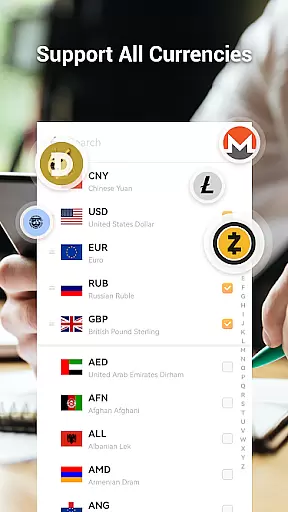


Currency Converter Pro is a powerful financial tool designed for real-time currency conversion across over 180 currencies, metals, and cryptocurrencies. This app provides users with accurate exchange rates updated every second, ensuring reliable conversions whether online or offline.
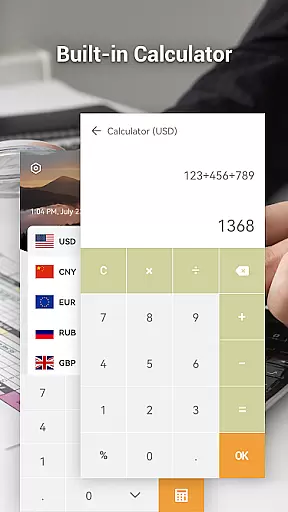
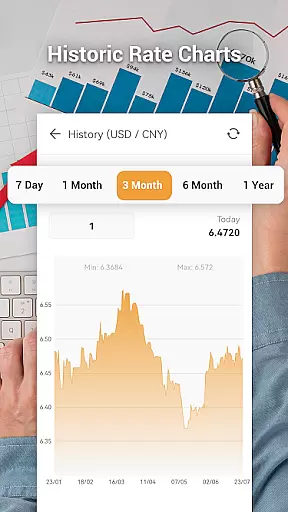
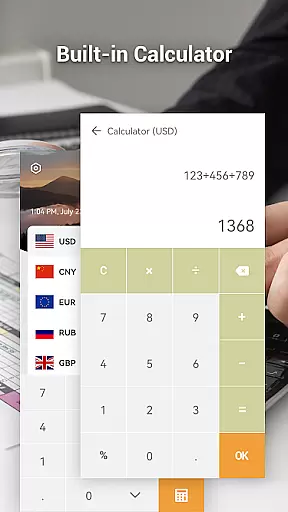
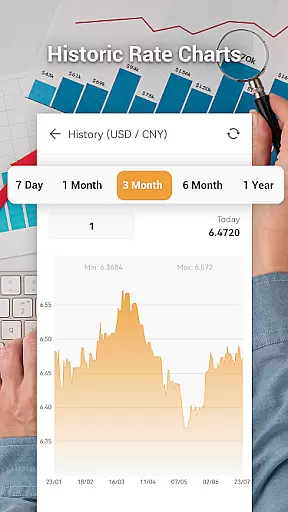
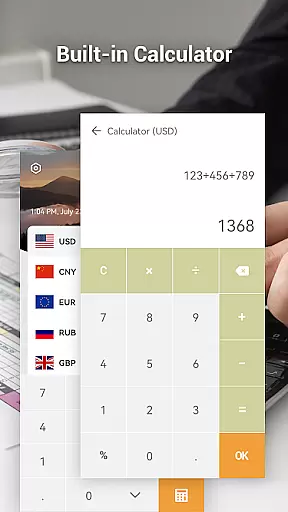
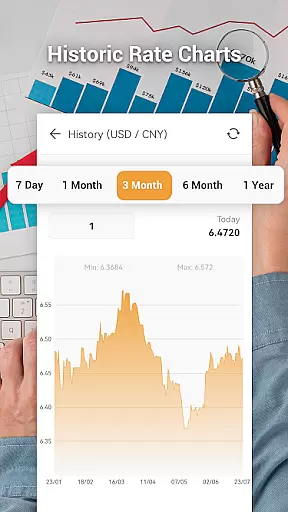
One of the standout features of this app is its ability to function in offline mode by utilizing the latest saved exchange rates. Users can create personalized currency lists, access historical rate charts spanning up to one year, and use an easy calculator for quick conversions into local currencies. Its support for multiple theme styles adds a personalized touch to the user experience.
Whether you're a frequent traveler, a forex trader, or someone who needs quick currency conversions, Currency Converter Pro offers a seamless solution that combines functionality with simplicity.
Currency Converter Pro stands out with its comprehensive set of features tailored for both casual users and finance professionals. The app updates exchange rates once every second, providing unparalleled accuracy in currency conversion. It supports not only global currencies but also includes precious metals and popular cryptocurrencies like Bitcoin, Ethereum, and Litecoin.
For convenience, the app allows users to create a personal list of important currencies, making it easy to monitor preferred exchange rates at a glance. Additionally, the historical data feature lets users view rate trends through detailed charts and graphs ranging from one week to one year. The built-in calculator simplifies complex conversions, while the search function ensures quick access to any currency.
With its sleek design and customizable theme options, Currency Converter Pro delivers both aesthetic appeal and practical utility, ensuring a superior user experience in managing financial transactions.
When it comes to financial applications, security is paramount. Currency Converter Pro ensures the safety of user data through regular updates and secure connections. The app provides real-time exchange rates while maintaining user privacy, with no storage of personal information beyond what is necessary for functionality.
The application supports an offline mode, allowing users to access previously fetched exchange rate data without an internet connection. This feature not only offers convenience but also enhances security by reducing the need for constant online connectivity, which can expose sensitive data to potential threats.
Furthermore, the app's commitment to a no-ads policy eliminates the risk of malicious advertisements that could compromise user security. By focusing on essential features and transparent operations, Currency Converter Pro delivers a secure environment for managing currency conversions without unwanted distractions or risks.
Currency Converter Pro offers a seamless transaction experience by providing up-to-the-second exchange rates for over 180 currencies. This ensures that users have access to the most current and accurate information when making financial decisions, enhancing their overall transaction experience.
The inclusion of a personalized currency list allows users to prioritize important currencies, making it easier to perform frequent conversions quickly. With just a glance, users can check the values of their selected currencies, streamlining the process of tracking international transactions.
Additionally, the app's intuitive calculator function facilitates effortless conversion computations in local currencies. Users benefit from a straightforward interface that simplifies complex calculations, ensuring that each transaction is both efficient and precise, ultimately leading to a more satisfying user experience.
Real-time updates
Offline functionality
Customizable themes
Historical data charts
Supports cryptocurrencies
Limited offline data
No advanced analytics
Basic interface design
Occasional sync delays
Fewer customization options

Currency Converter, Exchange Rates, Widgets
 4.90
4.90
Debt pay off. Build credit history. AI budget tool. Loan offers.
4.60
Money transfer made easy. Send money to friends and family with great rates.
4.70
The simplest way to budget, bank, save and invest.
4.50
Managing your money just got easier. Get the new Mobile app.
4.70
Your Big Financial Friend
4.70
Amazing Financial Calculator. Based on HP 10bII, but easier to use!
4.40
Real-time tracking: Stocks, Indices, Futures, Commodities, ETF, & Funds prices.
4.60
The US Debt Clock .org App gives you a Real-Time glimpse of US Financial Stats
4.60
Manage your Discover account conveniently from anywhere.
4.80
Join 12M+ users. Instant cash advances, personal loans, build credit, save money
4.80
Pay rent on your schedule.
4.70
Manage your credit card account with the Credit One Bank mobile app.
4.70
Play for fun, earn for real. Collect rent by owning virtual land & get cashback
4.60 4.50
4.50
The all-in-one app to save, earn, travel, and put more money in your pocket
4.50
Trade NFL, NBA, Crypto, Tech
4.50
Read and extract public data on NFC Contactless banking card (VISA, MasterCard
4.30
SuperQi, Your all-in-one Super App.
1.30


User Reviews