
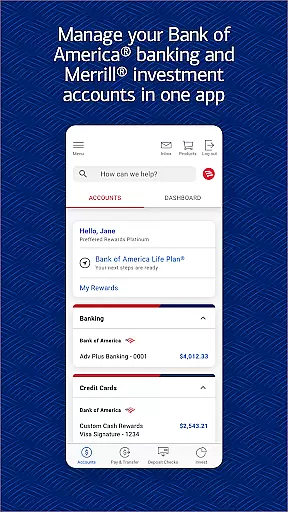
Bank of America Mobile Banking is a comprehensive financial management app designed for U.S.-based customers. It allows users to conveniently and securely manage their checking, savings, credit card, loan, and investment accounts from their mobile devices. The app offers a wide range of features including account monitoring, money transfers, bill payments, check deposits, and access to Erica, the virtual financial assistant.
This banking solution stands out with its robust security measures such as Touch ID/Face ID support and instant fraud alerts. Users can also manage investments through Merrill, view FICO credit scores, and utilize various financial education tools. Whether you need to pay bills using Zelle, deposit checks via your phone's camera, or get personalized insights about your spending habits, this app provides all necessary tools in one place.
The application's intuitive interface makes it suitable for both personal and small business use cases where efficient fund management is crucial. With real-time transaction tracking and customizable alerts, users can maintain better control over their finances while benefiting from educational resources that promote healthier financial habits.
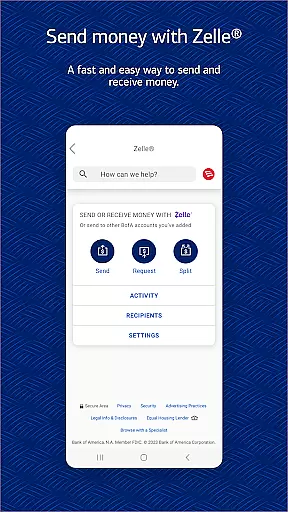
One of the standout features of Bank of America Mobile Banking is its integration with Zelle for seamless peer-to-peer payments using just a U.S. mobile number or email address. This functionality simplifies splitting bills or reimbursing friends without needing to know bank account details. Additionally, users can transfer funds between linked Bank of America and Merrill accounts effortlessly.
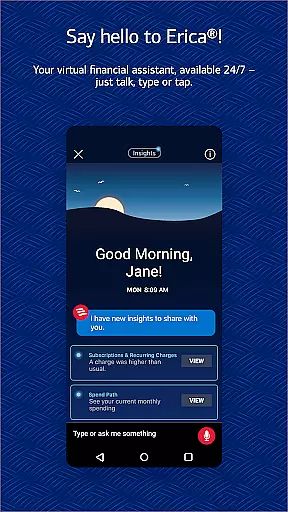
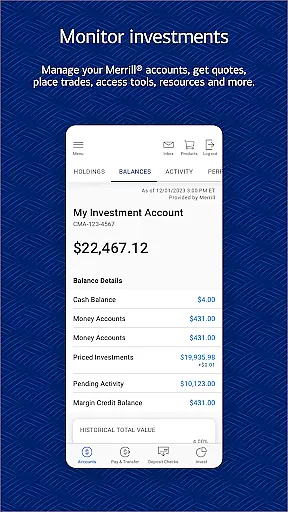
The inclusion of Erica, your virtual financial assistant, adds another layer of convenience by allowing voice commands to perform tasks like finding transactions or paying bills. Erica also provides proactive alerts on important account activities and offers insights into improving financial health. For those interested in investing, the app supports stock trading along with providing up-to-date market data and news.
Security remains paramount within this application; therefore, advanced measures such as biometric login options (Touch ID/Face ID) ensure only authorized access. Moreover, if any suspicious activity occurs on an account, immediate notifications help mitigate potential damages swiftly. These combined functionalities make managing finances not only easier but safer too.
Account and Fund Security is a critical feature for any financial application, ensuring that users' sensitive information and funds are protected from unauthorized access. The Bank of America Mobile Banking app addresses this need by implementing advanced security measures such as Touch ID and Face ID authentication, which provide an additional layer of protection beyond traditional passwords.
In addition to biometric authentication, the app actively monitors for fraudulent activity on users' cards. If any suspicious behavior is detected, the app promptly notifies the user, allowing them to take immediate action to secure their account. This proactive approach helps prevent potential financial losses due to unauthorized transactions.
The Mobile Banking Security Guarantee further reinforces the app's commitment to security. Under this policy, users are not held liable for fraudulent transactions if they report them promptly. This assurance gives users peace of mind knowing that their funds are safeguarded even in the event of unforeseen security breaches.
By combining cutting-edge technology with comprehensive monitoring and user-friendly policies, the Bank of America Mobile Banking app delivers robust Account and Fund Security. This ensures that users can manage their finances with confidence, knowing that their assets are protected by industry-leading security protocols.
A seamless Transaction Experience is essential for any banking app, enabling users to perform financial operations quickly and efficiently. The Bank of America Mobile Banking app excels in this area by offering a range of features designed to streamline money transfers and bill payments. Users can securely send and receive money through Zelle, using just a U.S. mobile number or email address, making peer-to-peer transactions effortless.
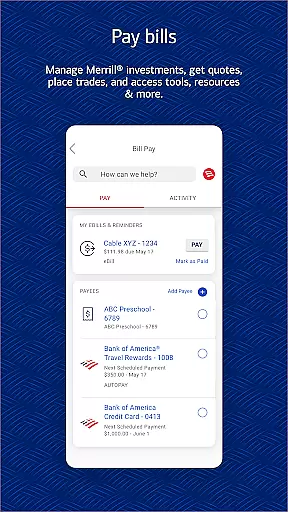
Beyond person-to-person payments, the app allows users to transfer funds between their Bank of America accounts and linked Merrill accounts with ease. This flexibility supports comprehensive financial management, letting users allocate resources where needed without hassle. Additionally, the bill payment feature simplifies managing recurring expenses, saving users time and reducing the risk of missed payments.
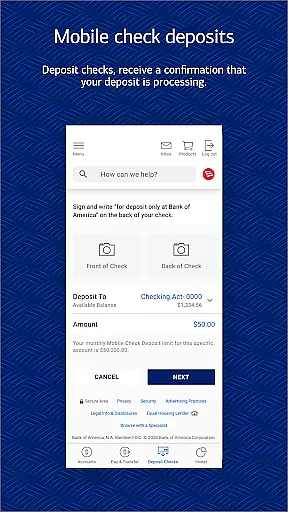
The app also provides immediate confirmation for check deposits made via mobile capture, giving users assurance that their transactions are being processed. This real-time feedback enhances the overall Transaction Experience by keeping users informed about the status of their financial activities.
By integrating these functionalities into a cohesive interface, the Bank of America Mobile Banking app ensures that users enjoy a smooth and reliable Transaction Experience. Whether transferring funds, paying bills, or depositing checks, customers benefit from intuitive controls and timely notifications that make managing finances straightforward and stress-free.
User-friendly interface
Comprehensive account management
Robust security features
Integrated investment tools
Convenient bill payment options
Limited international usability
Occasional technical glitches
Dependent on internet connectivity
Some features require enrollment
Potential overdraft fees apply

 4.50
4.50
Bitcoin gpu app helps you remote mine using your cell phone easily .
3.60
All your crypto & stocks in one secure and trusted app.
4.40
Invest, bank & save in one app. Trade stocks, earn high APY & budget smarter.
4.00
“Money Manager” is an optimized application for personal asset management.
4.70
Powerful Money Manager, Expense & Savings Tracker, Budget Planner - Pro Version
4.70
SuperQi, Your all-in-one Super App.
1.30
Trade NFL, NBA, Crypto, Tech
4.50
Send money and bitcoin easily. Invest, bank and do more with your money
4.70
Join 12M+ users. Instant cash advances, personal loans, build credit, save money
4.80
Wells Fargo Mobile allows you to access your investment and bank accounts.
4.80
Early payday cash advance up to $150 a day with a max of $1,000 per pay period
4.70
Money transfer made easy. Send money to friends and family with great rates.
4.70
Your Big Financial Friend
4.70
Manage your credit card account with the Credit One Bank mobile app.
4.70
Cash Advance, Credit Cards, Credit Lines, Score Monitoring, Saving, Budgeting
4.70
Need help before payday? Get cash advances with no interest or credit checks.
4.60
Earn cash & save money daily. Access instant cash advances* - no credit check!
4.50
Save, spend & get paid faster²
4.50


User Reviews