

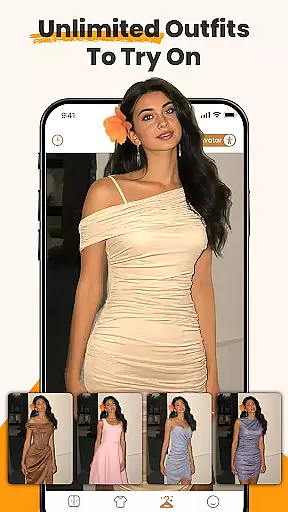
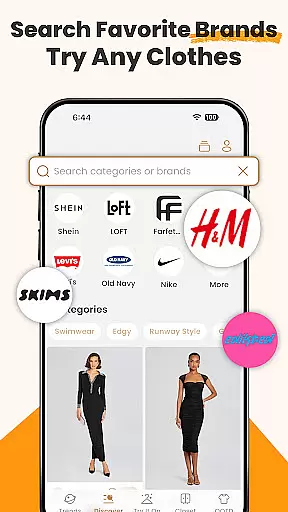
DLOOK, formerly known as Dressy, is a revolutionary AI-powered virtual wardrobe assistant designed to transform the way you shop and manage your clothing. This innovative app allows users to virtually try on outfits using advanced AI technology, eliminating the guesswork from online shopping. With features like digital closet organization, color analysis, and outfit planning, DLOOK helps fashion-conscious individuals make smarter wardrobe decisions while saving both time and money.
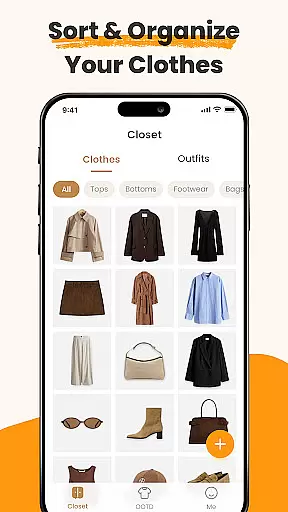
The app's core functionality revolves around its powerful AI clothes changer, which lets users upload photos and instantly try on millions of outfits. Whether you're browsing luxury brands or fast fashion, DLOOK enables you to see how garments will look on you before making a purchase. Additionally, the app's digital closet feature automatically organizes your wardrobe with smart tags and background removal, creating a seamless experience for managing your personal style.
DLOOK distinguishes itself through a comprehensive suite of features that cater to various aspects of personal styling and wardrobe management. The app's flagship feature is its AI-powered virtual try-on capability, which uses sophisticated algorithms to accurately map clothing onto user-uploaded photos. This functionality extends beyond simple image overlay, incorporating body shape recognition and fabric simulation to provide realistic try-on experiences.
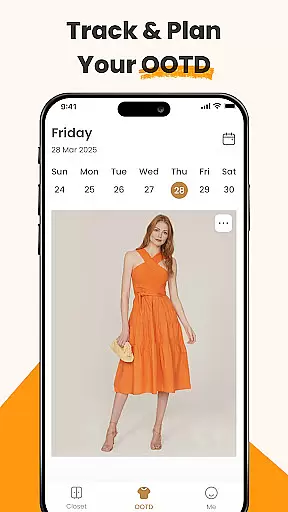
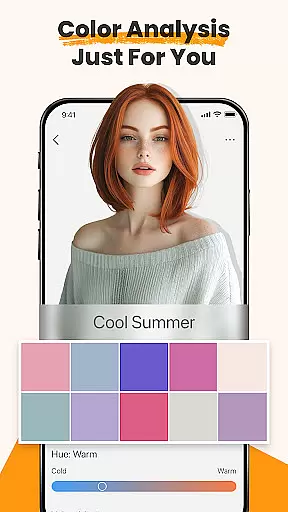
Beyond virtual try-ons, DLOOK offers an intelligent digital closet system that automatically categorizes and tags clothing items. The app's color analysis tool helps users identify their most flattering shades based on skin tone, while the outfit maker feature enables creative experimentation with different combinations. Users can also track their daily outfits, creating a visual timeline of their style evolution and gaining valuable insights into their wardrobe usage patterns.
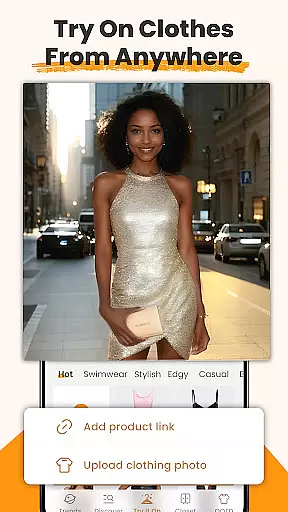
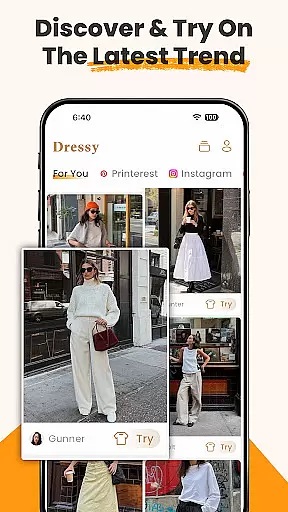
The app's versatility extends to its ability to process images from various sources, including social media screenshots and online shopping sites. This flexibility, combined with its comprehensive style analytics and personalized recommendations, makes DLOOK an indispensable tool for anyone looking to optimize their wardrobe and refine their personal style.
When it comes to beauty and fashion applications, the depth of the product database plays a crucial role in user experience. DLOOK offers an extensive collection of clothing items from various brands, styles, and price ranges. This vast database allows users to virtually try on millions of outfits using the app's AI clothes changer feature.
The application automatically tags each uploaded item with smart labels, making it easier for users to search and find specific pieces. Whether you're looking for everyday wear or something for a special occasion, DLOOK ensures that its digital wardrobe has a wide variety of options. The AI technology not only recognizes different types of garments but also understands their unique attributes such as color, pattern, and fabric.
For users, this means they can explore endless outfit combinations without needing to physically own or try on the clothes. They can experiment with new styles, discover what suits them best, and make informed decisions before purchasing. With DLOOK's comprehensive product database, fashion enthusiasts have everything they need at their fingertips to create their ideal look.
Personalization is key in any beauty app, and DLOOK excels by offering precise customization options tailored to individual preferences. Through advanced AI algorithms, the app provides personalized outfit suggestions based on user input and behavior patterns. Users can upload photos of themselves and instantly see how different clothes would look on them thanks to the virtual try-on feature.
Beyond just trying on clothes, DLOOK's AI system analyzes skin tones and recommends colors that complement each useru2019s complexion. It even allows users to visualize changes like hair color within the same interface, ensuring that every aspect of their appearance aligns with their personal style.
This level of personalization empowers users to curate their digital closets according to their unique tastes and needs. By providing detailed insights into which outfits work best for different occasions, DLOOK helps users feel confident and stylish every day. The ability to mix and match items digitally ensures that everyone can express their creativity while maintaining practicality in their wardrobe choices.
User-friendly interface
Accurate AI technology
Comprehensive wardrobe tools
Time-saving features
Cost-effective shopping
Premium feature costs
Occasional processing delays
Limited brand integrations
Learning curve for new users
Device compatibility issues

Glow up with science: cosmetics, ingredients scanner, tracking & face analysis
 4.10
4.10
Seasonal color palettes for shopping clothes and makeup products with confidence
4.20
Transform your sweet selfies with Selfie Beauty Camera Filters And Effects!
4.60
Face Makeup Camera: Photo makeup app and perfect Lipstick app, beauty lip filler
4.70
Use your phone as a makeup mirror, shaving mirror. Magnifying mirror with light!
4.80
Beauty camera & Selfie camera for perfect selfie with filter, sticker, makeup
4.70
The all new Cosmo Prof app offers exclusive pro products, deals, and training.
4.00
Manage your daily skin care beauty regimen & track your skin's progress.
4.70
This barber game allows you to create and design hair styles on diverse people
3.80
Unique selfie filter camera! Upload live sticker & face filter every week!
4.70
Beauty Camera - Selfie Camera with beauty editing tool, makeup, filter, sticker
4.60
HD Camera, Selfie Camera, Camera filters, is a fully featured 4K camera
4.60
Beauty Mirror - True mirror app with light, shaving mirror, makeup mirror app
4.50
Professional HD Camera App: Capture Bright HD Selfie & Record Stunning Moments
4.40
Crown Heart Emoji Photo Editor has given you the chance to look cute girl
4.40
Hair style app, Face shape finder, Face shape, Hair style, Face shape detector
4.30
True mirror app with zoom, LED light, for makeup & shaving anywhere!
4.20
Make beautiful Hairstyles for girls with your own hands in little bit of time
4.00
The Official Voting App
3.90


User Reviews