
Flow Weather is a comprehensive weather application designed to be your personal weather assistant. It provides accurate real-time weather information, including temperature, humidity, wind speed, and air quality for your location. The app stands out with its multi-dimensional forecasting capabilities, offering both hourly and long-term weather predictions.
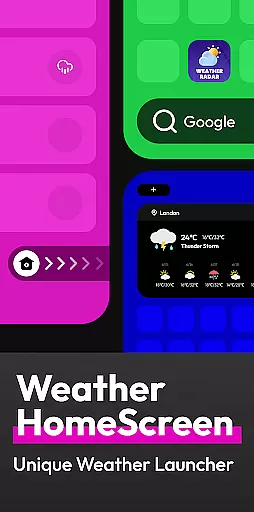
In addition to basic weather data, Flow Weather offers advanced features such as severe weather alerts and interactive weather layers that allow users to explore various meteorological phenomena like wind patterns, cloud coverage, and UV indexes. Its innovative Android launcher integration transforms the mobile home screen into a weather dashboard, allowing quick access to weather updates and efficient phone management.
This app is ideal for individuals who need reliable weather information to plan their daily activities effectively while maintaining privacy and security in data handling.
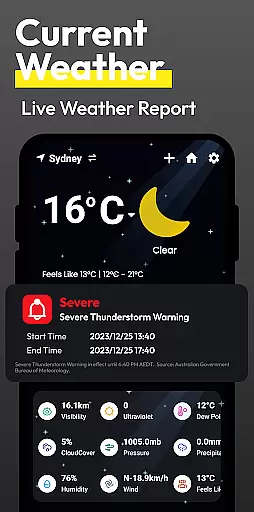
Flow Weather boasts an array of sophisticated features tailored to meet diverse user needs. One of its core functionalities is the provision of precise real-time weather details powered by advanced meteorological partnerships. Users can access current weather conditions such as temperature, humidity, wind metrics, and air quality seamlessly.
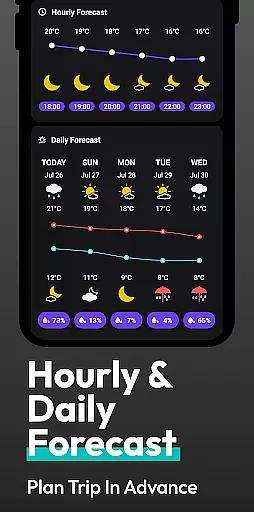
The app's forecasting abilities are robust, providing both short-term hourly forecasts and extended outlooks for several days ahead. This empowers users to make informed decisions about travel, work, and leisure plans based on upcoming weather patterns. Additionally, the inclusion of timely weather warnings ensures users are alerted about adverse conditions like storms or heatwaves.
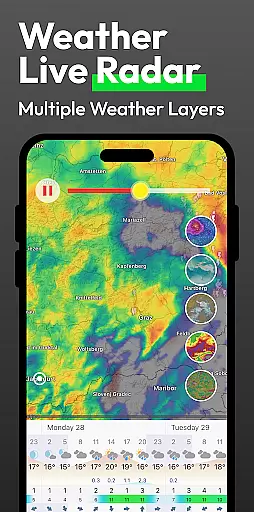
For those seeking deeper insights, interactive weather layers offer visual data on wind, clouds, waves, UV exposure, and pollution levels. Furthermore, the unique Android launcher feature simplifies navigation between apps while keeping vital weather information at your fingertips.
When it comes to weather applications, the accuracy of forecasts and the credibility of data sources are paramount. Flow Weather excels in these areas by partnering with advanced meteorological services to provide users with precise real-time weather information. This includes detailed indicators such as temperature, humidity, wind speed and direction, air pressure, and air quality for your city.
The app's multi-dimensional forecast function is another highlight that sets it apart from competitors. It offers hourly weather change forecasts and extends its predictions to many days ahead. Users can rely on these comprehensive future weather forecasts to arrange their schedules and activities effectively, ensuring they are always prepared for what lies ahead.
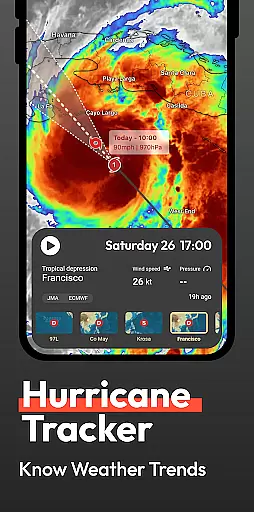
Flow Weather also provides timely warnings for severe weather conditions like heavy rain, blizzards, high temperatures, or cold waves. By pushing alert notifications directly to you, the application allows ample time for preparation against potential inconveniences or risks posed by sudden climatic changes. With this proactive approach, users gain peace of mind knowing that they have reliable information at hand whenever needed.
Flow Weather stands out not only for its accurate current weather reports but also for its extensive temporal and spatial forecast range. The app delivers detailed insights into upcoming weather patterns across various locations, empowering users with knowledge about both immediate local conditions and broader regional trends over extended periods.
For those requiring professional-level analysis, Flow Weather offers interactive layers covering multiple aspects including wind conditions, cloud formations, wave dynamics, UV exposure levels, PM2.5 concentrations among others. These specialized tools allow enthusiasts and professionals alike to delve deeper into understanding complex atmospheric systems beyond basic reporting metrics typically found elsewhere.
In addition to providing wide-ranging forecasts through innovative interaction features based on Android Launcher integration, Flow Weather ensures seamless access between personalized home screen setups and traditional system launchers without compromising functionality or user experience quality. This flexibility enables individuals to customize how they interact with essential climate-related updates while maintaining overall device efficiencyu2014a testament to thoughtful design prioritizing usability alongside performance excellence.
User-friendly interface
Accurate real-time data
Comprehensive forecasting tools
Interactive weather maps
Privacy-conscious design
Location permission required
Feature-heavy for casual users
Premium features may cost extra
Occasional notification overload
Complex UI for beginners

Nuts Weather, your ideal choice for knowing weather forecast & weather radar
 4.70
4.70
Ultimate Lunar Calendar for 2021!
4.80
Accurate Thermometer: indoor & outdoor temperature, humidity, pressure, and wind
4.50
My Aurora Forecast is the app for Northern Lights and Aurora Borealis alerts.
4.60
Super-res, real-time weather radar. Be prepared for extreme weather.
4.50
Dynamic weather watch face with glass effect, bold time & 7 complications.
4.4
No ads, No data collected. Beautiful and powerfully customizable weather app
4.90
My Aurora Forecast Pro is the app for the Northern Lights and Aurora Borealis.
4.70
Weather channel forecasts weather daily & hourly, local and national air quality
4.70
Weather for Indiana, Kentucky and Ohio
4.90
Live Weather Forecast app with acu weather radar, weather alert & weather widget
4.80
Thermometer shows indoor and outdoor temperature
4.70
Powerful US and worldwide earthquake feed with earthquake alerts and maps.
4.70
Live weather forecast for your everyday life
4.60
Hyperlocal Forecasts, Live Radar, Severe Weather alerts & Homescreen Widgets
4.30
Accurate Local Weather Forecast, let you easily understand the nearby weather!
4.20
Weather watch face for Wear OS 5+
4.10
Your Personal Weather Assistant
4.00
An unofficial app version of the National Weather Service (Weather.gov)
3.90


User Reviews