
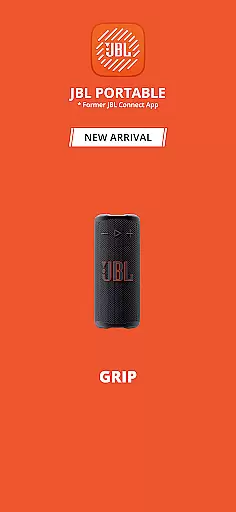
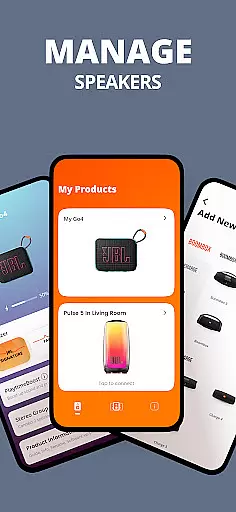
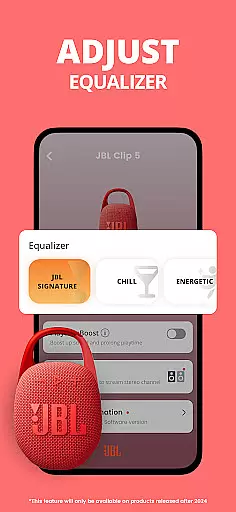
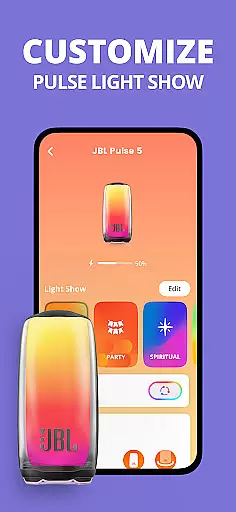
JBL Portable is an essential companion app designed to enhance your experience with JBL portable speakers. This app allows users to unlock advanced features and optimize their speaker's performance. Compatible with a wide range of JBL models, it offers seamless connectivity for both Stereo and Party modes, elevating your audio experience whether you're relaxing at home or hosting a gathering.
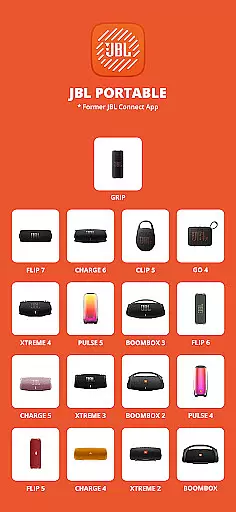
Through the app, users can personalize settings, receive software updates, and access dedicated product support. Whether you own the Clip 5, Charge 6, or Boombox 4, this app ensures you get the most out of your device by providing intuitive controls and unlocking additional functionalities tailored to each speaker model.
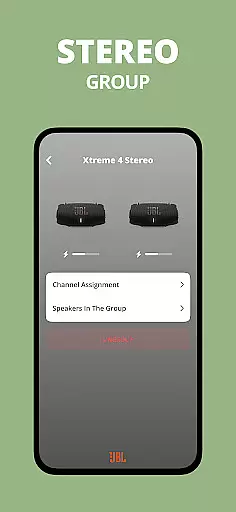
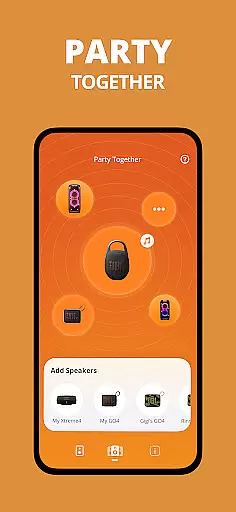
The JBL Portable app boasts a variety of innovative features that cater to both casual listeners and audio enthusiasts. One standout capability is its ability to connect multiple compatible JBL speakers in either Stereo mode for immersive sound or Party mode for synchronized audio across devices. This flexibility makes it ideal for different environments, from intimate settings to large gatherings.
Additionally, the app provides complete control over speaker settings directly from your smartphone. Users can customize audio profiles, adjust equalizer settings, and manage firmware updates effortlessly. The inclusion of dedicated product support further enhances the user experience, ensuring that help is readily available whenever needed. These features collectively create a seamless and personalized audio experience.
The JBL Portable app offers a diverse range of content options to enhance your speaker experience. With compatibility across multiple speaker models, users can access various features tailored to their specific device.
One standout feature is the ability to switch between Stereo and Party modes, allowing for amplified sound or an expanded audio experience during gatherings. This flexibility ensures that the content remains engaging and suitable for different occasions.
In addition to mode switching, the app provides regular software updates. These updates not only improve existing functionalities but also introduce new features, keeping the user experience fresh and up-to-date.
Overall, the app's dedication to offering varied content and maintaining system freshness through updates makes it an essential tool for maximizing your JBL speaker's potential.
User engagement is a key focus of the JBL Portable app, designed to keep users connected to their speakers for longer periods. The app allows direct control over speaker settings, encouraging users to personalize their audio experience frequently.
Through features like Stereo and Party modes, users can tailor their sound setup based on the event or mood. This customization capability fosters a deeper connection with the product, enhancing user retention over time.
Furthermore, the app delivers consistent software updates and product support. By ensuring that users have access to the latest features and improvements, the app maintains high engagement levels and reduces the likelihood of users disconnecting from the ecosystem.
This strategic approach to user interaction helps build a loyal user base that remains actively engaged with both the app and their JBL speakers.
User-friendly interface
Wide device compatibility
Advanced audio customization
Regular software updates
Dedicated customer support
Limited to JBL devices
Requires Bluetooth connection
No offline functionality
Occasional connectivity issues
Dependent on speaker model

Fool your friends & Family with Fake ultrasound test report
 3.60
3.60
Wodfix Air aggregates popular online content for you.
4.80
Just play games to earn gift cards. Keep playing, keep earning.
4.50
Necrophone is spirit box ghost hunting app made for spirit communication.
3.70
Official KennysGifs Stickers
4.20
VR 360 Cinema Player is the ultimate VR player for playing videos on mobile
3.50
Connect. Discover. Control.
3.60
Your Avatar, Endless Fun
4.60
An app made just for kids
4.20
Stories that spark in seconds.
4.80
Original short dramas with diverse genres for a rich viewing experience!
4.80
Live TV, sports & holiday movies — stream on phone, tablet & TV
4.60
Watch short films, dramas, reels, series and movies anytime on Micro Drama.
4.60
Premium version to enjoy your favorite anime
4.60
Rain and lightning effects for your Philips Hue lights
4.30
Practice and master your ESP and intuition with five mode trainer.
4.20
Music visualizer and party effects for Hue
3.90
Real ghost box scanner with echo, reverb, EMF, & multi-stream channels.
3.80
Binaural Brainwave Doses for Every Imaginable Mood
3.60


User Reviews