
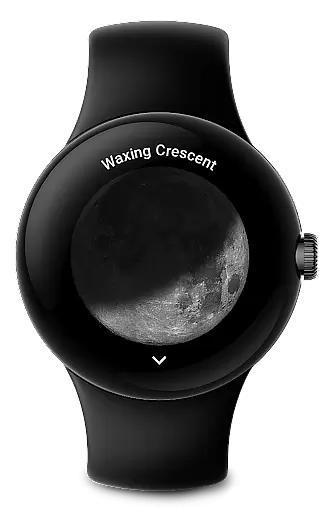
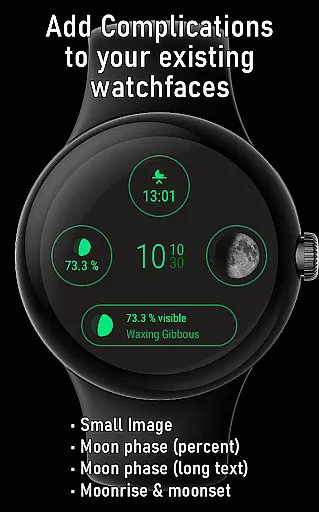
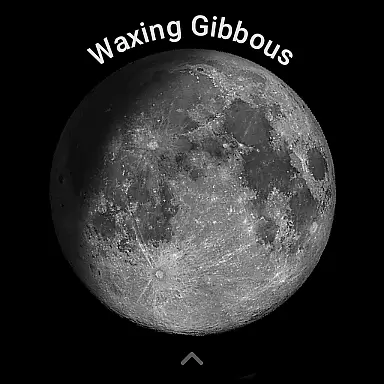
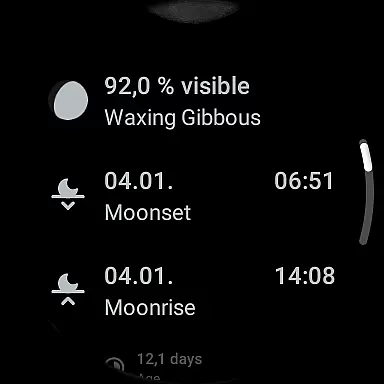
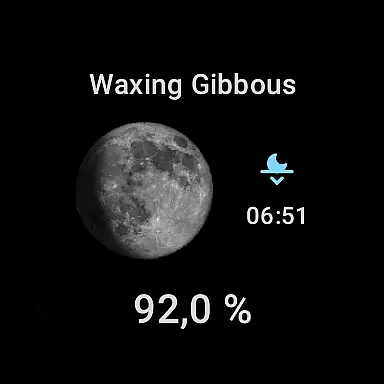
Moon on Wear is a specialized app designed for Wear OS, offering users a realistic and dynamic moon display. The app accurately renders the moon's current phase and rotation based on the user's location, providing an immersive astronomical experience directly on your smartwatch.
With a suite of complications, Moon on Wear enhances any watchface by integrating detailed lunar information. Users can access moonrise and moonset times, view upcoming moon phases, and even track super moons. The inclusion of a Moon-Tile feature allows for quick access to essential moon data alongside your watchface.
This application proves particularly useful for astronomy enthusiasts or anyone interested in tracking lunar activity. By delivering precise calculations and customizable display options, Moon on Wear ensures both functionality and aesthetic appeal.
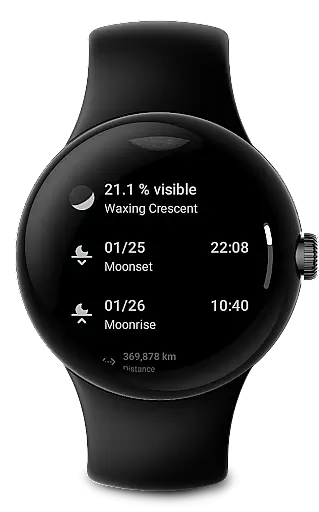
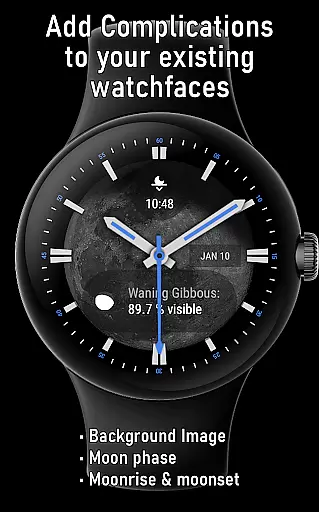
The app boasts an array of distinctive features tailored for lunar observation. One standout capability is its set of complications that seamlessly integrate with your watchface. These include displaying the moon phase as a percentage, textual description, small or large images, and even moonrise/moonset times.
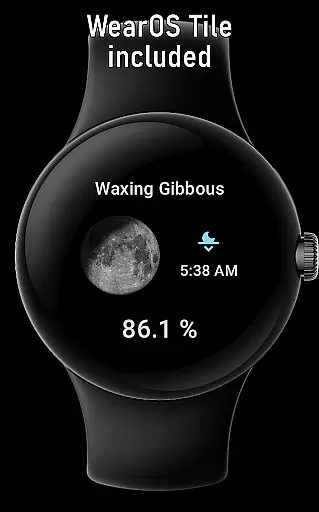
Moon on Wear also offers a unique Moon-Tile functionality, allowing users to place a dedicated lunar view next to their main watchface. This tile provides instant access to critical moon information such as its current distance from Earth and age within the lunar cycle.
All calculations are optimized for efficiency and battery conservation without compromising accuracy. The app supports special complication types like LARGE_IMAGE for setting the moon as a watchface background, though this depends on individual watchface compatibility.
Moon on Wear provides a rich collection of lunar-related content, comparable to an extensive e-book library focused on moon phases and astronomical data. The app displays detailed information such as the moon phase in percent, moonrise and moonset times, and upcoming super moons.
Each piece of data is calculated using efficient algorithms that ensure accuracy while preserving battery life. This guarantees that users receive authentic and credible information, similar to referencing a well-researched e-book.
The app's content is akin to having a specialized library at your fingertips, with all calculations performed offline on the device. This ensures that all displayed information remains proprietary and trustworthy, without reliance on external sources.
By offering comprehensive lunar data, Moon on Wear ensures that its content aligns with authoritative sources like timeanddate.com and mooncalc.org, providing users with reliable and accurate moon-related information.
Moon on Wear excels in format compatibility by integrating seamlessly with various Wear OS functionalities. It offers multiple complications for customizing your watch face, including moon phase percentages, small and large images, and moonrise and moonset times.
The app supports different complication types such as text, icon, and image displays, ensuring broad compatibility with numerous watch faces. Users can choose from a variety of display options to suit their preferences and needs.
In addition to complications, Moon on Wear includes a Moon-Tile feature, allowing users to place a dedicated view next to their watch face. This flexibility enhances user experience by providing quick access to essential lunar information.
With support for location-based calculations and optional coarse location permissions, the app ensures that all formats and features are optimized for performance and usability on Wear OS devices.
User-friendly interface
Accurate moon phase data
Customizable complications
Optimized battery usage
Offline calculation capability
Location permission required
Limited watchface support
Potential slight inaccuracies
Dependent on device compatibility
Initial location detection delay

Contains the 365 daily readings and everything other thing needed for catholics
 4.70
4.70
Audiobook player with cross-device progress sync, playlists, and widget support.
4.80
Words spoken by native English speakers and full definitions.
4.60
This is the pro version King James bible Offline that we have
4.70
The favorite Christmas story comes to life!
4.80
Zerobooks Light Novel Reader by GOLDENAGATO
4.20
"Do you like green eggs and ham?"
4.70
Research your family history to explore ancestors and search for your heritage
4.50
Daily Devotional Widgets & Hourly Verses. Listen to Bible & Watch Holy Stories
4.70
World's most comprehensive dictionary app: 13 languages, all online or offline!
4.80
8 Dr. Seuss short stories in 1 app!
4.70
Crowd-sourced listing of businesses with anti-gun signs, and pro-2a alternatives
4.60
F9 Cookbook Mobile App
4.60
Master AKC Rally signs with in-depth hints, diagrams, and expert guidance.
4.50
“It is fun to have fun, but you have to know how!”
4.40
Bilingual dictionary with English translations of Modern Standard Arabic words.
4.30
Essential Technical Rescue Field Operations Guide 6, the Industry Standard Guide
4.20
KJV Bible works offline with Audio, Hebrew & Greek lexicon (concordance) & more!
4.20
Fast loot guide for ARC Raiders. Simple tips, stats, maps, and item details.
4.2


User Reviews