
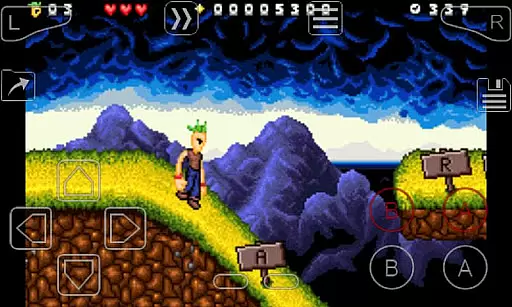
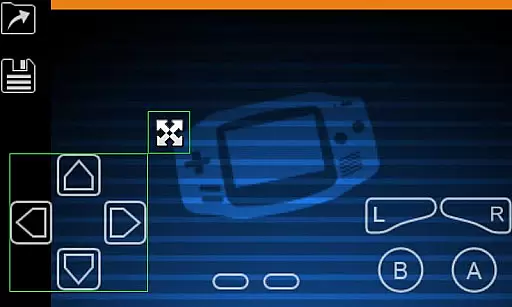
My Boy! is a high-performance GameBoy Advance emulator designed for Android devices, enabling users to play classic GBA games on modern smartphones and tablets. The app boasts near-perfect emulation of the original hardware, including advanced features like link cable support for multiplayer gaming across devices via Bluetooth or Wi-Fi.
One standout feature is its compatibility with Android's hardware sensors, allowing users to emulate gyroscope, tilt, solar sensor, and rumble functionalities. With additional capabilities such as cheat code support, OpenGL rendering, and cloud save syncing through Google Drive, My Boy! delivers an immersive and seamless experience for retro gaming enthusiasts.
Whether you're revisiting nostalgic favorites or discovering classic games for the first time, My Boy! offers a reliable and feature-rich platform that enhances gameplay while preserving the authenticity of the original GameBoy Advance experience.
My Boy! stands out with its robust feature set tailored for both casual players and hardcore retro gaming enthusiasts. The app utilizes a JIT recompiler for super-fast emulation, ensuring smooth performance even on lower-end devices. Its high compatibility rate allows users to run nearly all GBA games without issues, while advanced BIOS emulation eliminates the need for external BIOS files.
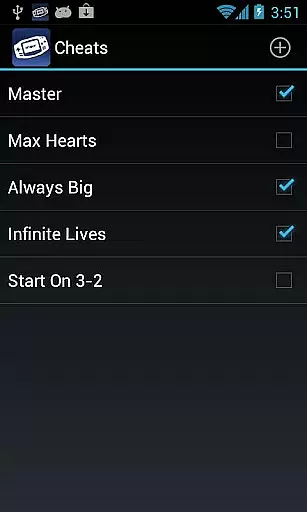
The emulator supports innovative functionalities such as link cable emulation for multiplayer gaming, real-time cheat code application, and hardware sensor integration for gyroscope and rumble effects. Additionally, users can take advantage of GLSL shaders for enhanced video rendering, fast-forward or slow down gameplay, and create customizable screen layouts with multi-touch controls.
Cloud save functionality via Google Drive ensures convenience and flexibility, allowing users to sync progress across multiple devices. These features collectively make My Boy! one of the most versatile and user-friendly GBA emulators available on Android.
Arcade authenticity in an emulator is crucial for delivering a genuine retro gaming experience. My Boy! - GBA Emulator achieves this by emulating nearly all aspects of the original GameBoy Advance hardware, ensuring that games look and feel as they did on the original console.
The emulator supports high-level BIOS emulation without needing actual BIOS files, which means users can enjoy a true-to-life startup sequence and system behavior. This attention to detail extends to compatibility with a vast array of games, allowing players to engage with their favorite titles without encountering issues.
For enthusiasts seeking nostalgia, My Boy! offers features like link cable emulation for multiplayer games, either locally or across devices via Bluetooth or Wi-Fi. This recreates the social gaming experiences of the past, now accessible on modern Android devices.
Additionally, the emulator includes support for hardware sensor-based gameplay, such as gyroscope and tilt controls, bringing back memories of innovative gaming mechanics introduced during the arcade era.
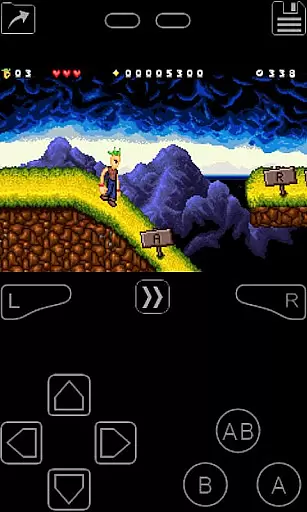
Control responsiveness is vital for an optimal gaming experience, especially when emulating classic arcade games. My Boy! - GBA Emulator excels in this area by providing an on-screen keypad that supports multi-touch functionality, catering to the needs of various game genres.
Users can customize their control setup through a screen layout editor, defining the position and size of each on-screen control. This level of customization ensures that buttons respond accurately to touch inputs, mimicking the tactile feedback of physical controllers.
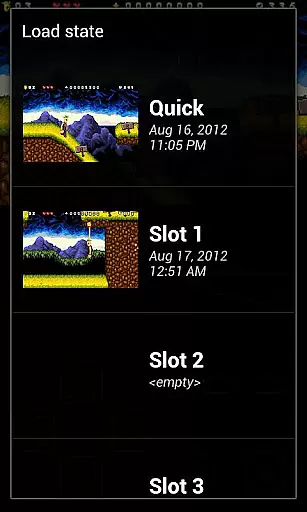
Furthermore, shortcut buttons for functions like load/save states allow gamers to interact with their games seamlessly. The ability to create different screen-layout and key-mapping profiles adds another layer of personalization, enhancing the overall control experience.
With fast-forward and slow-motion features, players have precise control over game speed, making it easier to navigate challenging sections or skip lengthy story sequences while maintaining responsive interaction throughout their gaming sessions.
High game compatibility
Fast emulation speed
Multiplayer support
Hardware sensor integration
Customizable controls
No games included
Requires technical knowledge
Legal concerns
Ads in free version
Occasional bugs

Machine Gun Fire Rumbles in the Jungle
 4.3
4.3
Play, Craft and Share your Endless Runner Levels on Kooply Run: Subway Craft
4.50
Eat & evolve your shark in the ultimate shark survival game!
4.50
Nostalgia.GBA Pro is a high quality GBA emulator.
4.40
Infinite Arcade
4.2
Challenge your friends across the world to see who can jump the farthest!
4.50
This app is a very fast emulator
3.40
Full featured version of Pizza Boy A (GBA emulator)
4.80
Addictive basketball game with challenging one-touch controls
4.50
Catch ghosts, shoot monsters and defeat bosses in this RPG idle shooting game.
4.70
Ready… Set… DASH! Play now!
4.70
Meet Snake Run Race! Slither through an obstacle course in our fun running game!
4.70
Gameboy Color Emulator
4.60
Venture into the galaxy to fight against the invasion of space invaders.
4.60
Merge bowmasters to win the bow and arrow war! Play the fun archery game!
4.60
Fruit is waiting to be sliced, ninja. Play the hit mobile game !
4.50
Outrun cops, ignite the thrill of a high-speed chase!
4.50
Sega Saturn Emulator
4.20
You are a Black Hole, escaping the darkness trying to swallow you!
3.60


User Reviews