
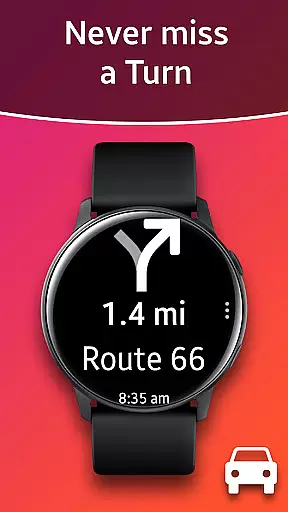
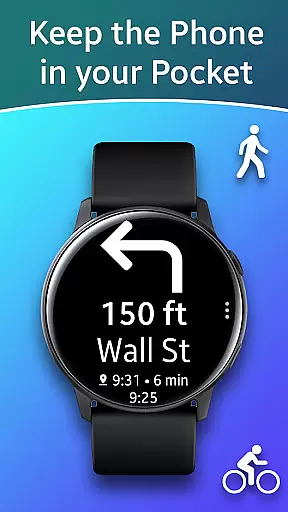
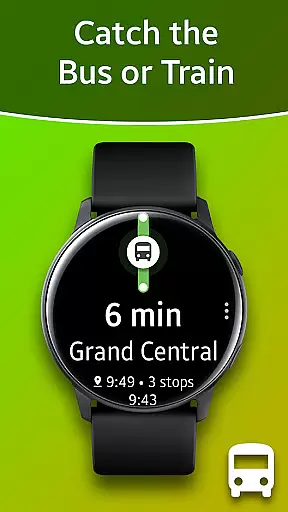
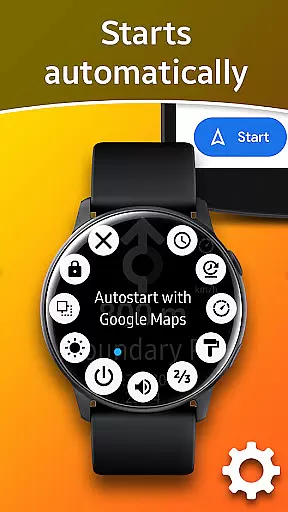
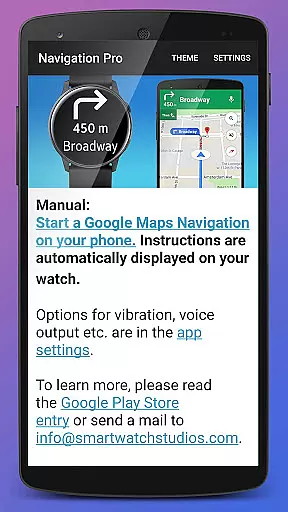
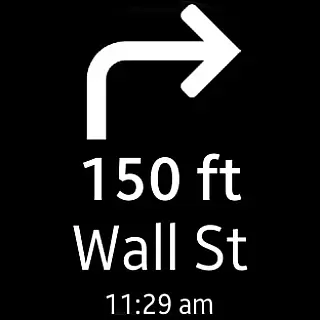
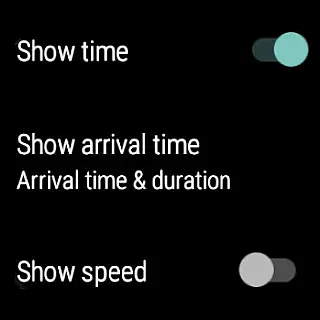
Navigation Pro is a specialized navigation app designed to display Google Maps directions directly on your Samsung smartwatch. This innovative solution allows users to conveniently access turn-by-turn navigation while driving, cycling, or using public transportation without needing to check their phone constantly. The app offers an intuitive interface that integrates seamlessly with both Google Maps and Samsung's wearable ecosystem.
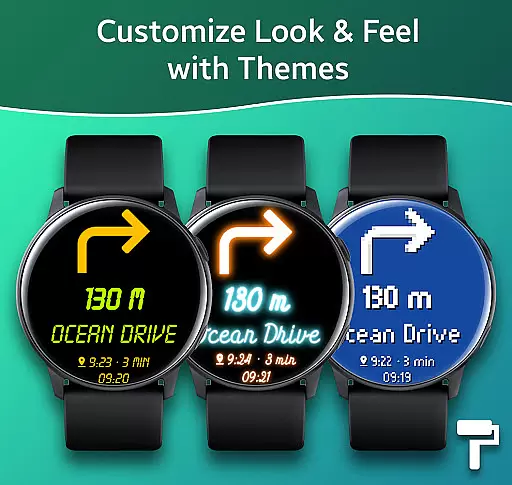
The application features automatic start during navigation sessions, voice guidance, customizable vibration alerts, and support for 102 languages. Users can personalize their experience through various themes and even view their current speed with the built-in speedometer. Navigation Pro requires a companion app from Samsung Galaxy Apps to function properly, ensuring synchronized navigation data between the phone and watch.
This app is particularly useful for those who rely on navigation in busy urban environments or while engaging in outdoor activities. By providing essential directions right on the wrist, it enhances safety and convenience, allowing users to keep their focus on the road or trail ahead.
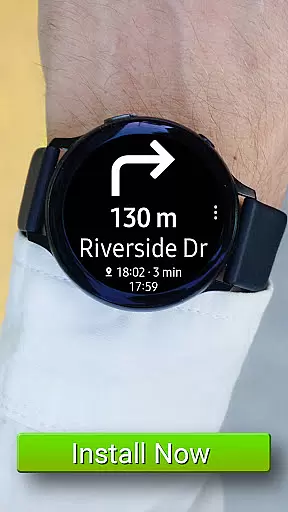
Navigation Pro stands out with its comprehensive feature set tailored specifically for Samsung smartwatch users. The app's core functionality revolves around delivering real-time Google Maps navigation instructions directly to the user's wrist device. This includes detailed turn-by-turn directions, distance information, and estimated time of arrival, all optimized for quick glances during travel.
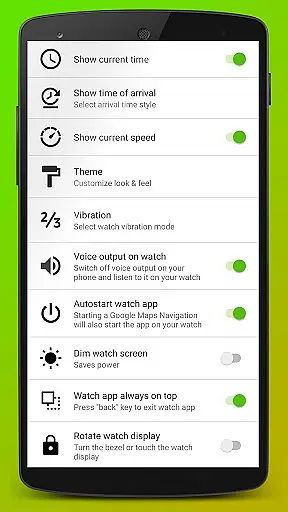
Among its notable features are automatic activation when navigation begins, multiple language support covering 102 different options, and customizable vibration patterns for directional cues. The app also provides voice output capabilities, ensuring users can receive audible directions even when they can't look at their watch. Additionally, users can choose from various display themes and activate a speedometer function for real-time velocity monitoring.
What sets Navigation Pro apart is its seamless integration with both Google Maps and Samsung's wearable platform. The app requires careful setup involving notification permissions and companion app installation, but once configured, it delivers reliable performance across various Galaxy Watch models and older Gear series devices. This makes it an invaluable tool for commuters and travelers who need constant access to navigation information without compromising their smartphone's accessibility.
Map accuracy is crucial for any navigation application, and Navigation Pro excels in this area. The app displays Google Navigation instructions directly on your Samsung watch, ensuring that the map data is both precise and up-to-date. This level of accuracy is vital for activities such as driving, cycling, and using public transport, where even a small error can lead to significant inconvenience.
Navigation Pro achieves its high map accuracy through seamless integration with Google Maps, which is known for its reliable and detailed mapping data. By leveraging this robust platform, the app provides users with real-time location tracking and route guidance. Whether you're navigating through bustling city streets or winding country roads, you can trust that the displayed routes will be true to reality.
The benefits of this accurate mapping are manifold. Users can enjoy safer and more efficient journeys, as they receive timely updates about their current location and upcoming turns. Additionally, features like autostart with navigation, customizable vibration, and voice output enhance the overall user experience by providing clear and actionable directions without needing to look at the phone constantly.
Route planning is an essential feature of Navigation Pro, designed to make your travels smoother and more efficient. The app offers multiple route options based on real-time traffic conditions, helping you choose the best path for your journey. Whether you're commuting to work, going on a road trip, or exploring new areas, having access to well-planned routes ensures that you reach your destination quickly and safely.
One of the standout aspects of Navigation Pro's route planning is its ability to adapt dynamically to changing circumstances. For instance, if there's unexpected traffic congestion or road closures, the app recalculates the route instantly, offering alternative paths that save time and reduce stress. This flexibility is particularly useful during peak travel hours or when venturing into unfamiliar territories.
Moreover, the inclusion of additional features such as speedometers and various themes adds another layer of customization to the route planning process. Users can personalize their navigation experience according to their preferences, whether it's adjusting the visual interface for better readability or monitoring their speed to stay within legal limits. These thoughtful touches not only improve usability but also contribute to a more enjoyable and engaging travel experience.
User-friendly interface
Wide language support
Customizable features
Voice guidance option
Speedometer functionality
Requires companion app
Setup process complex
Phone dependency
Limited device compatibility
Occasional sync issues

Find AI powered cameras, ALPRs, and other surveillance infrastructure near you
 4.70
4.70
GPX Viewer PRO shows tracks, routes and waypoints from gpx and kml files.
4.60
Your guide to the recreational opportunities of the Bureau of Land Management!
3.40
CamSam PLUS - The speed and red light camera warning system!
4.40
All of NHSA's trail information at your fingertips for the 2025-2026 season
4.3
Instant diesel discounts - save big with each fill up!
4.40
Parcel map, property lines, owner, acres, land use, zoning and more from Regrid.
4.60
Bolt is a ride-hailing app for requesting fast, safe, and affordable transport
4.80
Ride or drive at YOUR price
4.70
Find EV & Tesla charging stations with PlugShare
4.70
Find trails, organize your locations and navigate with offline maps.
4.60
"Balad" is a map and navigator with a Persian voice assistant and a complete city guide
4.40
Find radar maps, GPS coordinates, altitude, offline maps, location, travel route
4.40
Maps, Driving Directions & GPS navigation using directions app & GPS App
4.30
Number locator, real connection map
4.10
Get real-time bus and train schedules for easy, hassle-free city transportation.
3.90
Explore Live Earth Map with 3D World Map & locate cites, mountains real time.
3.80
Start your next adventure confidently using our Accurate Compass App
3.70
Navigate via GPS Maps of GPS Voice Navigation, driving directions to find routes
3.60


User Reviews