
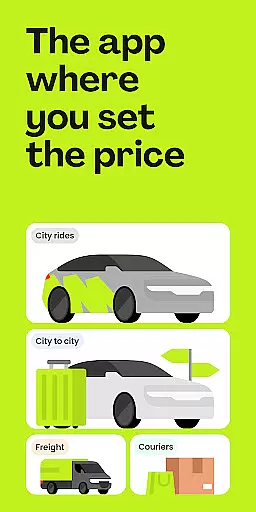
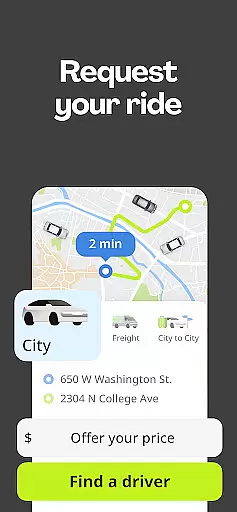
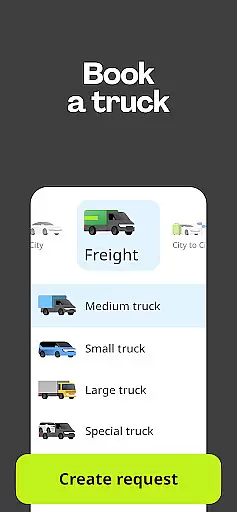
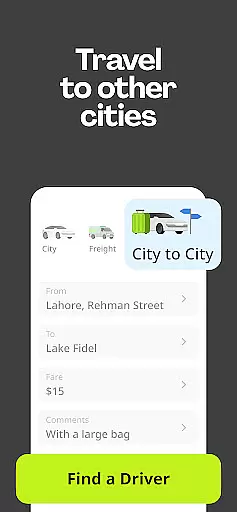
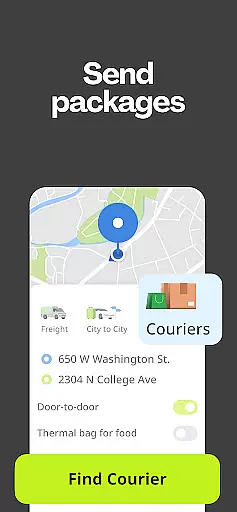
inDrive is a versatile rideshare and service app that offers more than just transportation. It allows users to book rides, send packages, hire trucks, and even find local professionals for various tasks. With its unique pricing model, inDrive empowers users to negotiate fares directly with drivers, ensuring fair prices for both parties. The app operates in over 888 cities across 48 countries, making it a rapidly growing alternative to traditional taxi services.
One of the standout features of inDrive is its ability to cater to different needs beyond just city rides. Whether you need intercity travel, courier services, freight solutions, or task assistance, inDrive provides a comprehensive platform where customers and service providers can connect seamlessly. This flexibility makes it an ideal choice for those seeking affordable and customizable transportation options.
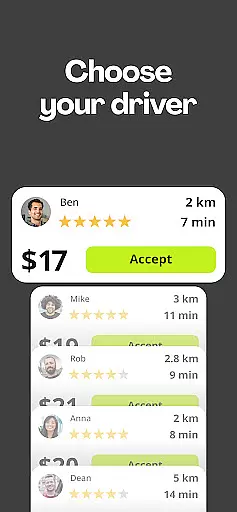
inDrive distinguishes itself through several key features that enhance user experience. First, the app's pricing model allows users to propose their own fares, giving them control over costs rather than relying on surge pricing algorithms. This ensures transparency and fairness in every transaction. Additionally, users can choose their preferred driver based on factors such as price, car model, arrival time, rating, and completed trips.
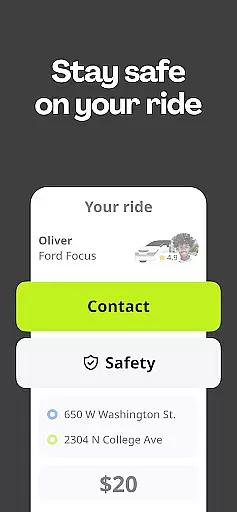
Safety is another crucial aspect of inDrive's functionality. Before accepting a ride, users can view detailed information about the driver, including their name, car model, license plate number, and trip history. During the ride, users can share their trip details with family or friends using the 'Share Your Ride' feature. Moreover, the app supports adding extra options like traveling with pets or carrying luggage, providing further customization for each journey.
Map accuracy is a critical feature for any navigation app, and inDrive excels in this area. The application provides precise location data, ensuring that users can rely on the app to reach their destinations without errors. This level of precision is achieved through advanced mapping technologies and regular updates to reflect the latest changes in road networks.
inDrive's dedication to accuracy means that users are provided with real-time traffic updates, construction alerts, and alternative routes when necessary. These features not only enhance the driving experience but also contribute to time savings and reduced stress during travel. Drivers and riders can trust that the distances and estimated arrival times are calculated based on the most current and comprehensive map data available.
For those using inDrive's intercity service, the importance of map accuracy becomes even more pronounced. Long-distance travel requires detailed mapping information to ensure safe and efficient journeys between cities. With inDrive, users have peace of mind knowing that their cross-country trips are guided by top-tier mapping capabilities.
The value of accurate maps extends beyond just reaching a destination; it encompasses safety, efficiency, and overall user satisfaction. Whether commuting daily or embarking on occasional long trips, inDrive's commitment to map accuracy ensures every journey is as smooth and reliable as possible.
Route planning is an essential aspect of inDrive's functionality, offering users intelligent solutions for navigating from point A to B. By leveraging sophisticated algorithms, the app calculates optimal paths considering various factors such as distance, traffic conditions, and user preferences. This strategic approach to route planning helps minimize travel time and avoid congested areas.
One standout feature of inDrive's route planning is its ability to provide multiple route options. Users can choose between the fastest, shortest, or suggested routes based on real-time data. Additionally, the app offers customizable settings allowing drivers and riders to prioritize certain criteria like avoiding tolls or highways. Such flexibility empowers users to tailor their trips according to specific needs and constraints.
Moreover, inDrive continuously updates its routing suggestions throughout the journey. If unexpected delays occur due to accidents or road closures, the app promptly recalculates the best alternative paths. This dynamic adjustment capability ensures minimal disruption and maintains the efficiency of each trip. It significantly enhances the reliability of reaching destinations on schedule.
Ultimately, effective route planning contributes to a seamless travel experience. By integrating cutting-edge technology with user-centric design principles, inDrive delivers superior navigation tools that cater to both everyday commuters and occasional travelers alike. Its robust route planning system stands out as a key differentiator among competitors in the Maps & Navigation category.
User-controlled pricing
Wide range of services
Driver selection flexibility
Comprehensive safety features
Global availability
Limited luxury vehicle options
Potential fare negotiation delays
Fewer promotions compared to competitors
Interface may feel complex initially
Dependent on driver responsiveness

Offline maps for phone and smart watch: topographic maps, satellite images...
 3.30
3.30
"Balad" is a map and navigator with a Persian voice assistant and a complete city guide
4.40
Voice GPS with driving directions, offline maps navigation GPS for safe travel
4.50
Parcel map, property lines, owner, acres, land use, zoning and more from Regrid.
4.60
Ride CTA, Metra & Pace: Manage your fares, buy Metra tickets, get arrivals.
3.00
NJ TRANSIT information and ticketing at your fingertips
3.70
Find routes fast with GPS Maps, GPS Navigation & driving directions.
4.10
ParkWhiz, an Arrive Mobility brand, part of the Arrive Network
4.30
Lets explore the world's famous places by using Live Cams, GPS & Satellite View.
4.20
Find AI powered cameras, ALPRs, and other surveillance infrastructure near you
4.70
Complete offline 1:50k South Island topo map including DOC Hunting Permit Areas
4.60
Navigate MTA, NJ Transit, MBTA, SEPTA, BART, MARTA, CTA & 900+ cities
4.60
Neshan: map & navigation app with 20M+ monthly active users
4.50
Plan routes, share locations, and set custom alert zones
4.40
Navigate seamlessly with Real-Time Traffic, Offline Maps, and Voice Navigation.
4.10
Start your next adventure confidently using our Accurate Compass App
3.70
Gas Station & Fuel Rewards Points
3.70
Navigate via GPS Maps of GPS Voice Navigation, driving directions to find routes
3.60
Turn your tablet or Android powered unit into a full blow Android Auto headunit.
2.30


User Reviews