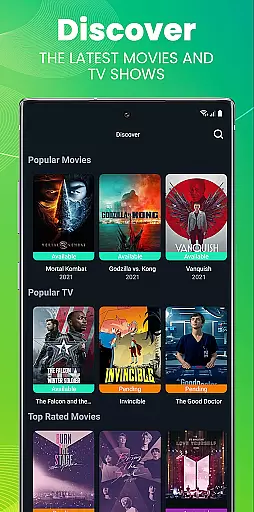
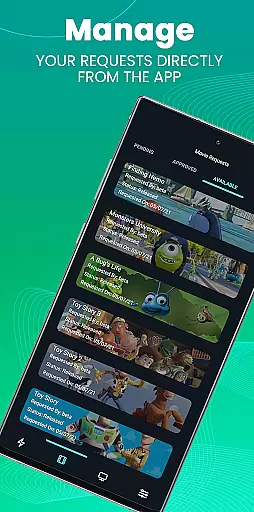
Ombi is a self-hosted entertainment management app that allows users to request content for Plex, Emby, or Jellyfin libraries. Designed for seamless integration, it connects with DVR tools to automate the process of adding media. Perfect for home entertainment enthusiasts, Ombi empowers users to manage and expand their media libraries effortlessly.
The app requires an existing Ombi server account (v4.0.13XX or later) and offers a mobile interface for easy access. By scanning a QR code in your Ombi profile, you can link the app directly to your server. This ensures secure and personalized access while maintaining control over your shared media environment.
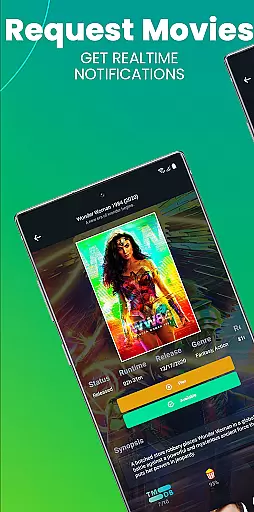
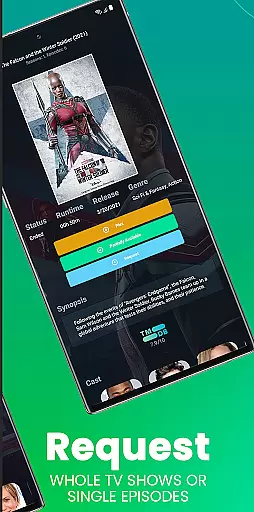
Ombi stands out with its ability to integrate multiple media servers like Plex, Emby, and Jellyfin into one cohesive system. Users can submit requests for movies or TV shows, which are then automatically sent to your chosen DVR tool for processing. This eliminates manual entry and streamlines content acquisition.
The app's mobile functionality provides on-the-go access to your Ombi server. After logging in via QR code authentication, users can browse, request, and manage media from anywhere. Future updates promise enhanced features and evolving design improvements, ensuring the app remains cutting-edge in entertainment management.
In the realm of digital content management, having a diverse and regularly updated library is crucial for user satisfaction. Ombi excels in this area by enabling users to request their desired content directly through its platform. This self-hosted web application bridges the gap between content providers like Plex, Emby, or Jellyfin and end-users, ensuring that the latest movies and TV shows are always available.
Ombi's integration with multiple DVR tools allows it to automatically fetch and add requested content to your media server. This seamless process ensures that users have access to an ever-growing collection of entertainment options. The ability to request new content not only enhances user engagement but also keeps the media library fresh and relevant.
By empowering users to take control of their viewing experience, Ombi fosters a sense of community and shared ownership over the content library. This collaborative approach to content curation ensures that everyone's preferences are catered to, making the platform more inclusive and engaging for all users.
User engagement and retention are key metrics for any successful entertainment platform. Ombi addresses these aspects by providing a streamlined and interactive experience for its users. By allowing them to request and manage their own content, Ombi significantly increases the time users spend on the platform, enhancing overall engagement.
The app's intuitive interface and seamless integration with existing media servers make it easy for users to navigate and discover new content. This ease of use encourages regular interaction, leading to higher retention rates. Additionally, the ability to track requests and receive notifications when new content becomes available keeps users coming back for more.
Ombi's focus on user-centric features ensures that users remain engaged and invested in the platform. By continuously adding new functionalities and improving the user experience, Ombi creates a dynamic environment that promotes long-term user retention and satisfaction.
User-friendly interface
Seamless server integration
Automated media requests
Secure QR login system
Regular feature updates
Requires existing server
Limited standalone use
Dependent on third-party apps
Version compatibility issues
No direct media playback

Find out if you're on Santa's Naughty or Nice List with this magical scanner!
 4.60
4.60
Best of icon for christmas
4.30
Collaboration with popular VTubers
4.5
5 funny and lovely ponies waiting for you to style them!
4.80
Premium version to enjoy your favorite anime
4.60
Geooh GO is the most feature rich geocaching app available today.
4.50
Explore the unknown!
3.00
Earn big rewards like PayPal & Amazon gift cards by playing games you love!
4.30
Pop Drama is a premier app crafted for short drama lovers
4.60
Time tracking, lap counting and much more for Carrera® Digital 132/124
4.80
Stream Online TV - Watch Live IPTV Playlist & Channel with Built-In Player
4.50
Underrated short-drama gems that hit hard and keep your heart hooked.
4.50
Series,Películas y Telenovelas
4.50
Rain and lightning effects for your Philips Hue lights
4.30
Official KennysGifs Stickers
4.20
Binge-worthy short dramas on DramaRush—engaging stories that fit your day.
3.90
Necrophone is spirit box ghost hunting app made for spirit communication.
3.70
Connect. Discover. Control.
3.60
Stream live TV shows, sports, news, movies & more - all without cable.
3.00


User Reviews