
Orbitrack is an innovative educational app that combines augmented reality with spaceflight simulation to create an interactive satellite tracking experience. Designed for astronomy enthusiasts and curious learners, this app provides a comprehensive guide to the thousands of spacecraft orbiting Earth.
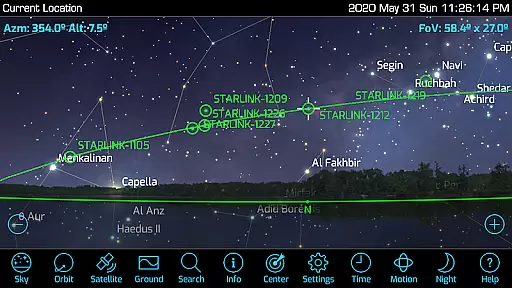
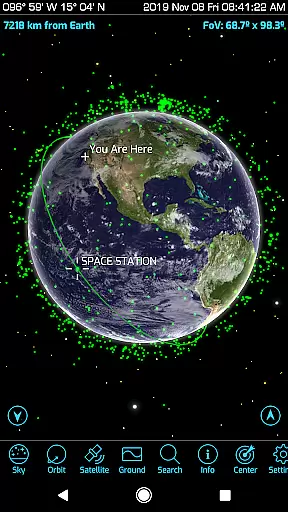
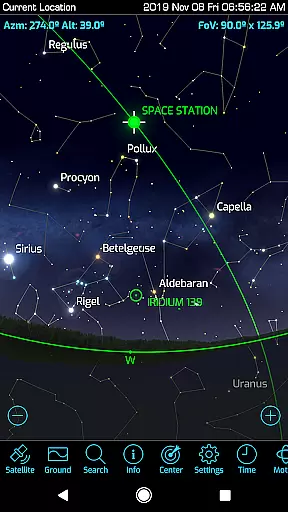
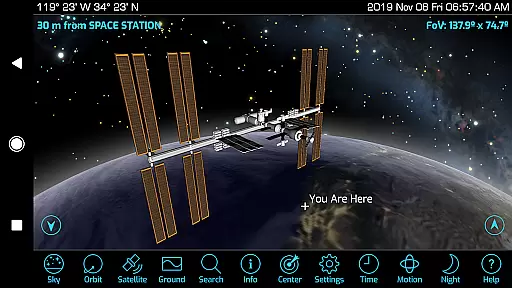
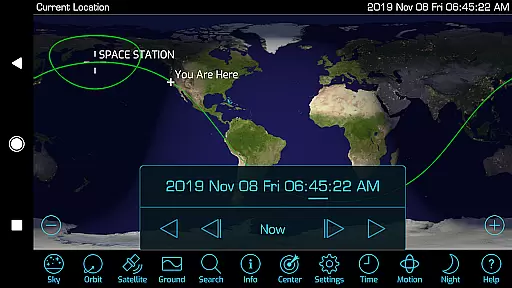
The app's core functionality lies in its ability to track over 4000 satellites, including active satellites, classified military satellites, the International Space Station, and SpaceX's Starlink satellites. Users can explore rich graphics featuring atmospheric effects, city lights on Earth’s night side, and detailed 3D satellite models. The augmented reality feature enhances the learning experience by helping users locate satellites in the sky using their device's GPS and motion sensors.
Orbitrack is particularly useful for educational purposes, offering updated descriptions for hundreds of spacecraft and supporting classroom learning about space exploration. Its intuitive interface makes it accessible to users without requiring specialized knowledge, while advanced features cater to more experienced users.
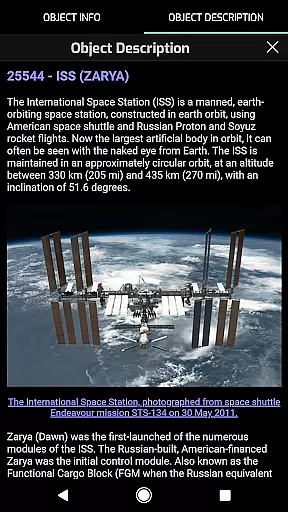
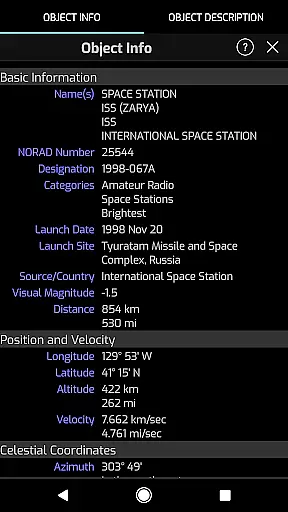
Orbitrack stands out with its extensive range of features tailored for both casual users and serious space enthusiasts. One of its key features is the ability to provide real-time tracking of satellites, complete with mission descriptions and radio frequency data for amateur radio satellites. This ensures that users are not only able to locate satellites but also understand their purpose and function.
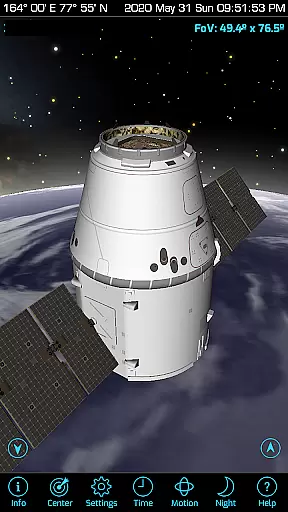
The app includes rich graphics and detailed 3D models of satellites, allowing users to view Earth from orbit as seen by various satellites. These visual elements are complemented by new sound effects and ambient background music, creating an immersive experience. Additionally, Orbitrack supports the latest Android hardware and OS, ensuring compatibility and optimal performance across devices.
Usability enhancements such as dozens of user interface tweaks and new Time Flow controls make navigation and animation seamless. These features collectively contribute to making Orbitrack faster and easier to use than its predecessor, Satellite Safari, while maintaining an educational focus.
Orbitrack stands out in the realm of educational applications by providing highly accurate and authoritative content about satellites and spaceflight. The app meticulously tracks over 4000 spacecraft, including active satellites, classified military satellites, and even SpaceX's Starlink communication satellites. This vast array of data is not only impressive but also ensures that users receive comprehensive information on virtually every satellite orbiting our planet.
The descriptions for each satellite are updated regularly, sourcing detailed mission information from reputable platforms like n2yo.com. This guarantees that users are accessing reliable and current data, which is crucial for both amateur enthusiasts and professionals alike. Furthermore, Orbitrack supports radio frequency data for amateur radio satellites, adding another layer of depth and utility for those interested in satellite communications.
By integrating with the latest Android hardware and OS versions, Orbitrack ensures seamless performance and access to cutting-edge features. Users can benefit from rich graphics showing atmospheric effects, city lights on Earthu2019s night side, and highly-detailed 3D satellite models. These visual enhancements not only make the app more engaging but also aid in better understanding complex orbital mechanics and satellite operations.
While Orbitrack may not follow a traditional educational model with predefined courses, it excels in offering personalized learning paths through its interactive and dynamic content. Users can tailor their experience by selecting specific satellites or types of spacecraft to track, thus focusing on areas that interest them the most. This customization allows learners to delve deeply into topics they are passionate about, whether it be the International Space Station, classified military satellites, or SpaceX's Starlink network.
The app provides an augmented reality mode that leverages the device's GPS and motion sensors to help users find satellites in the sky. This feature transforms theoretical knowledge into practical experience, allowing users to physically locate and track satellites from their current position. Such hands-on interaction significantly enhances the learning process, making abstract concepts tangible and understandable.
Additionally, Orbitrack includes detailed 3D models of dozens of satellites, enabling users to explore these spacecraft up close from any angle. This level of detail and interactivity fosters a deeper understanding of satellite design and functionality. Coupled with new Time Flow controls that let users easily set the date and time, Orbitrack offers a personalized and immersive learning journey through the fascinating world of spaceflight and satellite technology.
User-friendly interface
Comprehensive satellite data
Augmented reality integration
Detailed 3D satellite models
Regular updates and support
Requires modern hardware
Limited iOS availability
Premium pricing model
Complex for beginners
Occasional data delays

Watch and Play Elmo's World!
 4.00
4.00
Learning the ancient Viking language made simple
4.70
Learn Words Daily in Just Minutes - Boost Your Language Skills Fast!
4.60
Age-Related Child Developmental Milestones
4.80
Explore numbers the Starfall way!
4.00
Experience the sky, planet earth and the solar system like never before
4.90
An aviator’s preparation, study and test tool for FAA Knowledge Exams.
3.80
The "Go To" app for Airmen studying for promotion to SSgt and TSgt
4.30
Learn & Speak New Languages
4.70
Learn Japanese in an immersive educational game set in Japan!
4.90
Short Lessons for Better Finances, Health, Skills, Jobs & Relationships.
4.80
AI Language tutor: Speak fluently with Lucy’s personalized coaching
4.70
Perform physics experiments with your phone. (by the RWTH Aachen University)
4.70
An easy to use yet powerful and full-featured flashcard study app.
4.50
The Only Official DVSA Theory Test Kit App
4.50
Stack the Countries makes learning world geography fun!
4.50
Professional Award-Winning Astronomy Star Map App With Telescope Control
4.40
Break Language Barriers with AI—Learn Language Anytime, Anywhere!
4.00
An animated storybook app to help ease your child through toilet training.
3.70


User Reviews