
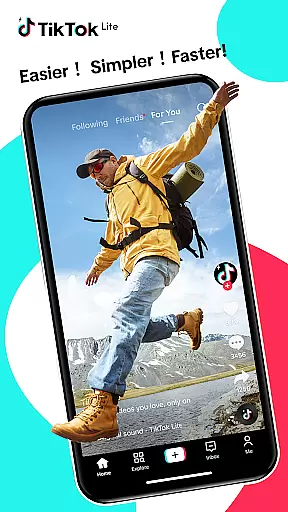

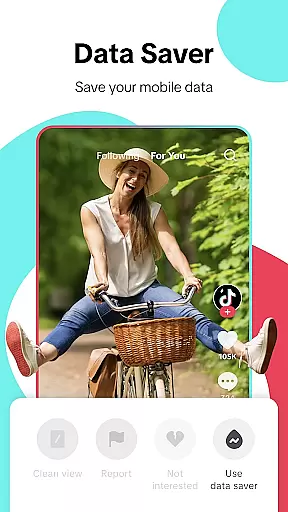
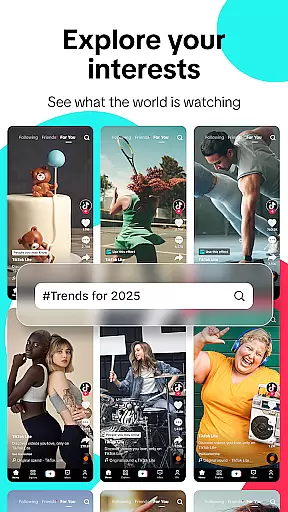

TikTok Lite is a streamlined version of TikTok, designed for users with low-end devices or unstable networks. It offers seamless video streaming, trending music videos, and social sharing capabilities while consuming minimal data and storage. With its lightweight design, the app ensures quick loading and smooth performance even on devices with limited resources.
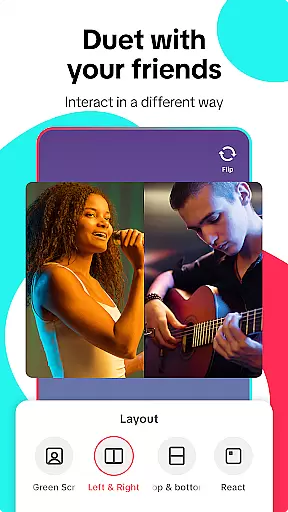
The app provides a complete TikTok experience optimized for challenging conditions. Users can enjoy personalized feeds, advanced editing tools, and interactive features like duets and comments. Whether you're a content creator or consumer, TikTok Lite connects you to a global community of videos and music, making it easy to explore, create, and share content across multiple platforms.
TikTok Lite stands out with its performance benefits tailored for budget devices. The app saves up to 20% on data usage during video streaming and occupies only 18MB of storage, ensuring compatibility with devices that have limited memory. Its offline mode allows users to watch cached videos without an active internet connection, while reduced load times enhance accessibility in areas with poor network stability.
Beyond performance, TikTok Lite includes creative tools such as green screen effects, music integration, filters, and voiceovers. Users can create engaging videos using these features and share them directly to other social media platforms like Instagram, Facebook, and WhatsApp. Additionally, interactive elements like emoji comments, direct messaging, and hashtag discovery foster deeper engagement within the global TikTok community.
User profile customization and authenticity verification are essential features in social applications like TikTok Lite. These features allow users to create a personalized identity while ensuring the credibility of interactions within the platform.
TikTok Lite offers various customization options, enabling users to design unique profiles through profile pictures, bios, and linked social media accounts. This flexibility helps creators express their individuality and build a recognizable personal brand.
For authenticity verification, TikTok Lite employs multi-layered processes such as cross-platform account linking and manual review systems. Verified badges are provided to public figures, ensuring users can trust the legitimacy of high-profile accounts.
This combination of customization and verification enhances user trust and engagement. By allowing creative freedom while maintaining accountability, TikTok Lite fosters a safer and more authentic social environment.
Connection discovery is a vital feature in social platforms like TikTok Lite, helping users expand their networks by identifying relevant contacts and suggesting potential connections based on shared interests or mutual friends.
TikTok Lite utilizes advanced algorithms to analyze user behavior, including video interactions, hashtags, and content preferences. This data powers its recommendation engine, which suggests new connections that align with each user's unique interests.
The app also simplifies connecting with friends from other platforms. By integrating with services like Instagram, Facebook, and WhatsApp, TikTok Lite allows users to import contacts seamlessly, bridging their existing networks with new communities.
These connection discovery tools not only enhance networking opportunities but also enrich the overall user experience by fostering meaningful interactions across diverse audiences.
Lightweight design
Low data consumption
Offline viewing support
Advanced editing tools
Cross-platform sharing
Limited advanced features
Fewer customization options
Restricted video length
Ads may be frequent
No high-definition export

Global short video platform: epic effects, trending videos & vibrant community!
 4.40
4.40
Swipe, Meet & Chat Real People
3.80
Live video chat to connect with people around the world. Video chatting on Olive
4.40
Sell unwanted items and buy preloved stuff in your local community.
4.10
Social App Used By Millions
4.40
Widget Together, Share Whatever! Keep Pets & Share Sleep, Poop, Moods on Screens
4.70
SuperLive is a super popular video-streaming social network
4.60
A little connection can go a long way
4.60
Join your friends and discover videos you love, only on TikTok
4.10
Raise cute Pengus with friends
4.70
Watch 24/7 great live stream, or go live to boost your social followers!
4.50
Live Chat & Match! Explore Real-Time Dating and Make Friends!
4.40
Calling and texting app. 2nd virtual line plus new phone number. Txt & talk now.
4.40
Online group games like Mafia, Word War, Scattergories, Ludo, Uno, and many more
4.30
Second phone number for phone calls & texts. Text & SMS me now with a 2nd number
4.20
Discover an open-minded dating experience when you download today
4.10
Meet local people, make friends & network: Join a community, group, host events
4.00
Create & share photos, stories, & reels with friends you love
3.90
Message and video call your family and friends!
2.60


User Reviews