
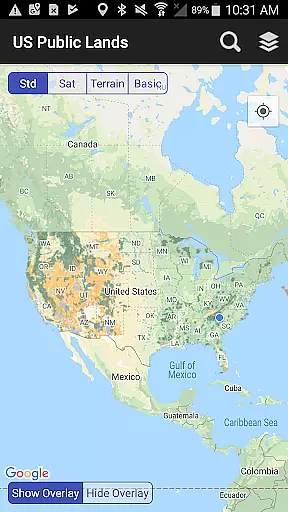
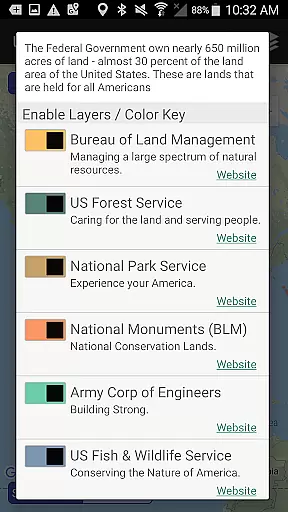
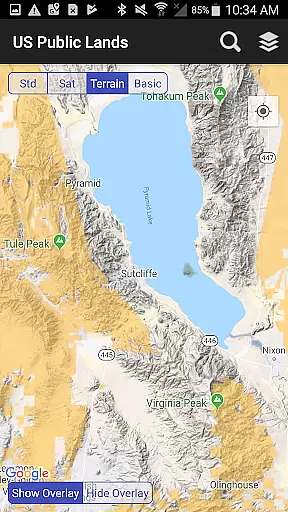
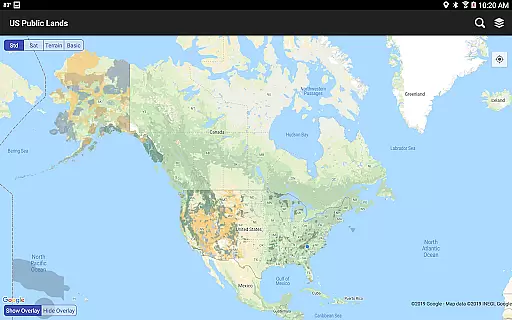
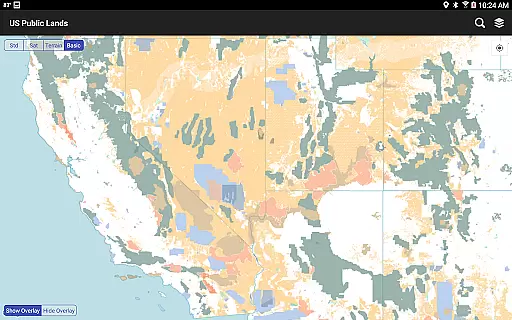
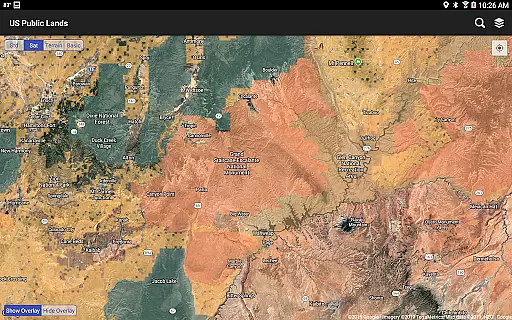
US Public Lands is a comprehensive mapping application that provides users with detailed information about federally owned properties across the United States. With nearly 650 million acres of land under federal ownership, this app offers an easy way to access boundaries and details of these lands without needing physical maps or extensive online searches.
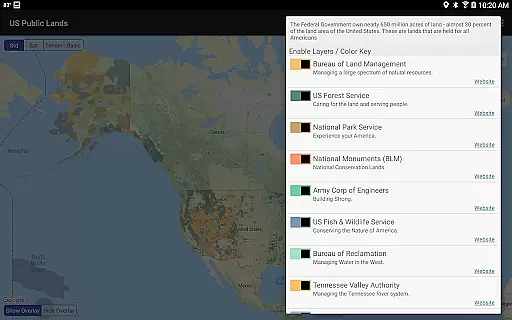
The app features on-device layers for various federal agencies including the Bureau of Land Management, US Forest Service, and National Park Service among others. These layers are customizable and color-coded, allowing users to create personalized maps. Key functionalities include offline map access, agency-specific websites for further research, and a 'Locate Me' feature to determine your current location relative to public lands.
This app is particularly useful for outdoor enthusiasts, researchers, and anyone interested in understanding land use in the United States. By providing critical information such as permitted activities, fees, and stay limits, it enhances user experience and ensures compliance with land use regulations.
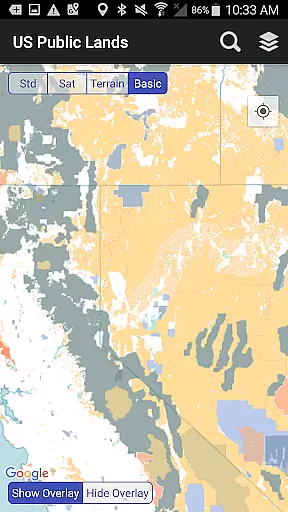
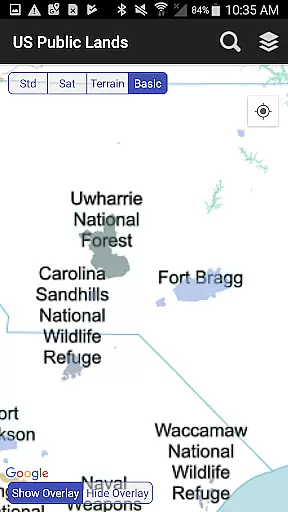
One of the standout features of US Public Lands is its ability to function entirely offline. Users can access map layers stored directly on their devices, ensuring uninterrupted service regardless of internet connectivity. This includes the 'Basic' base map which displays labels for each public land area, conserving bandwidth while offering essential information.
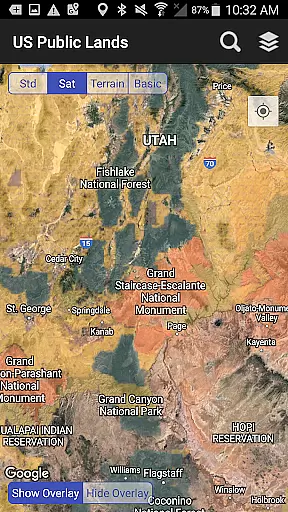
The app also supports interactive map functionalities such as toggling between different views like standard and satellite imagery. This aids in scouting out trails, roads, and potential dispersed camping locations within public lands. Additionally, the built-in search tool allows users to locate cities, states, zip codes, addresses, and points of interest, dropping a pin at the searched location.
Another significant feature is the 'Locate Me' icon which uses GPS to show the user's present location and the type of land they are currently on. The app links to each agency's website, enabling users to research specific rules and regulations applicable to different types of public lands. Overall, these features make US Public Lands a versatile tool for navigation and exploration.
Booking authenticity is a crucial aspect of any travel application, ensuring that the information provided about public lands is accurate and reliable. The US Public Lands app offers users verified data sourced from the Protected Area Database (PAD-US) of the U.S. Geological Survey, which aggregates details on federal lands and waters.
This app provides individually selectable layers for properties administered by various federal agencies, such as the Bureau of Land Management and the National Park Service. Users can trust that these layers represent genuine and official boundaries, allowing them to plan their visits with confidence.
By including links to each agency's website within the app, users have the opportunity to further research land use rules, permits, fees, and activities allowed. This reinforces the authenticity of bookings or trips planned using the app, as users can cross-reference information directly with official sources.
While the database is continually evolving and some locations may not be listed with precise accuracy, the app serves as an essential overview tool. It encourages users to confirm finer details through local field offices, ensuring informed and authentic trip planning.
Price transparency in the context of the US Public Lands app refers to the clarity with which costs associated with visiting public lands are communicated to users. While the app itself is free to download and use, it helps visitors understand potential expenses related to their trips, such as permits or fees required by different agencies.
Each layer within the app corresponds to a federal agency, like the US Forest Service or Army Corp of Engineers, and includes relevant information regarding land use rules. By tapping on these layers, users can access detailed insights into what financial obligations they might encounter during their visit.
Moreover, the built-in search tool allows users to locate points of interest without additional cost, provided they have internet access. This feature aids in budgeting for travel by identifying nearby cities, states, zip codes, and addresses, thus contributing to overall price transparency.
Although the app does not provide real-time pricing updates, it empowers travelers to make informed decisions about their visits to public lands. Users should always consult official websites or local offices for the latest fee structures, ensuring complete awareness of all possible costs before embarking on their journeys.
Comprehensive data
Offline functionality
User-friendly interface
Customizable map layers
GPS location services
No campsite database
Potential inaccuracies
Limited resolution
No real-time updates
Dependent on external data

A tool for outdoor activities.
 4.30
4.30
Navigation on hikes is no longer a problem. Download the map, put notes and go!
4.60
Get all MTA services, Subway, Bus, LIRR, Metro-North and More all in one place.
4.60
It drives. You ride.
4.90
Get faster fuel rewards, exclusive offers, and helpful tools!
4.70
Vacationing on CARNIVAL? Maximize your fun on board with the ultimate cruise app
4.60
Travel light with our easy-to-use mobile app, the perfect flying companion.
4.40
Get real-time traffic, directions, search and find places
4.10
Get Moving Made Easier® with the official U-Haul® Moving & Storage app.
3.40
Replace your car trips with the world’s largest shared electric vehicle company.
4.90
Find the perfect vacation rental. Search from over 2 million properties.
4.80
Manage your travel on Delta with access to boarding passes, flight info & more.
4.80
Frontier’s Android app makes travelling easier than ever before!
4.70
NEW! Vacation with Ease.
4.60
Now you can book homes, experiences, and services—all in our redesigned app.
4.40
MyTSA gives you 24/7 access to info that passengers frequently request from TSA.
4.10
Real-time flight tracking with live maps and flight status updates.
3.70
Apply for an electronic travel authorisation (ETA) to come to the UK.
3.20
Tide Table Chart provides quick and easy access to high and low tide forecasts.
3.20


User Reviews