
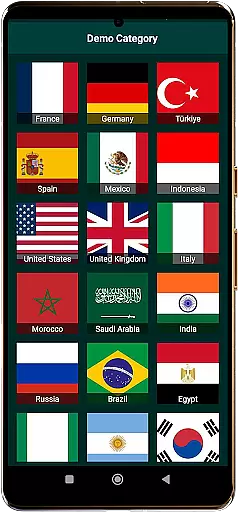
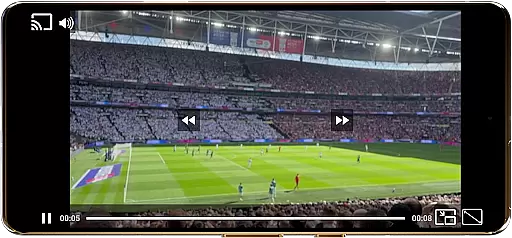
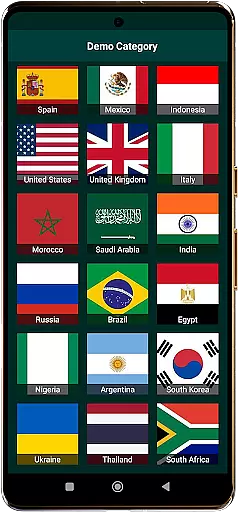
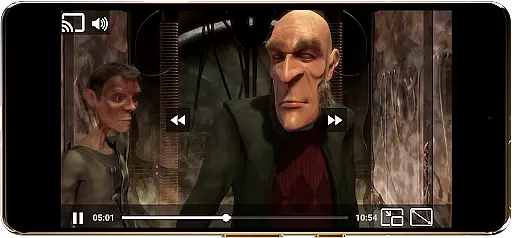
World TV Garden Videos Player is a versatile video player app designed for seamless TV viewing. It allows users to watch global and local live TV online using their own private streaming links. The app supports a wide range of formats including DASH, HLS, MP4, and direct streaming links, ensuring compatibility with various online TV channels.
With features like Picture-in-Picture mode, customizable controls, and Chromecast support, the app offers an enhanced viewing experience. Users can enjoy smooth playback, optimized audio quality, and full-screen mode while accessing their favorite live TV streams, news, sports, and entertainment channels from around the world.
This app is particularly useful for those who want to stay updated with international news, enjoy live sports events, or explore cultural programs from different countries. By importing their own legal streaming links, users can create a personalized list of channels and enjoy a hassle-free TV experience on their devices.
World TV Garden Videos Player stands out with its broad format compatibility, supporting DASH, HLS, MP4, and direct streaming links. This ensures that users can access a wide variety of online TV channels without any issues. The app's smooth playback feature provides lag-free video streaming, making it ideal for watching live TV streams and online content without interruptions.
One of the key highlights is the Picture-in-Picture mode, allowing users to multitask while watching their favorite channels in a small window. Additionally, customizable controls enable users to adjust scaling modes and playback settings according to their preferences. With Chromecast support, users can cast their streams to any TV for an enhanced viewing experience.
The app also includes a favorites list for saving preferred TV streams and movies, ensuring quick and easy access. Enhanced audio quality further enriches the experience, especially when watching music TV channels or documentaries. These features collectively make World TV Garden Videos Player a comprehensive tool for enjoying personalized and high-quality TV content on the go.
In the context of TV Garden, task creation refers to the process of adding and organizing your personalized streaming links into a structured format that allows for seamless viewing experiences. This functionality is crucial as it enables users to curate their own TV channel lists, making it easier to access favorite programs or explore new content from around the world.
The app facilitates detailed customization by allowing users to input specific HLS links for various international, cultural, or entertainment channels. This means you can tailor your viewing options based on personal preferences such as Live Sports, News, or Music TV Channels. The ability to save these custom streams into Favorites ensures quick and straightforward access whenever you want.
Users benefit significantly from this feature as it provides them with complete control over their viewing experience. By importing private stream links, individuals can watch Global & Local Live TV Online without any hassle. Additionally, the Favorites List function helps in managing numerous channels efficiently, ensuring that users never miss out on important events or shows.
This level of customization not only enhances user engagement but also makes TV Garden a versatile tool for those looking to explore diverse television content from different parts of the world. Whether it's staying updated with International News or enjoying regional entertainment programs, Task Creation & Detail Customization empowers users to build a personalized and dynamic TV viewing environment.
Reminder settings in TV Garden play an essential role in ensuring that users never miss their favorite shows, live sports events, or important news broadcasts. This feature allows individuals to set up timely notifications for when specific programs or streams go live, enhancing the overall convenience and usability of the application.
By leveraging this functionality, users can create reminders for various types of content such as Live News, Entertainment Channels, or even Cultural TV programs from different countries. Once a reminder is set, the app will notify the user at the appropriate time, prompting them to start playback instantly through their saved streaming links.
This capability adds significant value by keeping viewers informed and engaged with their preferred content. For instance, if you're following a major sporting event or waiting for breaking news updates, Reminder Settings ensure you are promptly alerted so you can tune in right away.
Overall, this feature contributes to a more organized and enjoyable viewing experience. It empowers users to manage their time effectively while ensuring they stay connected with global happenings through customized stream links. With Reminder Settings, TV Garden becomes not just a media player but also a reliable companion for staying updated with diverse television content worldwide.
User-friendly interface
Wide format support
Smooth playback
Picture-in-Picture mode
Customizable controls
No hosted content
Requires own links
Limited to legal streams
Dependent on user input
No automatic updates

The Official App
 4.3
4.3
The Ultimate Tournament Hub
4.70
The KRUU app - plan, celebrate, remember
4.80
Digital Income Wallet of the Final Libertadores 2025
4.5
The official app of the Carmel Christkindlmarkt!
4.3
Design Invitations & Cards for Any Occasion
4.80
Plan your wedding for free on the go: vendors, budget, website and checklists!
4.80
Buy tickets for any event!
3.90
Discover events & experiences in NYC, LA, Chicago, DC, Miami and more!
4.70
Fantasy of Lights Event App
5.00
Clubs, Festivals, Discounted Tickets, Guest Lists & VIP Tables
4.90
Create invitation cards for birthdays, weddings, Christmas and more.
4.80
Listen Full Quran MP3 Offline - Qibla Compass, Salah Timing & 99 Names of Allah
4.60
Events, Meetings, Photo Shoots
4.50
Manages display and transfer of tickets from the Mundo Tickets platform
3.80
TV.Garden is a video player to play your own TV streams from around the world!
3.40
RAISE-365 makes fundraising easy and fun!
3.20
An App for Bhutanese
4.4
It is an Event Planning Application.
4.2


User Reviews