
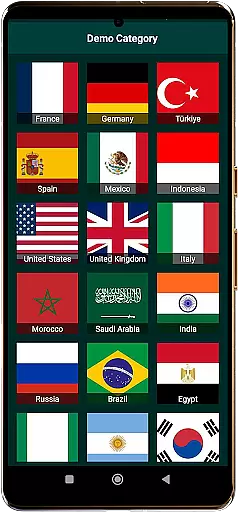
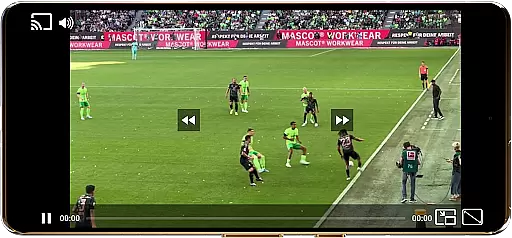
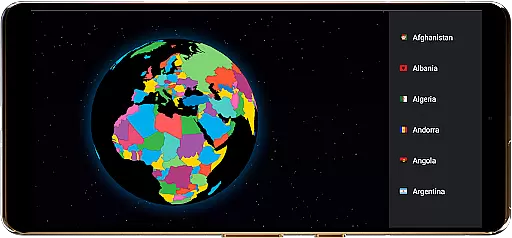
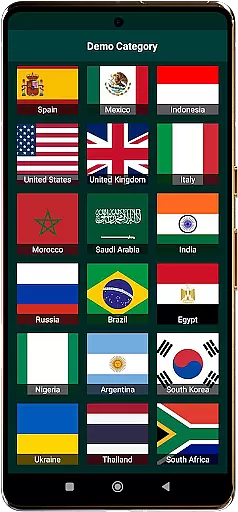
TV Garden World Video Player is a versatile media player app designed for seamless TV viewing experiences. It allows users to watch global and local live TV channels online using their own private streaming links. The app supports a wide range of formats including HLS, DASH, and MP4, ensuring compatibility with various international TV streams.
With its user-friendly interface, TV Garden enables viewers to access live news, sports, entertainment, and music channels from around the world. Whether you're interested in USA TV live, UK TV online, or Asian TV channels, this app provides a gateway to diverse content while offering advanced features like Picture-in-Picture mode and Chromecast support.
The true value of TV Garden lies in its ability to transform any device into a personal international TV station. Users can create customized favorites lists, adjust playback settings, and enjoy high-quality audio-visual experiences across different devices, making it an ideal solution for those seeking flexible TV viewing options.
TV Garden stands out with its comprehensive feature set tailored for international TV enthusiasts. The app's broad format compatibility supports various streaming protocols including HLS and DASH, alongside traditional MP4 files, ensuring smooth playback of different TV channel types.
Advanced functionality includes Picture-in-Picture mode for multitasking, customizable scaling options for optimal viewing, and Chromecast integration for enhanced big-screen experiences. The app also offers specialized audio optimization for music channels and full-screen immersive viewing capabilities.
What makes TV Garden particularly valuable is its Favorites system, allowing users to organize and quickly access their preferred international streams. The app maintains a careful balance between powerful features and user responsibility, requiring users to provide their own legal streaming links while delivering professional-grade playback performance across global TV content.
In the context of TV Garden World Video Player, task creation refers to the process of adding and organizing your preferred streaming links into a structured format that allows for easy access and management. This functionality is crucial as it enables users to curate their own personalized TV channel lineup.
The app facilitates this by allowing users to input their private streaming links directly into the Favorites section. Each link can be labeled and saved, creating a customized list of channels tailored to individual preferences. This feature supports not only basic TV streams but also specialized content like Live News, Live Sports, and Music TV Channels.
Users benefit from this system by having instant access to their preferred content without needing to search for links repeatedly. The ability to organize streams by category or preference enhances the viewing experience, making it more efficient and enjoyable.
This level of customization demonstrates the app's commitment to providing a versatile viewing experience. By empowering users to create their own channel lineup, TV Garden ensures that viewers can access exactly what they want, when they want it, all within a few taps.
While TV Garden World Video Player doesn't function as a traditional reminder application, it incorporates essential notification features that enhance the user's ability to stay connected with their favorite programming. These reminder-like functionalities are embedded in how users interact with their saved streaming links.
The app provides options to save favorite TV streams and movies, which serves as an indirect reminder system. Users can quickly identify and access their preferred content without setting explicit reminders. This method of saving favorites acts as a constant notification of what's important to the viewer.
Additionally, the Picture-in-Picture mode offers a unique way to keep track of ongoing streams while multitasking on other applications. This feature keeps the content visible at all times, serving as a visual reminder of the ongoing program.
By combining these features, TV Garden creates an environment where users are consistently reminded of their viewing preferences through intuitive design choices. This approach to reminders ensures that viewers never miss out on their favorite Live TV Streams or important broadcasts while maintaining focus on their personal content curation.
User-friendly interface
Wide format support
Picture-in-Picture mode
Chromecast integration
Customizable playback
No hosted content
Link legality required
Limited built-in channels
Technical knowledge needed
Dependent on external streams

The Ultimate Tournament Hub
 4.70
4.70
Buy event tickets easily with our user-friendly App. Stay updated on hot events
4.1
CUE Live utilizes ultrasonic sound waves to sync devices at CUE enabled events
4.80
Local events, contests, and giveaways for local dads
3.70
TV Garden is a video player to play your own TV streams from around the world!
4.4
Rocket Monkey - Space rocket launch schedule for launch sites around the world
4.20
The official app for Sched events! View your event schedule here.
4.20
Beautiful invitation cards + easy RSVP tracking for any event. Design Invites.
4.80
Find Live Event Ticket Deals to Sports, Concerts, Festivals, & Comedy For Less!
4.80
Invitation card maker for birthday party & Wedding. Digital greeting card editor
4.90
Discover events, experiences, and things to do near you - Anytime, Anywhere!
4.70
Text message invitations for birthday party, wedding, graduation, baby shower +
4.60
Manage all your events, leads, ticketing, payments and check-ins.
4.30
The calendar app in this 2026 year see all dates.
4.20
Introducing the official Magic: The Gathering app for mobile.
4.20
Buy and sell tickets to sports, concerts, theater, festivals, and comedy events
4.10
Buy tickets for any event!
3.90
Manages display and transfer of tickets from the Mundo Tickets platform
3.80
Thanksgiving Wishes, Thanksgiving Stickers & Animated GIF for Whatsapp Stickers
4.2


User Reviews