
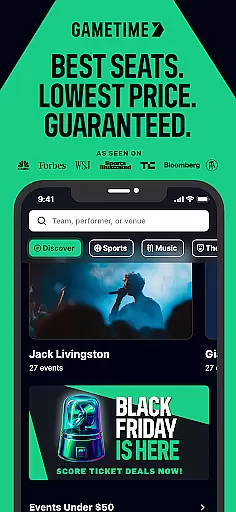
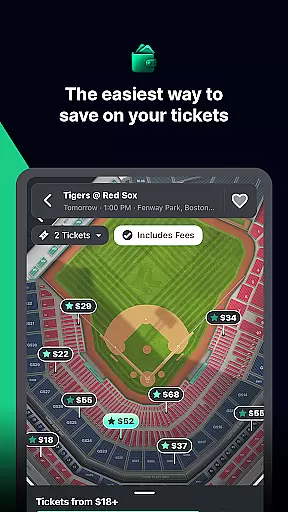
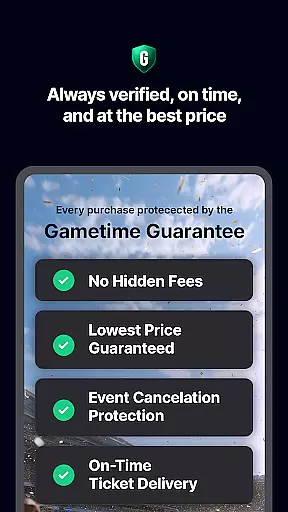
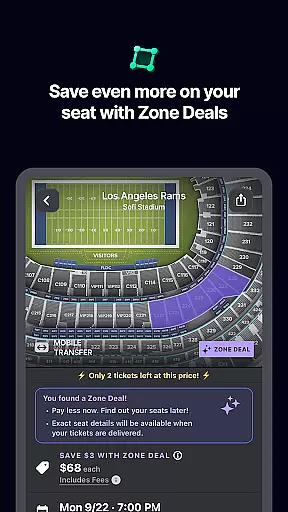
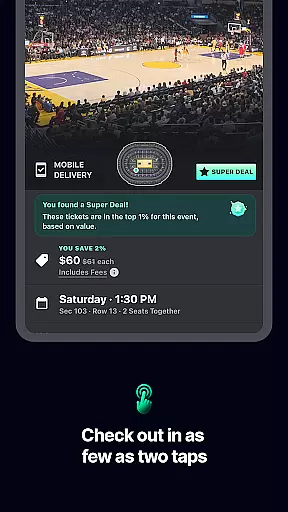
Gametime is a leading mobile application designed for event enthusiasts who want to secure last-minute tickets at the best prices. The app specializes in offering discounted tickets to sports games, concerts, festivals, comedy shows, and theatrical performances. With its unique feature of falling ticket prices as the event time approaches, users can take advantage of significant savings. Additionally, Gametime Ticket Coverage provides comprehensive purchase protection, ensuring customer satisfaction with policies like Lowest Price Guaranteed and Lightning Refunds.
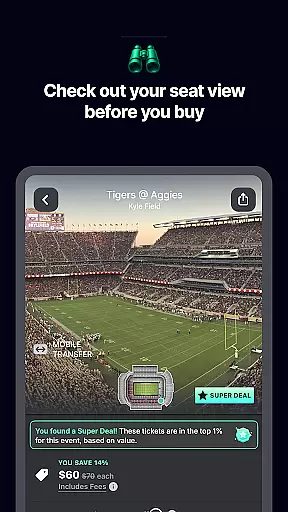
One of the standout features of Gametime is its user-friendly interface that simplifies the ticket-buying process. Users can browse panoramic seat views, compare prices across seating sections, and complete purchases with just two clicks. The app also supports eco-friendly practices by delivering tickets digitally, eliminating the need for paper tickets. Whether you're looking to attend a Lakers game or a Taylor Swift concert, Gametime ensures you get the best seats at the lowest prices with no hidden fees.
Gametime offers an array of innovative features tailored to enhance the ticket-buying experience. Its dynamic pricing model allows users to benefit from decreasing ticket prices as the event start time draws near. This ensures users can access affordable tickets even up to 90 minutes after the event begins. The inclusion of Gametime Ticket Coverage adds another layer of security to every purchase, offering benefits such as Job Loss Protection and quick refunds for canceled events.
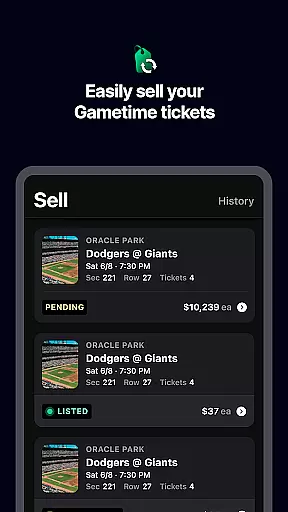
The app's interactive venue maps and panoramic seat views allow users to make informed decisions about their seating choices. Its streamlined checkout process requires only two clicks, making it incredibly convenient for users to secure their tickets quickly. Furthermore, Gametime's mobile ticket delivery system not only saves paper but also makes it easy to share tickets with friends directly through their phones. For those interested in reselling tickets, the app provides a simple platform to list, price, and sell tickets while receiving prompt payment via PayPal.
Task creation and detail customization are essential features for any event management app like Gametime. This functionality allows users to create personalized event tasks with specific details, ensuring a tailored experience that meets individual preferences.
Gametime excels in this area by offering users the ability to customize their event tickets with ease. The app provides detailed venue maps and panoramic photos, enabling users to choose exact seats and compare prices effortlessly. This level of customization ensures that users can tailor their event experience according to their preferences and budget.
The benefits for users are significant. With Gametime's intuitive interface, users can easily navigate through various options to select the best seats at the lowest prices. The app's 2-click checkout process simplifies the purchasing procedure, making it quick and hassle-free. This streamlined approach enhances user satisfaction and encourages repeat usage.
Ultimately, Gametime's task creation and detail customization features empower users to craft their ideal event experience. By providing comprehensive tools for seat selection and price comparison, the app ensures that users can enjoy live events with confidence and convenience.
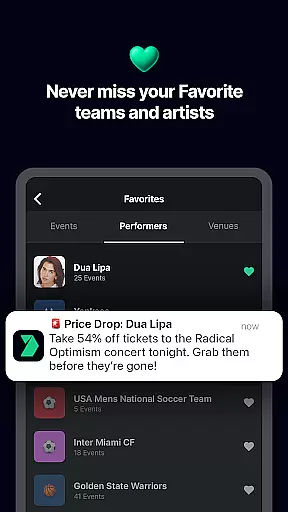
Reminder settings play a crucial role in ensuring users never miss an important event. For apps like Gametime, which focuses on live event ticket deals, having robust reminder functionalities is vital for enhancing user engagement and satisfaction.
Gametime offers flexible reminder settings that allow users to set notifications for upcoming events. Whether it's a last-minute deal or a sold-out show, users can configure reminders to stay informed about their favorite sports, concerts, and theater performances. This feature is particularly useful for those who want to take advantage of falling ticket prices as the event time approaches.
Users benefit greatly from these reminder settings. They receive timely alerts about special zone deals and discounts, helping them save even more on ticket purchases. Additionally, the ability to buy tickets up to 90 minutes after the event starts ensures that users can still attend events even if they decide at the last moment.
In summary, Gametime's reminder settings provide users with the flexibility and convenience needed to make the most of live entertainment opportunities. By keeping users informed and engaged, the app enhances the overall event experience, making it easier for everyone to enjoy their favorite activities.
User-friendly interface
Transparent pricing
Comprehensive purchase protection
Wide range of events
Mobile ticket sharing
Limited original ticket listings
Resale market only
Event availability varies
No physical ticket option
Dependent on third-party sellers

Community for Mods, Addons, Melsaves, Melmods for Melon Playground
 4.2
4.2
Invitation card maker for birthday party & Wedding. Digital greeting card editor
4.90
Wedding planner app with wedding venues, wedding checklist, countdown & budget.
4.60
Digital Income Wallet of the Final Libertadores 2025
4.5
The official app of the Carmel Christkindlmarkt!
4.0
RAISE-365 makes fundraising easy and fun!
3.20
Freebie Games for Epic Games, Steam, Amazon, Rockstar etc.
4.40
TodayTix is the easiest way to get tickets to the best shows in your city.
4.90
Buy and Sell Tickets for Concerts, Sports, and Theater.
4.70
Fast Scans. Happy Fans. For Every Hometown!
4.60
Invitation Card Maker, Design & share wedding, birthday & party invites fast
4.40
Everything you need for the Best Thursday Ever.
4.40
Manage all your events, leads, ticketing, payments and check-ins.
4.30
Rocket Monkey - Space rocket launch schedule for launch sites around the world
4.20
Track birthdays, habits & goals. Unlimited countdowns and count-ups
4.20
Buy and sell tickets to sports, concerts, theater, festivals, and comedy events
4.10
The world's largest selection of tickets is now at your fingertips
3.90
The Official App
3.70
Thanksgiving Wishes, Thanksgiving Stickers & Animated GIF for Whatsapp Stickers
4.4


User Reviews