


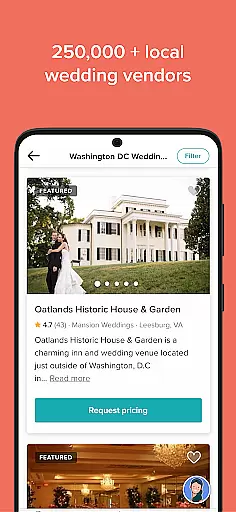

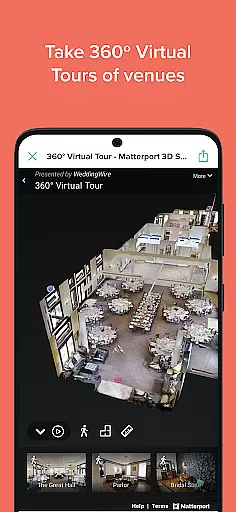
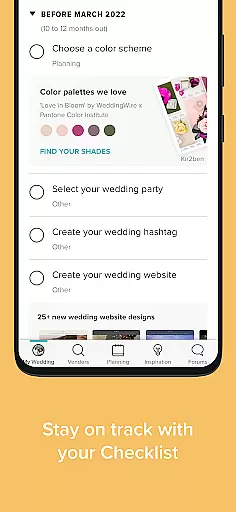
Wedding Planner by WeddingWire is a comprehensive wedding planning app designed to simplify the entire process. The app offers an extensive directory of over 250,000 local vendors, complete with pricing and reviews from other couples. One standout feature is the 360-degree virtual venue tours, which allow users to explore venues interactively before visiting in person.
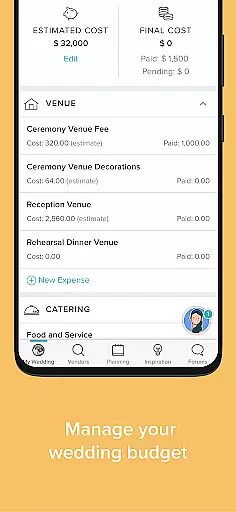
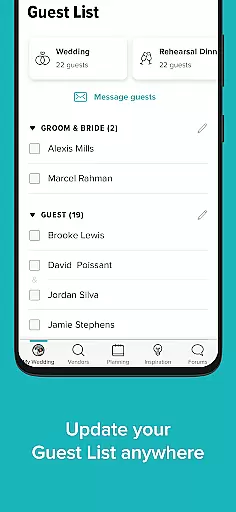
In addition to vendor management, the app provides essential tools such as customizable wedding websites, budget tracking, guest list organization, and a detailed wedding checklist based on your wedding date. Users can also access inspiration galleries, create registries, and connect with a community of engaged couples. These features collectively ensure that all aspects of wedding planning are streamlined and accessible from anywhere.
This app is ideal for couples who want to manage their wedding plans efficiently while having access to a wealth of resources and community support. By consolidating all necessary tools into one platform, Wedding Planner by WeddingWire helps reduce stress and save time, making the planning process more enjoyable and organized.
Wedding Planner by WeddingWire stands out due to its wide array of specialized features tailored for efficient wedding planning. One of the key highlights is the extensive vendor directory, which includes over 250,000 local professionals. This directory not only provides contact details but also includes reviews and availability, helping couples make informed decisions.
The app also offers interactive tools like 360-degree virtual tours of wedding venues, allowing users to explore and compare venues conveniently from their devices. Another significant feature is the customizable wedding website, which lets users share essential details, collect RSVPs, and integrate their wedding registry seamlessly. Additionally, the app includes a comprehensive budget tracker, a customizable checklist, and a guest list manager, ensuring that every detail is accounted for.
These features collectively provide immense value by saving time, reducing stress, and offering a centralized platform for all wedding-related tasks. The combination of practical tools and inspirational content makes Wedding Planner by WeddingWire an indispensable resource for engaged couples.
Task creation and detail customization are essential features for any event planning application, especially one designed for weddings. Wedding Planner by WeddingWire excels in this area by providing users with a comprehensive wedding checklist tailored to their specific wedding date. This personalized approach ensures that every task, from booking vendors to sending out invitations, is scheduled optimally.
The app allows users to customize each task with additional details, such as deadlines, priority levels, and personal notes. This level of detail helps couples stay organized and on track throughout the planning process. Moreover, the ability to adjust tasks ensures that the checklist evolves with the user's needs, accommodating any changes or additional requirements that may arise.
By integrating task management with other features like budget tracking and guest list management, Wedding Planner creates a seamless planning experience. Users can easily cross-reference tasks with related aspects of their wedding, ensuring that all elements are coordinated and accounted for. This interconnected system not only simplifies planning but also reduces stress, allowing couples to focus on enjoying their special day.
Reminder settings play a crucial role in keeping users on top of their busy schedules, particularly when organizing an event as significant as a wedding. Wedding Planner by WeddingWire offers robust reminder functionalities that ensure no detail is overlooked. Users can set multiple reminders for each task, whether it's meeting with vendors, finalizing the guest list, or confirming the caterer.
The flexibility of reminder settings allows users to choose the frequency and timing of notifications. Whether you need a weekly update or a daily prompt, the app accommodates various preferences to suit individual planning styles. Additionally, reminders can be synced with your device's calendar, providing an extra layer of assurance that important deadlines won't be missed.
Beyond basic alerts, the app also includes a wedding countdown feature, adding an element of excitement to the planning process. By inputting your wedding date, you can track the days leading up to the event, helping maintain momentum and enthusiasm. These thoughtful touches highlight Wedding Planner's commitment to creating a supportive and engaging environment for couples embarking on their wedding journey.
User-friendly interface
Comprehensive vendor directory
Interactive venue tours
Customizable wedding website
Robust budgeting tool
Limited international vendors
Occasional bugs reported
Premium features locked
Heavy on advertisements
Complex navigation for new users

Create Birthday Cards in Birthday Invitation Maker and Birthday Card Creator App
 3.00
3.00
PheedLoop Go! is the mobile event app for events powered by PheedLoop.
4.40
Buy event tickets easily with our user-friendly App. Stay updated on hot events
4.1
Fantasy of Lights Event App
5.00
TV Garden is a video player to play your own TV streams from around the world!
4.3
Invitation Card Maker, Design & share wedding, birthday & party invites fast
4.40
Freebie Games for Epic Games, Steam, Amazon, Rockstar etc.
4.40
Buy and Sell Tickets for Concerts, Sports, and Theater.
4.70
Buy and sell tickets to sports, concerts, theater, festivals, and comedy events
4.10
TodayTix is the easiest way to get tickets to the best shows in your city.
4.90
Create invitation cards for birthdays, weddings, Christmas and more.
4.80
For weddings, parties & events
4.60
Everything you need for the Best Thursday Ever.
4.40
Meet people over dinner
4.40
Manages display and transfer of tickets from the Mundo Tickets platform
3.80
Local events, contests, and giveaways for local dads
3.70
RAISE-365 makes fundraising easy and fun!
3.20
Mobile Event Guide for Greater NY Dental Meeting
4.1
The official app of the Carmel Christkindlmarkt!
4.1


User Reviews