
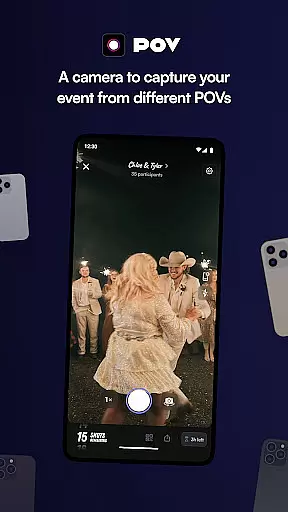
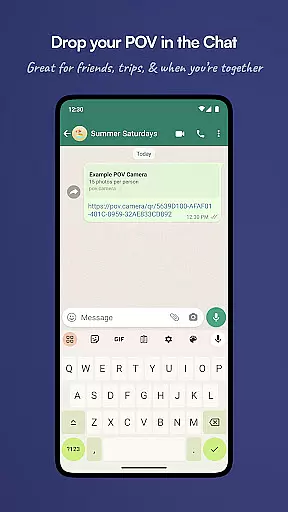
POV is an innovative event photography app that allows guests to capture and share moments from unique perspectives. Designed for event organizers, this app creates a digital disposable camera experience where the number of photos each guest can take is limited, ensuring more mindful photography. The next-day reveal feature adds excitement as attendees relive the event through curated images.
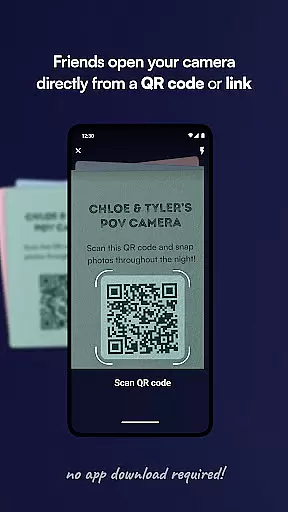
The app's strength lies in its accessibility and customization options. Guests don't need to download anything – they simply scan a code or click a link to participate. Event organizers can fully customize the photo-taking experience including shot limits, gallery reveal timing, and visual design elements. This makes POV particularly suitable for weddings, corporate events, and parties where controlled yet creative documentation is desired.
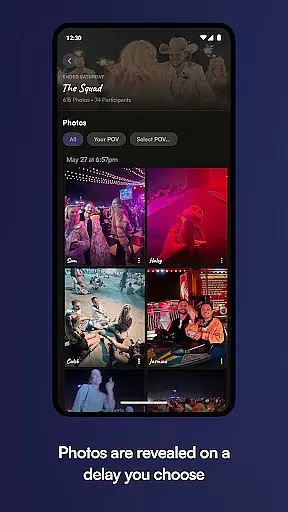
POV offers several distinctive features that set it apart in the events space. The core functionality revolves around its virtual disposable camera system, where event hosts can set specific photo limits per guest and schedule delayed reveals of captured images. This creates a sense of anticipation and encourages guests to be more selective in their photography.
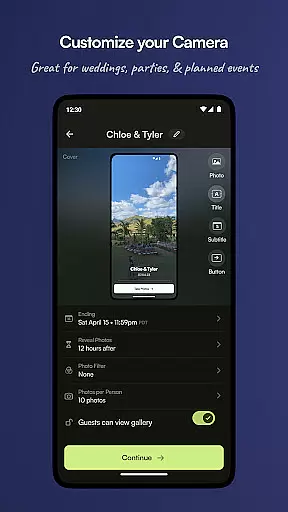
The app provides extensive customization tools for event organizers. These include designing custom interfaces with unique stickers, backgrounds, and text elements that match event themes. The sharing functionality is enhanced through QR codes and NFC tags, making it easy for guests to access the event's photo experience. Additionally, the no-download requirement for participants significantly lowers the barrier to entry, ensuring higher engagement rates among guests.
These features collectively create a controlled yet creative environment for event documentation, where organizers maintain oversight while allowing guests to contribute meaningfully to the event's visual memory.
Creating and customizing tasks within POV allows event organizers to define unique photo-taking experiences for their guests. This feature is crucial as it enables the host to control the number of photos each guest can take, mimicking the experience of a disposable camera. By setting these parameters, hosts ensure that the event captures a genuine and unfiltered perspective from each participant.
The app provides an intuitive interface where users can easily set up these parameters. Organizers can specify limits on photo counts, ensuring that every guest contributes equally to the collective memory of the event. This not only enhances the authenticity of the captured moments but also encourages guests to be more thoughtful in their photo-taking decisions.
For users, this means a more engaging and interactive experience. They are prompted to capture meaningful moments rather than an overwhelming number of images. The customization options available in POV empower hosts to tailor the experience to fit the theme and mood of their event perfectly.
Ultimately, the ability to create and customize tasks in POV translates into a personalized and memorable event for everyone involved. Guests leave with a curated set of photos that tell a story, while hosts gain peace of mind knowing they have crafted an equitable and enjoyable photo experience for all attendees.
POV's reminder settings play a pivotal role in enhancing user engagement by ensuring that guests do not miss out on capturing key moments during an event. These reminders can be customized to notify participants at strategic times, prompting them to take photos or check the gallery for newly revealed images.
This feature leverages push notifications and other alert mechanisms to keep guests engaged throughout the event duration. Whether it's reminding guests to take their limited number of photos or notifying them when the gallery has updated, POV ensures timely communication. Such alerts help maintain excitement and anticipation among participants, enriching their overall experience.
For users, this translates into a seamless and interactive journey. They receive gentle nudges that guide them through the photo-taking process without feeling overwhelmed. The flexibility in setting reminders allows organizers to align notifications with the event schedule, ensuring maximum participation and enjoyment.
In essence, POVu2019s reminder settings serve as a valuable tool for maintaining high levels of interaction and enthusiasm. By keeping guests informed and engaged, the app helps create lasting memories and fosters a sense of community among event attendees.
User-friendly interface
Highly customizable
No download required
Delayed reveal feature
Unique event perspective
Limited free features
Requires planning
Guest participation
Paid upgrades
Event specific

Manages display and transfer of tickets from the Mundo Tickets platform
 3.80
3.80
The calendar app in this 2026 year see all dates.
4.20
Browse events, find transportation, keep up with the latest news from your team
4.1
Create invitation cards for birthdays, weddings, Christmas and more.
4.80
Wedding planner app with wedding venues, wedding checklist, countdown & budget.
4.60
Beautiful invitation cards + easy RSVP tracking for any event. Design Invites.
4.80
The Official Football Ticketing App for Fans in Qatar
4.0
Birthday Greetings provides Birthday Card, Frames, Gifs & Father's day Wishes
4.80
Connect with an ecosystem of 5M+ eventgoers and organizers.
4.50
Find EDM shows near you! See your favorite artists live, and discover new music.
4.90
The KRUU app - plan, celebrate, remember
4.80
Buy and Sell Tickets for Concerts, Sports, and Theater.
4.70
Discover events & experiences in NYC, LA, Chicago, DC, Miami and more!
4.70
Microsoft Build is an annual developer conference hosted by Microsoft
4.20
Buy and sell tickets to sports, concerts, theater, festivals, and comedy events
4.10
No invest, Easy way to earn USDT through crypto cloud mining
3.80
Purchase line-skip passes, drinks, cover, and more at bars and clubs
3.50
RAISE-365 makes fundraising easy and fun!
3.20
TV Garden - World Live TV : Play & cast your videos seamlessly!
3.20


User Reviews