
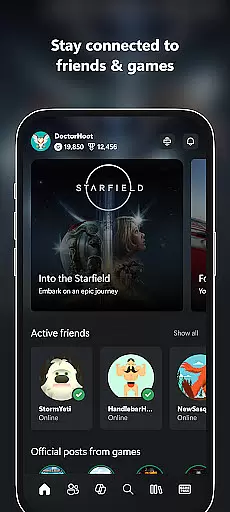
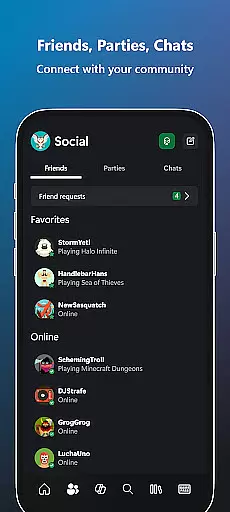
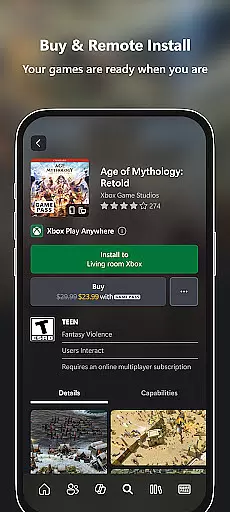
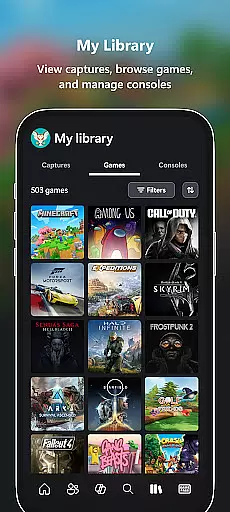
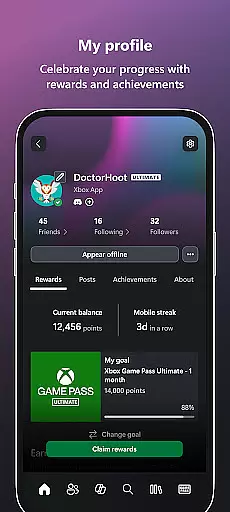
Xbox is a comprehensive entertainment app that keeps you connected to your gaming world. The app allows users to stay in touch with friends through voice and text chat, regardless of whether they are on console or PC. It provides notifications for achievements, messages, and game launches, while also enabling users to purchase games and add-on content directly from their mobile device.
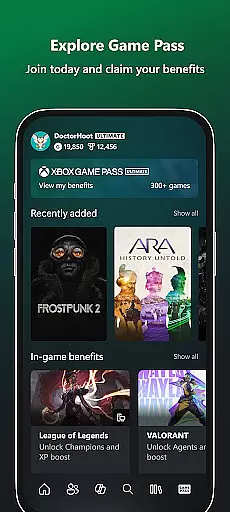
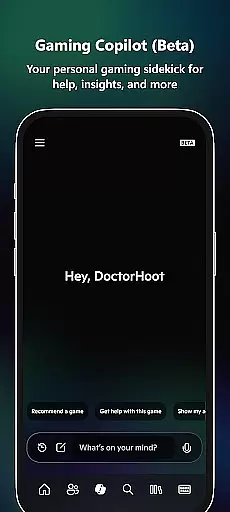
One standout feature is the ability to explore the Game Pass catalog and redeem Perks seamlessly within the app. Additionally, users can share game clips and screenshots directly to their favorite social networks. With integrated Gaming Copilot (Beta), players receive personalized recommendations and assistance to enhance gameplay. This makes the Xbox app an essential tool for gamers who want to remain engaged wherever they are.
The Xbox app offers a variety of features designed to enhance the gaming experience. Users can engage in seamless voice and text chat with friends across different platforms, ensuring constant connectivity. The app also supports purchasing games and add-ons without needing to switch devices, streamlining the buying process.
Another key feature is the ability to download games remotely to your console, so they're ready when you are. Notifications for party invites, messages, and new game releases keep users informed. Furthermore, the Gaming Copilot (Beta) provides tailored insights and help to improve gameplay, making it easier to overcome challenges and level up. These functionalities collectively ensure that users have a smooth and engaging interaction with their gaming community.
The Xbox app offers a diverse range of content that keeps users engaged with the gaming community. It provides notifications for new game launches, ensuring users are always up-to-date with the latest releases.
Users can explore the Game Pass catalog, which is regularly updated with new titles, offering fresh content to keep gamers entertained. The app also allows for the sharing of game clips and screenshots directly to social networks, enhancing user interaction.
In addition to gaming content, the app features Gaming Copilot (Beta), which serves as a personal gaming sidekick providing recommendations, help, insights, and more. This feature ensures that users receive personalized assistance tailored to their gaming needs.
With integrated voice and text chat, users can maintain constant communication with friends on console or PC, making sure they never miss out on gaming parties or events. This continuous connection contributes to the overall freshness of the app's offerings.
User engagement is at the core of the Xbox app's design, aiming to maximize the time users spend interacting with its features. By allowing users to buy games and add-on content without leaving the app, it streamlines the purchasing process, encouraging longer app usage sessions.
The app's ability to download games to the console ensures that users can jump into gameplay quickly, reducing downtime and keeping them engaged. Notifications for party invites and messages prompt users to return to the app, increasing retention rates.
Gaming Copilot (Beta) further enhances user engagement by providing in-game assistance, helping players overcome challenges and get the most out of their gaming experience. This support system encourages sustained use of the app as a tool for improving gameplay.
Overall, the Xbox app creates an ecosystem where users can stay connected to friends and games, ensuring they remain active participants in the gaming community, thus promoting long-term retention and regular use of the application.
User-friendly interface
Seamless cross-platform chat
Remote game downloads
Integrated Game Pass
Personalized Gaming Copilot
Limited offline functionality
Occasional sync issues
Requires Xbox Live
Beta features may vary
Heavy on data usage

Tarot & Oracle Card Readings
 4.50
4.50
Watch whatever you want, whenever you want, wherever you want.
3.30
Play games. Earn real rewards. Cash out in 3hours via PayPal or gift cards.
4.40
Catalog & tracker of your DVD, Blu-ray & Digital Movie and TV Collection Library
4.80
Wodfix Air aggregates popular online content for you.
4.80
Build and Share AI
4.20
Himnario LLDM - Fast and Easy to read , updated Hymnal 2019 Edition Official
4.20
Daily immersive workout plan: Body warm up & finger yoga exercises
3.80
Connect. Discover. Control.
3.60
Original short dramas with diverse genres for a rich viewing experience!
4.80
Classic dynamic pixel art from Mark Ferrari.
4.70
Watch Reels, Drama Shorts & TV Series Anytime. Download DramaWave Now!
4.70
Find out if you're on Santa's Naughty or Nice List with this magical scanner!
4.60
Underrated short-drama gems that hit hard and keep your heart hooked.
4.50
Everything FOX in one place. Watch FOX News, NFL, MLB, TV shows and more.
4.50
Experience the video editing experience brought by our intuitive interface
4.10
Fool your friends & Family with Fake ultrasound test report
3.60
Disney Stickers: Zootopia 2
4.1
Stream over 80 hours of exclusive mashups and remixes by DJ Rehab.
4.5


User Reviews