
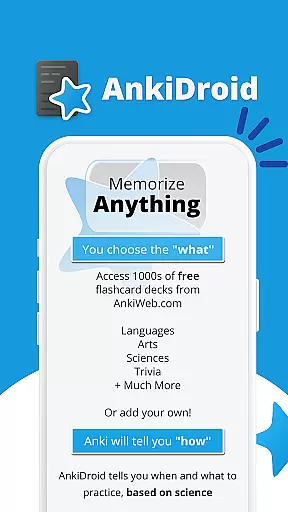
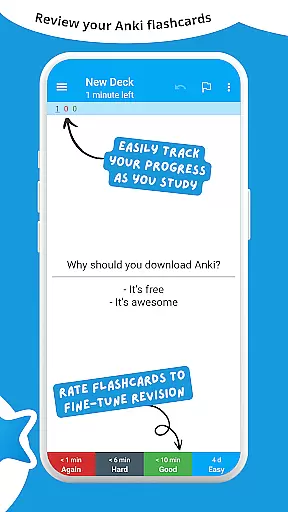
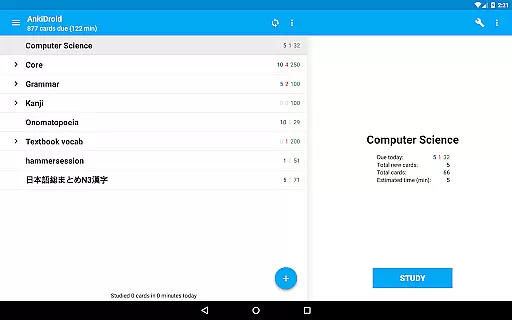
AnkiDroid Flashcards is a powerful educational app designed to help users memorize anything efficiently. Using the scientifically proven spaced repetition method, it shows flashcards just before you are likely to forget them, ensuring maximum retention. The app is fully compatible with Anki, available on multiple platforms including Windows, Mac, Linux, ChromeOS, and iOS.
With AnkiDroid, you can study various subjects anytime and anywhere. Whether you're on a bus trip, waiting in line at the supermarket, or during any idle time, this app helps you make the most of your spare moments. You can create your own flashcard decks or download thousands of free pre-made decks covering numerous languages and topics.
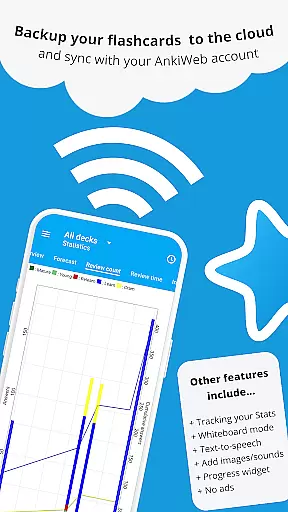
This app supports multimedia flashcards containing text, images, sounds, and even mathematical formulas through MathJax. It also integrates text-to-speech functionality, provides detailed statistics, and syncs seamlessly with AnkiWeb. With its open-source nature and extensive customization options, AnkiDroid offers a versatile learning tool for students and professionals alike.
AnkiDroid Flashcards boasts an array of features that enhance the learning experience. One of its key features is the support for diverse flashcard contents, including text, images, sounds, and MathJax for rendering complex equations. This flexibility allows users to tailor their learning materials to suit different subjects and preferences.
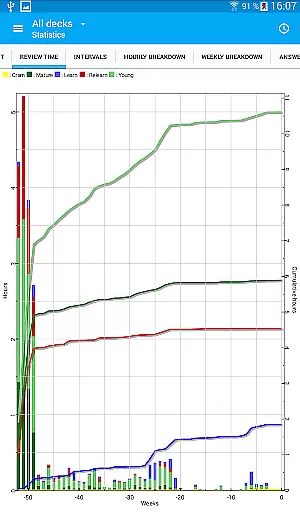
The app employs the SuperMemo 2 algorithm for spaced repetition, which optimizes memory retention by scheduling reviews at strategic intervals. Additionally, AnkiDroid includes a progress widget, detailed statistics, and synchronization capabilities with AnkiWeb, enabling users to track their advancement and maintain consistency across devices. Its integration with text-to-speech technology further enriches the learning process by providing auditory reinforcement.
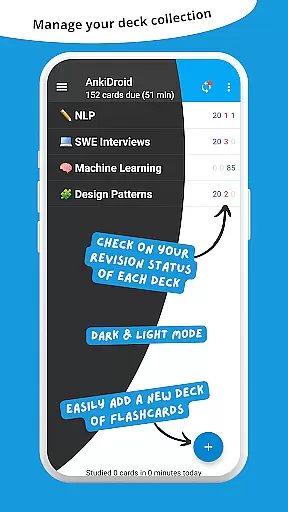
For those seeking more advanced functionalities, AnkiDroid offers optional features such as writing answers, using a whiteboard for sketches, and adding cards directly from other applications like dictionaries. The app's user interface is highly customizable, supporting custom fonts, dark mode, and navigation via swipe, tap, or shake. These comprehensive features ensure a personalized and engaging learning experience.
AnkiDroid Flashcards ensures content accuracy and authority by allowing users to create their own flashcard decks or download thousands of free, pre-made decks covering a wide range of languages and topics. This flexibility empowers learners to study material that is both relevant and credible.
The app supports various flashcard contents including text, images, sounds, and even mathematical formulas through MathJax. This multimedia support enhances the authenticity of educational content, catering to diverse learning styles and ensuring information is presented in the most effective format.
With synchronization capabilities with AnkiWeb, users can maintain consistency across devices, ensuring they always have access to the most up-to-date and accurate study materials. This seamless integration guarantees that learners are studying the right content at the right time.
Furthermore, AnkiDroid's spaced repetition algorithm (SuperMemo 2) optimizes learning by presenting flashcards just before you would forget them. This scientifically-backed method not only improves retention but also reinforces the credibility of the learning process, making it an authoritative tool for education.
AnkiDroid Flashcards offers personalized learning paths by enabling users to customize their study material extensively. Whether creating unique flashcard decks or downloading from thousands of available options, learners can tailor their experience to match individual educational goals.
The app's adaptive features, such as the ability to add material automatically from dictionaries and write answers directly on flashcards, enhance personalization. These tools allow users to engage deeply with the content, reinforcing learning through active participation and customization.
Additionally, AnkiDroid provides detailed statistics and a progress widget, giving users insights into their learning patterns and helping them adjust their strategies accordingly. This data-driven approach supports the creation of truly personalized learning experiences.
Finally, the app's full customizability extends to its interface and functionalities, including dark mode, custom fonts, and navigation options like swipe, tap, and shake. These features ensure that each useru2019s journey is not only personalized in terms of content but also in how they interact with the app, promoting sustained engagement and effective learning.
User-friendly interface
Highly customizable
Effective spaced repetition
Syncs across devices
Supports multimedia content
Steeper learning curve
Requires manual setup
Limited offline support
No built-in dictionary
Occasional syncing issues

Turn scrolling hours into improving your knowledge, communication, intelligence
 4.50
4.50
An aviator’s preparation, study and test tool for FAA Knowledge Exams.
3.90
A must-have app for mastering Japanese verb/adjective conjugations.
3.60
Welcome to the Speak Navajo Language Application - Volume 1
4.50
Prepare for the BCBA / BCaBA exam. Study ABA with the ABA Wizard app.
4.60
For medical training - Visualize complex vein maps and structures in real-time.
4.10
The "Go To" app for Airmen studying for promotion to SSgt and TSgt
4.30
Professional Award-Winning Astronomy Star Map App With Telescope Control
4.40
Your Arts+Culture Guide
4.00
Age-Related Child Developmental Milestones
4.80
Learning the ancient Viking language made simple
4.70
2026 DVSA Driving Theory Test revision with Hazard Perception + Highway Code
4.60
SkyView®, an augmented reality space app, brings stargazing to everyone!
4.40
Astronomy Guide To Night Sky
4.30
Designed for Calculator 84 users
4.20
Build math skills in: addition, subtraction, multiplication and division.
4.10
Listen, request and record pronunciations in more than 450 languages. Everywhere
3.90
An animated storybook app to help ease your child through toilet training.
3.70
Your best partner for learning Japanese words. Based on a best-selling textbook.
2.90


User Reviews