
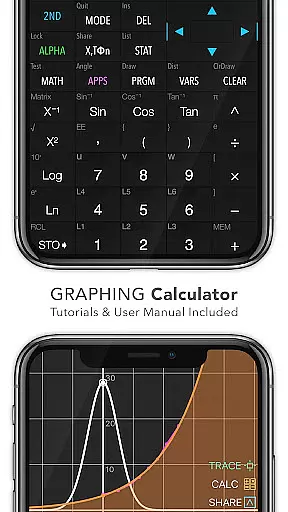
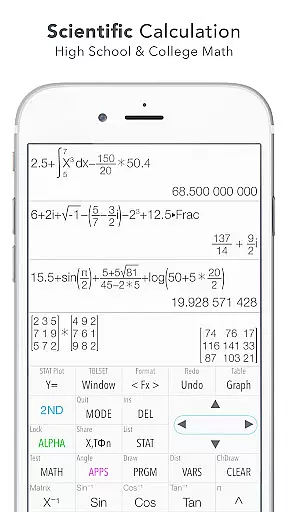
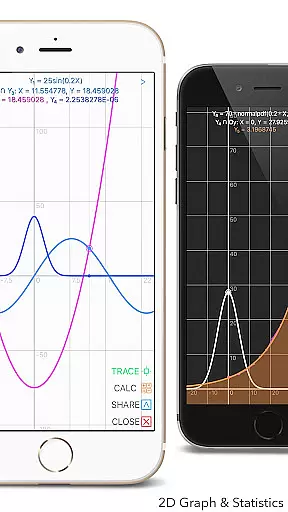
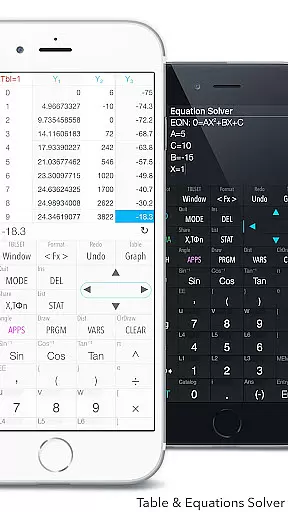
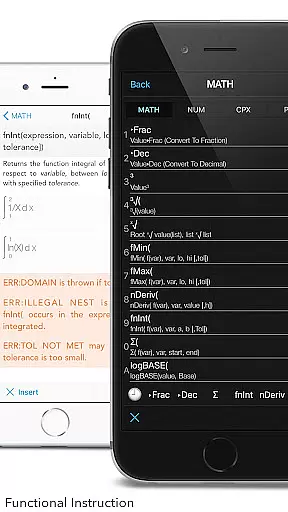
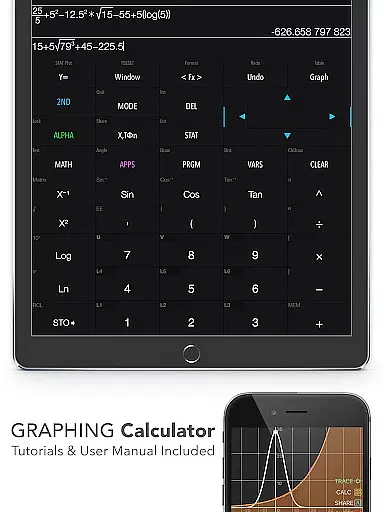
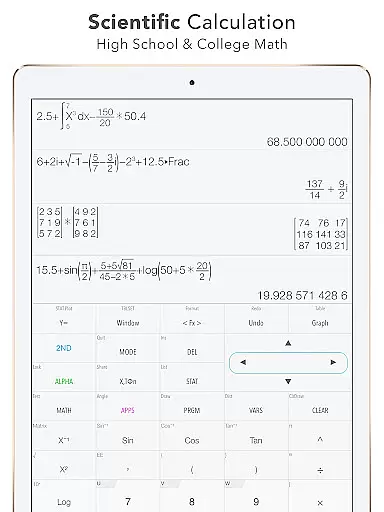
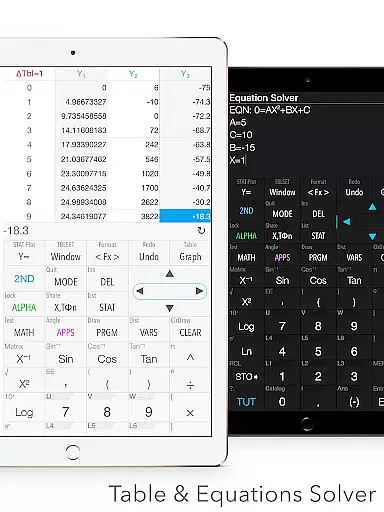
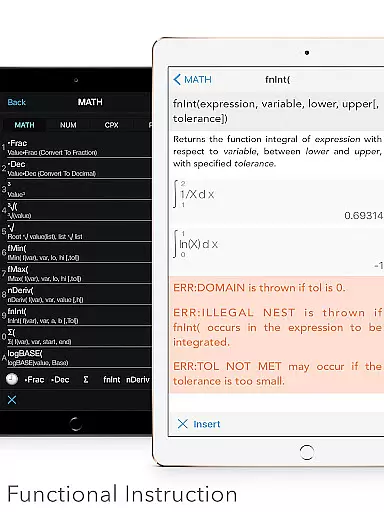
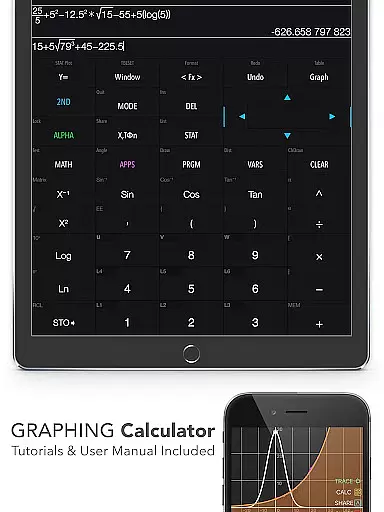
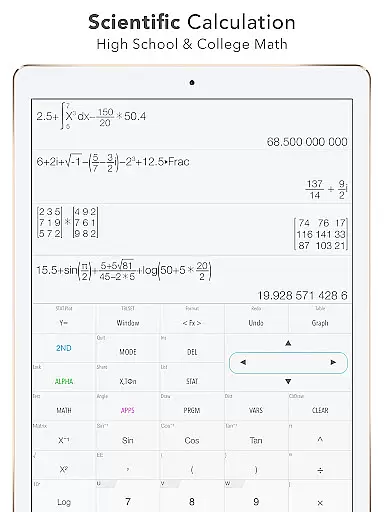
Graphing Calculator Plus stands as a top-tier educational tool designed for students, educators, and professionals in the field of mathematics and engineering. This app mirrors the functionalities of traditional TI-84 and TI-83 calculators while enhancing their capabilities with modern technology. With its robust MATH CORE and intuitive mathematical display support, it caters to both basic calculations and complex mathematical problems.
The application offers an extensive range of features including 2D graphing, statistical analysis, matrix operations, and programming capabilities. Its built-in documents cover general calculations, intersections of functions, local maxima and minima, statistics, regression, equation solving, and integral functions. The dual themes and comprehensive user manual make it accessible and user-friendly for all types of users.
Whether you're tackling advanced calculus or managing financial calculations, Graphing Calculator Plus provides an indispensable resource. It is particularly beneficial for math students and engineers who require precise and versatile computational tools on their mobile devices.
Graphing Calculator Plus boasts a wide array of features that cater to diverse mathematical needs. The app includes a universal calculator with advanced functions such as Sin, Cos, Ln, E, and more. It supports Y-Var and customizable functions (F1, F2, F3), unit conversion across 50 categories, over 40 common constants, and fraction and degree/angle calculations.
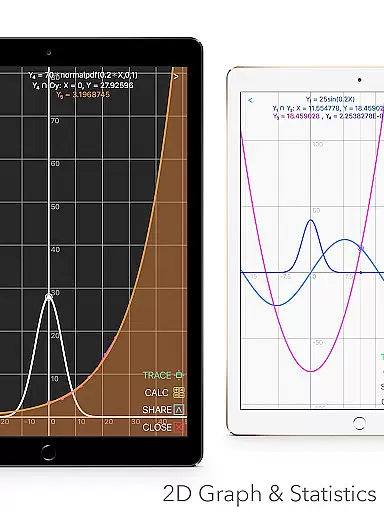
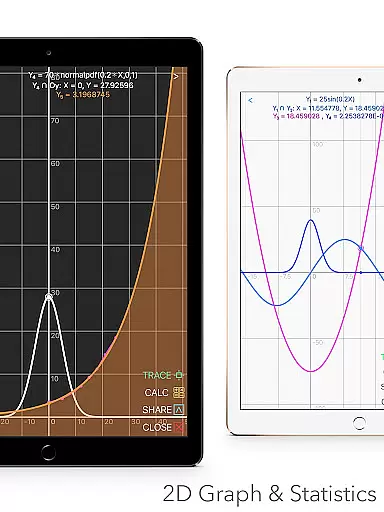
In addition to standard calculations, the app excels in graphical representation with its 2D graph feature. Users can create simultaneous graphs, perform smooth zooms and transformations, and work with parametric, polar, and sequence graphs. The app also identifies intersections, minima, maxima, and special points through tracing.
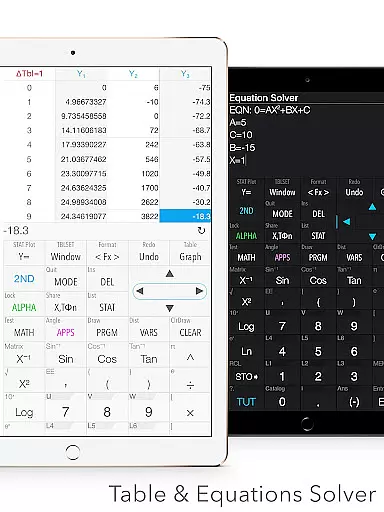
Statistical analysis and regression are streamlined with options for creating and editing lists, conducting 1-Var and 2-Var statistics, and performing various types of regressions. Matrix operations include basic functions like determinant and dimension, alongside advanced functions such as inverse and reduced row echelon form. Furthermore, the app supports number base-N mode and financial calculations, making it a comprehensive tool for education and professional use.
When it comes to educational tools like Graphing Calculator Plus, content accuracy is paramount. This app ensures precise calculations across various mathematical domains, from basic arithmetic to advanced calculus. The inclusion of a powerful MATH CORE and MATH DISPLAY support guarantees that all computations, graphs, and statistical analyses are executed with textbook accuracy.
The app provides users with over 40 common constants and supports fraction and degree/angle calculations, making it an authoritative tool for math students and professionals alike. Its ability to handle complex numbers, equations, and matrix operations with exactness means that users can rely on its outputs for academic or professional work without concern for computational errors.
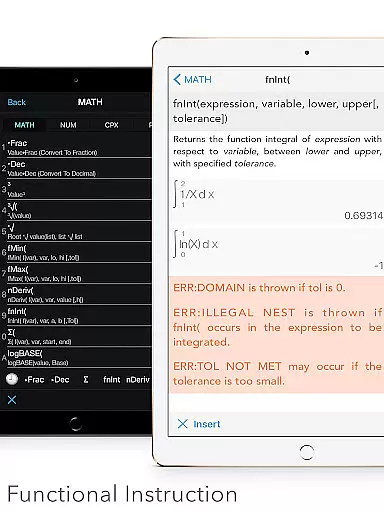
Moreover, the built-in documents and comprehensive user manual offer guidance through different calculation types, ensuring users apply the correct methodologies. With dedicated sections for statistics, regression analysis, and even financial calculations, Graphing Calculator Plus stands as a paragon of precision in mobile computation tools.
Graphing Calculator Plus does not just perform calculations; it also facilitates personalized learning paths tailored to individual needs. Through its diverse functionalities, learners can progress from basic calculations to more complex mathematical concepts at their own pace. The simultaneous graphing feature allows students to visualize multiple functions, helping them understand intersections, local maxima, and minima in a way that is both engaging and informative.
With programming capabilities included, users can create custom functions (F1, F2, F3) and scripts, enabling a deeper exploration of mathematical problems and solutions. This level of customization fosters an environment where learners can experiment with unique mathematical challenges, thereby personalizing their educational journey.
Furthermore, the app's support for various mathematical disciplinesu2014such as parametric, polar, and sequence graphingu2014ensures that each student's specific area of study is covered. Whether you're delving into linear algebra or exploring geometric principles within the dedicated Geometry app, Graphing Calculator Plus adapts to provide the necessary tools for a customized learning experience.
Powerful MATH CORE
Intuitive User Interface
Comprehensive Functionality
Dual Themes Available
Extensive Built-in Documents
Premium Price Point
Occasional Bugs Reported
Complex for Beginners
Limited Customization Options
Heavy on System Resources

Grazing Risk Monitoring Service
 4.4
4.4
Learn and joke with the Silly Turkey!
4.1
An aviator’s preparation, study and test tool for FAA Knowledge Exams.
3.90
Gain new skills in 10 minutes
4.70
Latest TLC Practice Questions! Multiple languages available!
4.50
A must-have app for mastering Japanese verb/adjective conjugations.
3.60
Intuitive Transformer Lab - By a Lineman, For Linemen & Apprentices
4.50
Prepare for the BCBA / BCaBA exam. Study ABA with the ABA Wizard app.
4.60
Our most popular app series returns, better than ever!
3.90
Age-Related Child Developmental Milestones
4.80
Practice Casino Roulette Payouts for Table Game Dealers and Croupiers
4.40
Ignite curiosity, spark learning: All babybus videos &games
4.30
School Communication
4.30
Build math skills in: addition, subtraction, multiplication and division.
4.10
For medical training - Visualize complex vein maps and structures in real-time.
4.10
Learn to make peaceful contact with extraterrestrial civilizations
4.10
An animated storybook app to help ease your child through toilet training.
3.70
Make your own game and world. Draw and animate characters
3.70
Snap a dog photo to identify its breed instantly. Fast, accurate and easy to use
3.40


User Reviews