
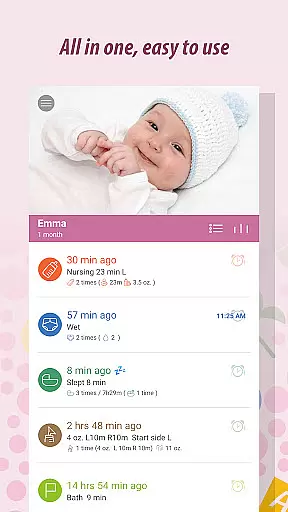
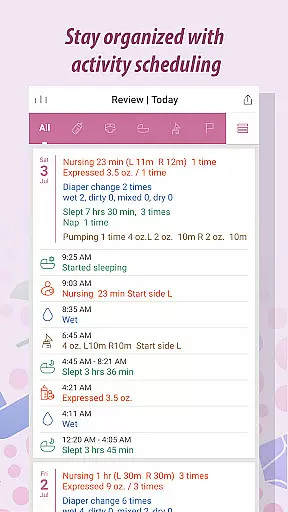
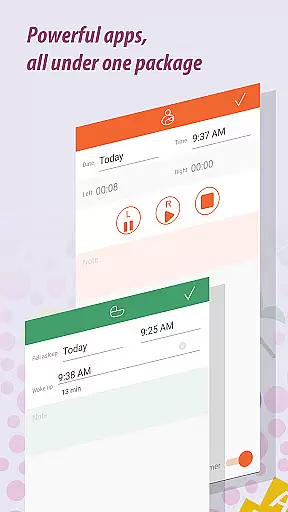
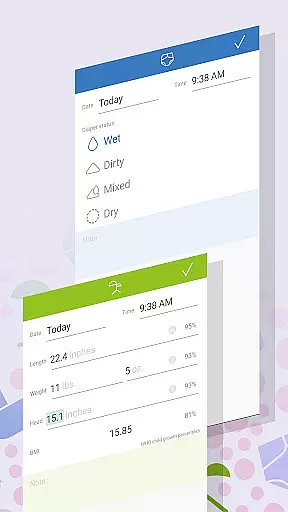
Baby Tracker is a comprehensive parenting app designed to simplify the tracking of your baby's daily activities, health metrics, and developmental milestones. The app offers quick one-handed logging for feedings, diaper changes, and sleep patterns, making it ideal for busy parents who need efficient solutions. With specialized tools like breastfeeding timers, growth trackers, and milestone loggers, Baby Tracker ensures accurate record-keeping while allowing users to add photos and detailed notes.
One of the standout features of Baby Tracker is its ability to sync data across multiple devices, enabling seamless sharing between caregivers. Parents can generate detailed reports for pediatricians, export data via email in HTML format, and even adjust growth charts for premature babies. Whether you're monitoring feeding schedules or capturing precious first moments, this app provides a reliable way to stay organized without detracting from quality time with your child.
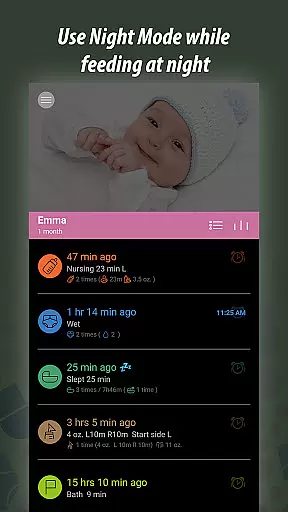
Baby Tracker stands out with its robust set of features tailored specifically for modern parenting needs. The app includes a comprehensive feeding logger that supports breastfeeding, formula feeding, and pumping sessions. A built-in timer allows precise tracking of nursing duration per breast, while additional fields let you document formula brands or note any allergic reactions. The Diaper Change Tracker maintains accurate records to help identify potential health concerns early on.
Sleep scheduling tools allow parents to monitor naps and nighttime rest, helping establish routines and troubleshoot fussiness. The Growth Tracker compares your baby's measurements against World Health Organization standards, offering insights into their overall development. Meanwhile, the Milestone Logger lets you capture important achievements with custom categories and photos. These features collectively provide an all-in-one solution for managing both the practical and sentimental aspects of raising a child.
When it comes to parenting apps, the credibility of content and expert validation are paramount. Baby Tracker has been designed with this in mind, ensuring that all logged information is not only accurate but also aligns with expert recommendations. The app provides a comprehensive tracking system for feedings, diaper changes, sleep schedules, growth measurements, milestones, and health logs.
The features within Baby Tracker have been crafted based on well-established child-rearing practices. For instance, the breastfeeding logger includes detailed settings that allow parents to track nursing sessions with precision, while also accommodating formula feeding and solid foods as the baby grows. This flexibility ensures that whether you're monitoring your baby's dietary intake or sleep patterns, you can trust that these tools reflect best practices endorsed by pediatricians.
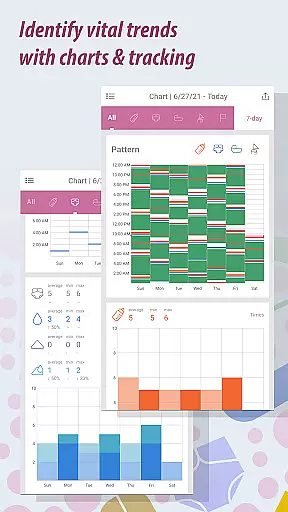
Baby Tracker goes beyond simple logging by offering analytical views of data over days, weeks, or months. Parents can easily identify habitual trends or abnormalities in their childu2019s development, which is crucial when discussing concerns with healthcare providers. With options to export data via email, caregivers can provide doctors with clear documentation during visits, enhancing communication between medical professionals and families.
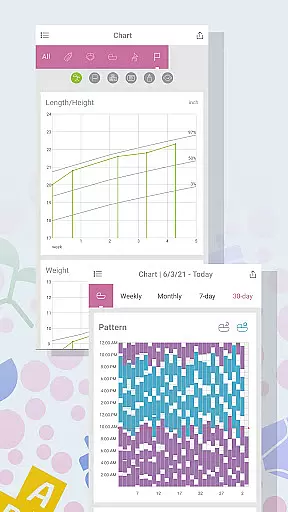
Growth tracking is an essential aspect of monitoring a baby's development, and Baby Tracker excels in providing precise tools for this purpose. The app allows parents to enter measurement data such as weight, height, and head circumference, comparing these metrics against World Health Organization averages. This comparison helps ensure that your child's growth trajectory aligns with global standards, giving peace of mind or prompting timely medical consultations if needed.
Beyond basic measurements, Baby Tracker offers advanced functionalities like adjusting growth charts for premature babies. This feature demonstrates the app's commitment to inclusivity and accuracy, recognizing that each child's developmental path may vary significantly. By allowing customization for unique circumstances, Baby Tracker empowers parents to maintain an accurate record tailored specifically to their child's needs.
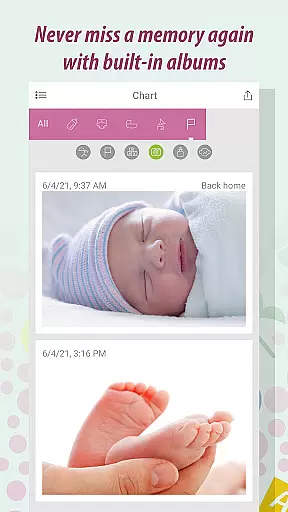
In addition to numerical data, Baby Tracker supports visual documentation through milestone logging. Parents can capture moments such as the first smile or first step, adding photos directly into the app. These entries create a rich tapestry of memories while simultaneously serving as valuable reference points for assessing developmental progress. Overall, Baby Tracker combines quantitative and qualitative measures to deliver a holistic view of your baby's growth journey.
User-friendly interface
Comprehensive tracking options
Syncs across devices
Customizable milestone categories
Exports data in HTML format
Premium version required for full features
Limited free storage capacity
No offline mode available
Occasional syncing issues reported
Interface may feel overwhelming to new users

All-In-One Pregnancy Tracker, Your Baby's Milestones, Growth Stages & Parenting
 4.70
4.70
Family GPS locator app — child location tracker. GPS kids tracker, family safety
4.70
Keep Your Family Safe with Pollog Family Assistants
4.10
Lullabies, Night Light & Age-based Routines to help your baby fall asleep
4.2
Babysitting video camera - Turn your two phones or tablets into a single nanny.
4.40
Track your labor contractions
4.90
Save money on diapers. Get the Pampers Rewards app.
3.90
All-In-One Pregnancy Tracker, Your Baby's Milestones, Growth Stages & Parenting.
4.90
Parental control: child monitoring app, screen time control, GPS child tracker
4.40
Track baby’s development & growth week by week with BabyCenter’s pregnancy app!
4.90
Pregnancy+ App has helped 80m moms track their pregnancy with info & support!
4.80
Track Pregnancy, Baby Feeding, Sleep, Diaper Changes, Postpartum Health & More!
4.80
SENSORYSOOTHE and SENSORSAFE: Making car seats smarter and families safer.
4.70
GPS phone tracker: find kids on map. Location tracking and parental control.
4.50
Reliable phone tracker by number & locate phone app. Protect your family.
4.50
With BabyCam you can monitor your baby using your mobile phone, tablet, PC or TV
4.40
Real-time family location with consent, check-ins & SOS—private by default.
4.40
Cherish every beat - capture your baby's heart sounds with our app
4.30
Educational resource for parents to inspire creativity in their children.
4.00


User Reviews