
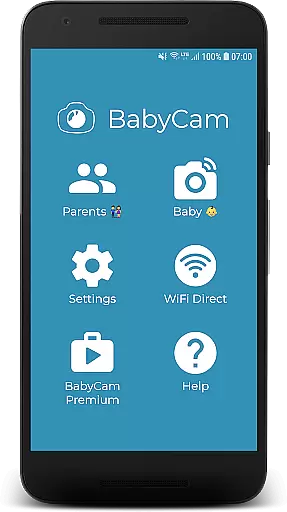
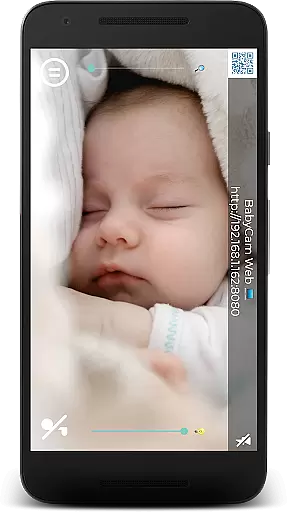
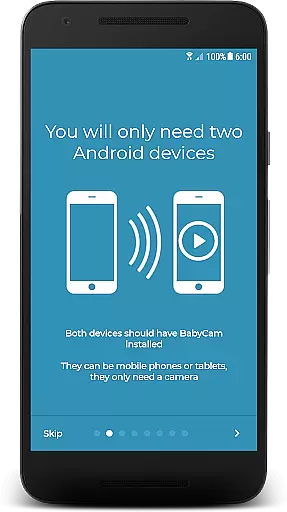
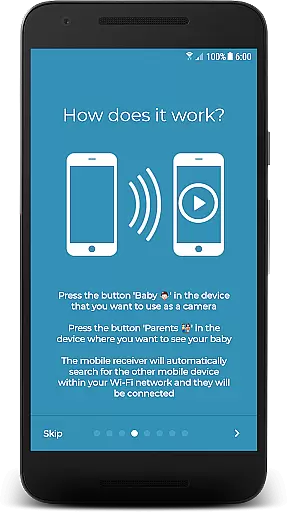
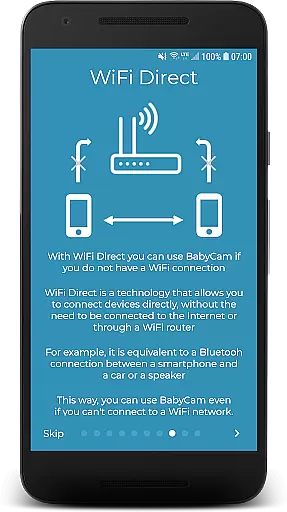
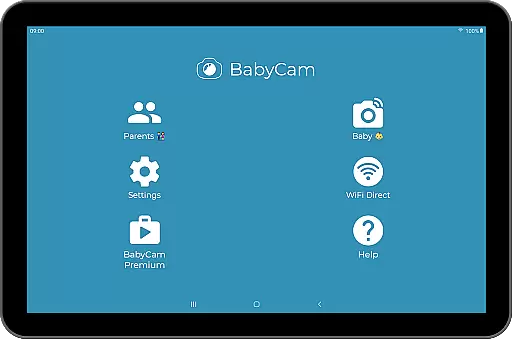
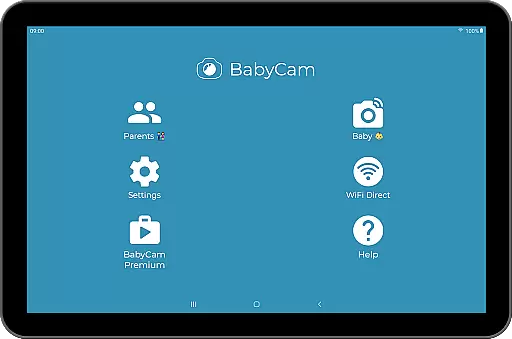
BabyCam is a smart parenting solution that allows parents to monitor their baby using two devices, such as phones or tablets. One device acts as a camera placed near the baby, while the other serves as a viewing screen for the parents. The app operates seamlessly on the same WiFi network or via WiFi Direct, ensuring real-time monitoring without requiring an internet connection.
What sets BabyCam apart is its simplicity and versatility. There’s no need for account registration or complicated pairing processes—just a single tap connects the devices. Parents can also enjoy advanced features like Chromecast support, lullabies, night mode, and more. With both free and premium versions available, BabyCam offers flexibility and peace of mind.
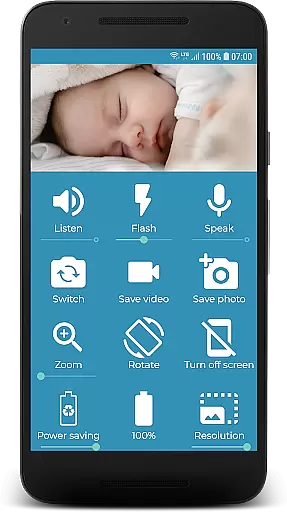
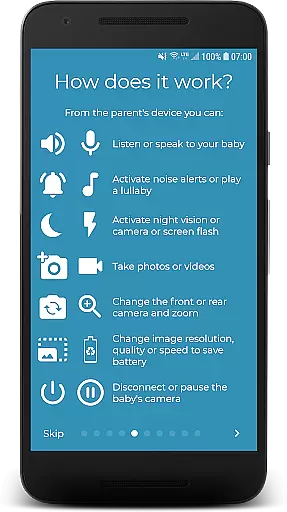
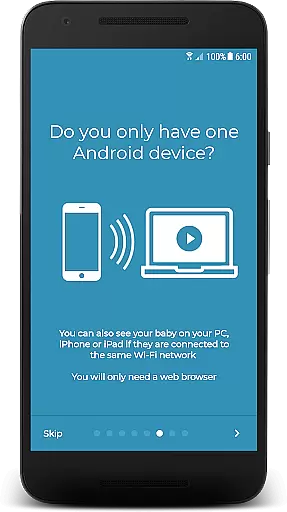
BabyCam comes packed with features designed to enhance convenience and safety for parents. The app supports multiple viewing options, including TVs via Chromecast, web browsers on PCs, iPhones, or iPads, and even simultaneous connections for both parents. Advanced functionalities include two-way audio communication, allowing parents to listen and talk to their baby, and adjustable settings like zoom, volume control, and flash activation for low-light visibility.
Additional highlights include the ability to take pictures and videos, switch between front and back cameras, and monitor the baby device's battery level. Premium users can enjoy an ad-free experience for $1.99. These thoughtful features make BabyCam a comprehensive and reliable tool for modern parenting.
When it comes to parenting applications, the credibility of the content and validation by experts is crucial. BabyCam ensures that all features provided are safe and beneficial for both babies and parents. The app has been developed with careful consideration of child safety standards and parental needs.
BabyCam offers functionalities like monitoring, lullabies, and night mode, which have been designed based on pediatric recommendations and parental feedback. This guarantees that every feature serves a practical purpose in daily childcare routines while maintaining a high level of safety.
Parents can rest assured knowing that BabyCam's functionalities such as listening, talking to the baby, and playing lullabies are not only innovative but also endorsed by childcare professionals. These features help create a nurturing environment without exposing the child to unnecessary risks.
The application stands out by providing these validated tools for parents, ensuring peace of mind while using technology to care for their children. With expert-backed features, BabyCam becomes an essential tool in modern parenting.
Growth tracking accuracy is vital for understanding a childu2019s development over time. BabyCam incorporates various features that allow parents to monitor their babyu2019s activities and behaviors accurately. This helps in identifying patterns or changes in the baby's routine.
The app provides functionalities such as video monitoring, sound detection, and even capturing pictures and videos. These tools enable parents to keep detailed records of their baby's milestones and behavioral changes, contributing to accurate growth tracking.
BabyCam ensures precise monitoring through its advanced camera settings, including zoom, flash control, and switching between front and back cameras. Such features allow parents to capture clear images and videos necessary for effective growth documentation.
By integrating these comprehensive monitoring capabilities, BabyCam supports parents in maintaining accurate records of their child's developmental journey. This precision aids in timely interventions if any developmental concerns arise, making BabyCam an invaluable asset for attentive parenting.
User-friendly interface
No internet required
Multi-device support
Real-time monitoring
Affordable premium option
Limited remote access
WiFi dependency
Ads in free version
Device compatibility
Basic design

Block apps, set screen time limits, and customize usage schedules
 4.50
4.50
Find unique + popular baby names for your little peanut.
4.30
The Baby’s Bounty App is your hub to register for our diaper banks in Nevada
3.70
Track your pregnancy, kick & contraction counter, baby & mom's heartrate monitor
4.60
A simple way to track your baby’s breastfeeding, diaper changes, sleep patterns.
4.90
Kids story books for children. Baby reading books with audio for pre-k toddlers
4.70
The 10 development leaps of your baby | newborn milestones & leap days tracker
4.10
GeoLog - Real-Time Location Tracker
4.40
All-In-One Pregnancy Tracker, Your Baby's Milestones, Growth Stages & Parenting.
4.90
Advanced baby tracking, expert sleep help & parenting support for every stage.
4.80
Pregnancy+ App has helped 80m moms track their pregnancy with info & support!
4.80
FamilyAlbum helps you share, save, and remember your child's special moments.
4.80
Sleep better with white noise app! Discover rain sounds, fan noise and more.
4.70
All-in-one pregnancy app, contraction timer, kick counter & due date calculator
4.40
Babysitting video camera - Turn your two phones or tablets into a single nanny.
4.40
Free symptom & med tracker with expert-reviewed tips.
4.30
Family parental control app: limit screen time, block apps, GPS tracker.
4.20
Affirmations | Stories | Bible
4.10
Watching baby, helping parents
4.10


User Reviews