
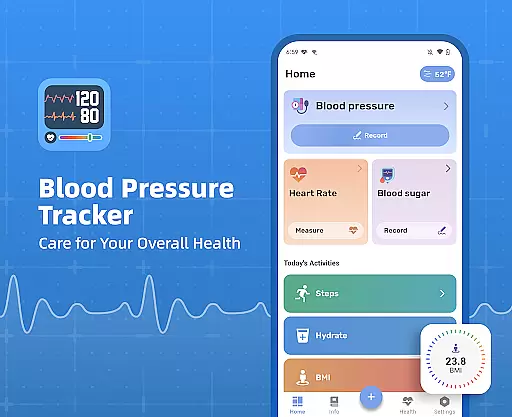
Blood Pressure Tracker is a comprehensive health monitoring app designed to help users manage their blood pressure, heart rate, and blood sugar levels effectively. The app provides a fast, simple, and safe way to record these vital metrics, replacing traditional paper-based tracking methods. It is particularly beneficial for individuals who need regular health monitoring but may occasionally forget, or those who are uncertain about whether their readings fall within normal ranges.
One of the standout features of Blood Pressure Tracker is its ability to provide clear analysis and history of all recorded measurements. This allows users to easily track changes and trends over time, empowering them to take proactive steps towards improving their health. Additionally, the app offers scientific and accurate information, helping users maintain a healthier lifestyle while also providing valuable data that can be shared with healthcare providers during consultations.
Blood Pressure Tracker stands out due to its robust set of features tailored for health-conscious individuals. Firstly, it offers an easy-to-use interface for recording blood pressure, blood sugar, and pulse readings. This simplicity ensures that even those who are not tech-savvy can efficiently log their data. Furthermore, the app goes beyond basic tracking by offering comprehensive analytics on various health metrics such as water intake, BMI, and daily steps.
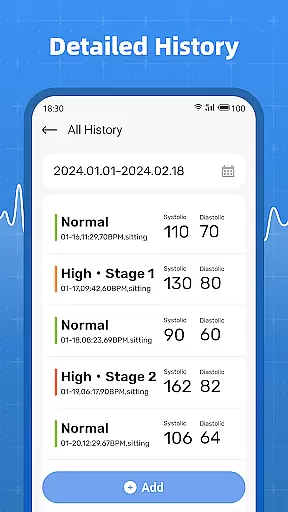
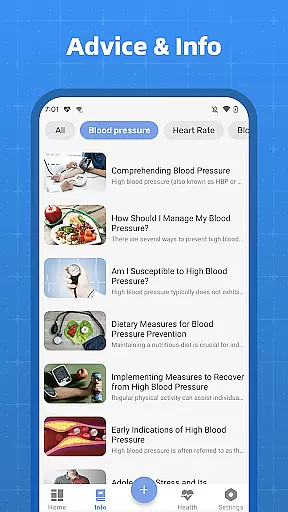
Another significant feature is the clear history of measurements, which allows users to quickly access past records. This historical data helps in identifying subtle changes in health metrics over time, enabling timely interventions. Moreover, the app provides educational content and guidance on maintaining a healthy lifestyle, making it more than just a tracking tool. By combining data tracking with actionable insights, Blood Pressure Tracker becomes an essential companion for anyone serious about managing their health effectively.
In the realm of health management, personalized planning plays a pivotal role in tailoring individual health strategies. Blood Pressure Tracker excels in this area by offering users customized tracking options for blood pressure, heart rate, and blood sugar levels. This personal approach ensures that each user's unique health needs are met with precision.
The app facilitates personalized health planning through its comprehensive tracking features. Users can log their daily measurements, which the app then analyzes to identify trends and patterns specific to the individualu2019s health profile. By understanding these patterns, users can make informed decisions about their lifestyle and treatment options.
With Blood Pressure Tracker, users gain access to scientific and accurate information that guides them in maintaining a healthy lifestyle. The app's ability to present clear histories of measurements empowers users to track their progress over time, making it easier to discuss their condition with healthcare providers. This feature is particularly beneficial for those who need to display their blood pressure condition and changes to their doctor.
Ultimately, the personalized planning offered by Blood Pressure Tracker provides users with a powerful tool to manage their health proactively. By leveraging detailed analytics and easy-to-understand visualizations, users can take control of their well-being and work towards long-term health goals with confidence.
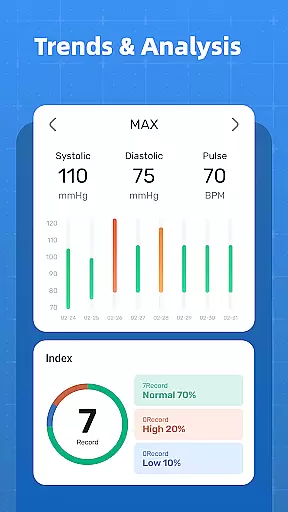
Visualizing progress is crucial for maintaining motivation and achieving health objectives. Blood Pressure Tracker offers robust progress visualization tools that allow users to see their health data trends clearly. These visual aids help users understand how their lifestyle choices impact their blood pressure, blood sugar, and pulse over time.
The app provides users with graphical representations of their logged data, including blood pressure, blood sugar levels, and pulse rates. These charts and graphs make it simple to spot trends and fluctuations, enabling users to adjust their habits accordingly. For instance, if a user notices an upward trend in blood pressure readings, they can take proactive steps to address potential issues before they escalate.
Blood Pressure Tracker also emphasizes the importance of historical data in managing oneu2019s health. With its clear history of measurements, users can quickly access past records and visualize subtle changes that might otherwise go unnoticed. This capability not only aids in personal health management but also enhances communication with healthcare professionals during consultations.
By integrating progress visualization into its core functionality, Blood Pressure Tracker empowers users to stay engaged with their health journey. The appu2019s intuitive design and detailed analytics foster a deeper understanding of oneu2019s health metrics, promoting sustained motivation and better health outcomes.
User-friendly interface
Comprehensive health tracking
Clear measurement history
Educational content included
Valuable for doctor consultations
No actual measurement capability
Limited to manual input
Premium features may require payment
Occasional bugs reported
Dependent on user consistency

Sync your activities of the most popular sports tracking services
 2.70
2.70
Pack of 66 calming lullabies for smooth fall asleep and relaxation
4.10
Get alert about getting out of desired heart rate zone.
4.10
When the night comes, we prepare your eyes for deep, sweet dreams
4.70
Use your watch as a bike computer, heart rate monitor and cycling power meter
2.50
FODMAP, Gluten, Allergy, Vegan
4.50
Your personal BP tracking companion, focus on helping you achieve wellness goal.
4.10
Make sense of your health data.
3.80
Focus on BP & Health
3.80
Load the bar with this barbell & plate calculator. It's leg day, not brain day!
4.70
Period Tracker, the easiest way to track your periods!
4.50
Point, scan, and unlock truth in every bite.
4.50
Eat smarter with Eato, your personal calorie counter and nutrition tracker!
4.40
Blood Pressure Log, HRV & Heartbeat Tracker. Pulse Checker.
4.40
This is an application that serves as a companion app for smart watch.
4.20
Create powerful subliminal audio with custom affirmations and background music.
4.00
Understand your body’s most meaningful messages and transform your health.
3.90
Pupillary distance PD with camera quick and easy, checking glasses frames on you
3.70
Dexcom G7 Continuous Glucose Monitoring
3.70


User Reviews