
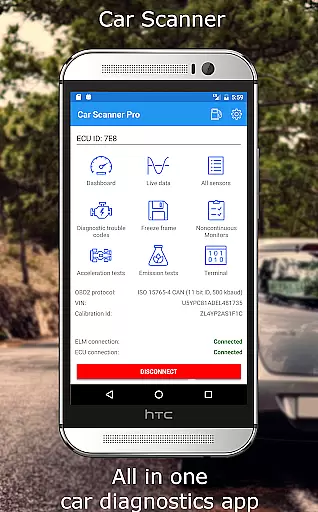
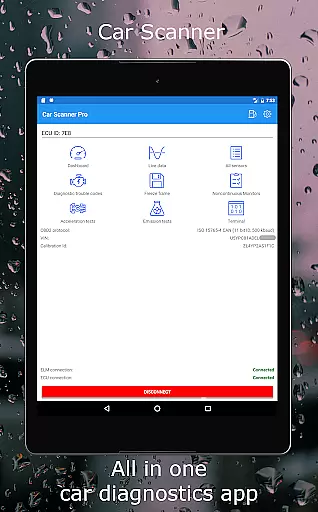
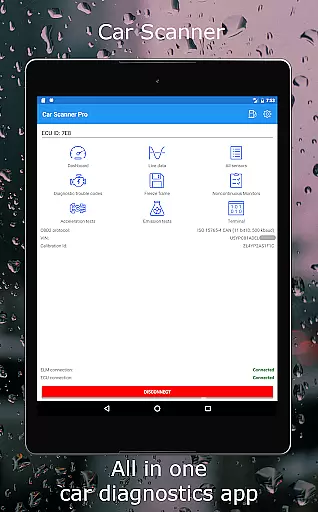
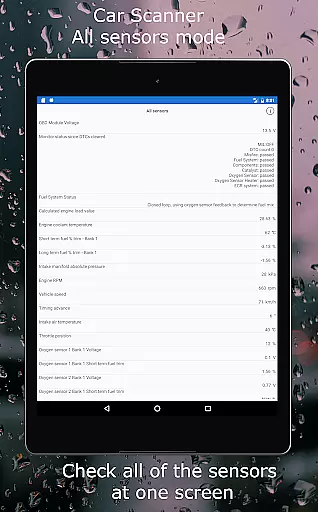
Car Scanner ELM OBD2 is a comprehensive vehicle diagnostics and performance monitoring tool designed for car enthusiasts and professionals. This app connects to your vehicle's OBD II system through a Wi-Fi or Bluetooth adapter, providing real-time data on engine performance, fault codes, and sensor information. With support for a wide range of vehicles and enhanced features for specific brands, it offers an in-depth look into your car's operational status.
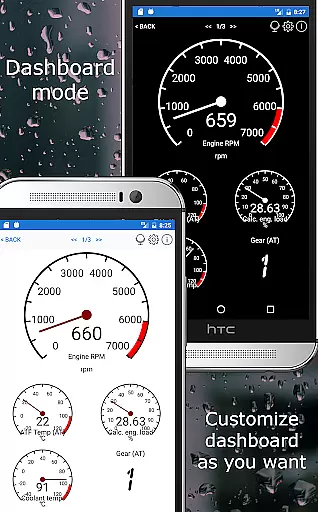
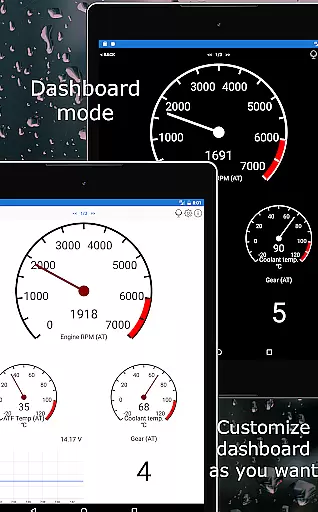
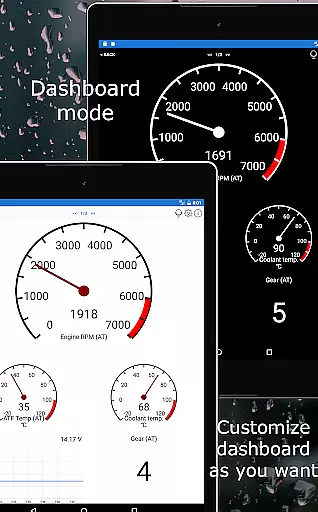
The application stands out with its customizable dashboard, allowing users to tailor the display to their preferences, including gauges and charts. It also boasts unique functionalities such as Mode 06 tests, readiness checks for emission tests, and even HUD mode for windshield projections. Additionally, Car Scanner serves as a trip computer, offering fuel consumption statistics and accurate acceleration measurements, making it an indispensable tool for both daily drivers and automotive technicians.
Car Scanner ELM OBD2 provides an extensive array of features that cater to various needs, from basic diagnostics to advanced vehicle coding. One of its key attributes is the ability to customize the dashboard, enabling users to add custom PIDs and view hidden manufacturer data. The inclusion of a vast database of DTC codes and descriptions allows for efficient troubleshooting and maintenance.
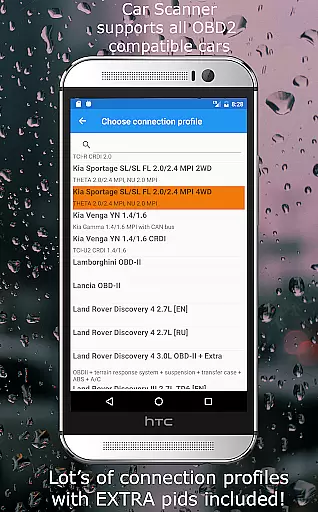
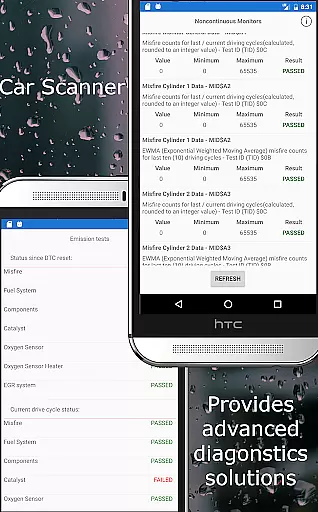
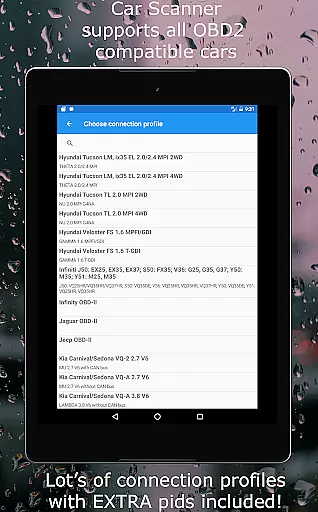
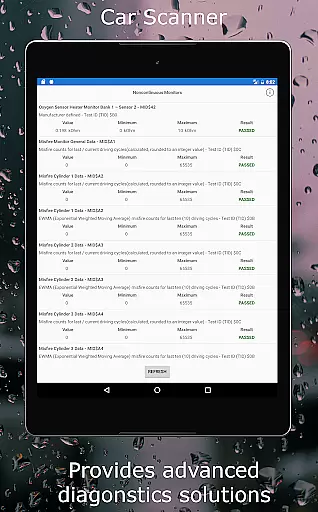
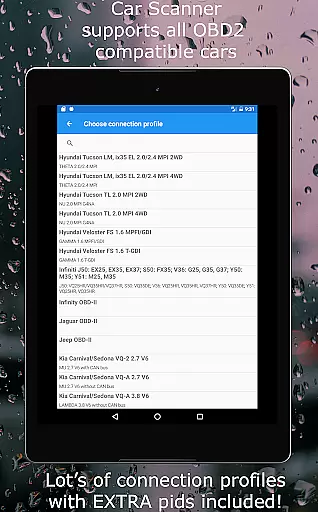
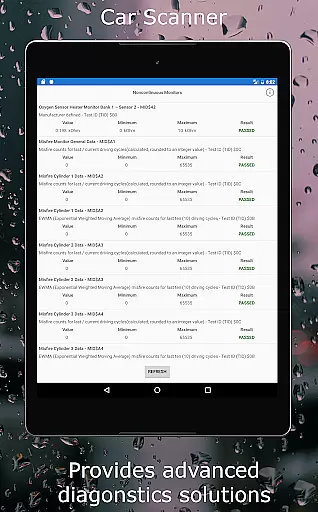
Advanced capabilities include Mode 06 testing, which gives users access to ECU self-monitoring results, aiding in cost-effective repairs. The app supports coding for several car brands, unlocking exclusive functions like Video in Motion (VIM) and Mirrorlink in Motion (MIM). Furthermore, compatibility with multiple connection profiles ensures optimized performance across different vehicle models, enhancing the diagnostic experience for Toyota, Mitsubishi, GM, and more.
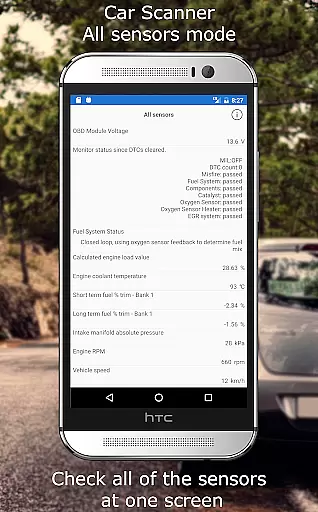
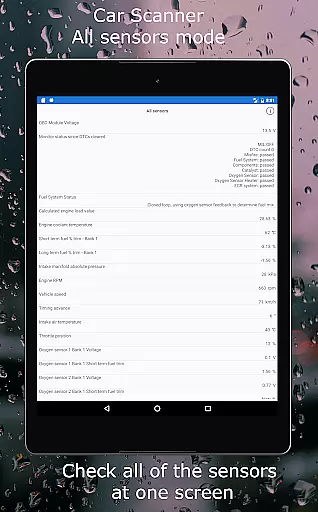
Accessing detailed vehicle information is crucial for both car enthusiasts and everyday drivers. Car Scanner ELM OBD2 provides an extensive range of data directly from your vehicle's ECU, offering insights into performance metrics, sensor statuses, and fault codes. This level of detail allows users to understand their car's health comprehensively.
The application supports a wide array of vehicles, ensuring compatibility with most models produced after 2000. By connecting via an OBD II Wi-Fi or Bluetooth adapter, it retrieves real-time data on various parameters such as engine load, coolant temperature, and fuel consumption. These features empower users to monitor their vehicle's condition closely and make informed decisions regarding maintenance and repairs.
One standout feature is the ability to add custom PIDs, unlocking hidden information restricted by manufacturers. Additionally, the app includes unique connection profiles for brands like Toyota, Mitsubishi, and Ford, enhancing its functionality. Users benefit from precise acceleration measurements and trip computer capabilities, making this tool indispensable for those seeking in-depth vehicle diagnostics.
Price transparency in automotive tools ensures that users can access essential features without hidden costs. Car Scanner ELM OBD2 stands out by providing a vast array of functionalities for free, setting a benchmark among similar diagnostic applications. This approach allows users to explore comprehensive vehicle diagnostics without worrying about additional charges.
The app offers advanced features such as Mode 06 testing and coding options for specific car models, all included in the free version. Such transparency enables users to evaluate their car's readiness for emission tests, reset fault codes, and even modify certain settings. The availability of these features without extra fees enhances user experience significantly.
Moreover, Car Scanner supports a variety of OBD2 adapters, recommending reliable brands like OBDLink and Veepeak. While emphasizing genuine adapters for optimal performance, the app ensures users are well-informed about potential issues with cheaper alternatives. This commitment to clarity and quality reinforces trust and satisfaction among its user base.
User-friendly interface
Extensive vehicle compatibility
Customizable dashboard
Free version available
Advanced coding options
Requires compatible adapter
Some features brand-specific
Connection stability varies
Dependent on car's sensors
Complex for beginners

On the CarShield app, you can view contracts, make payments, & request roadside.
 4.40
4.40
Take Control of Your Car
4.80
Theme for Car Launcher
4.2
Play what you want through Android Auto
4.90
Digital Car Key/Launcher, Screen Mirror, Android Dashboard, Remote Wireless Link
4.40
BlueDriver® is a Premium Diagnostic OBD2 Scan Tool. www.BlueDriver.com
3.90
Shop cars & see your financing
4.60
Your go-to app for car, truck & SUV parts, DIY tools, and expert repair help.
4.70
Earn and save with Fuel Rewards®
3.20
Practice the drills within MotoJitsu Master Riding Program Volume 1 & 2!
4.80
View your car’s service records and find out when maintenance is due.
4.70
MySubaru: Download. Connect. Love.
4.70
Quick and easy car diagnostics to get you the right fix.
4.70
Browse millions of cars, track vehicle listings or sell your car today
4.70
OBD1 ECMs application. Data log or tune directly from your phone or tablet!
4.60
Find, search, and browse 40,000+ used cars, SUVs, and trucks.
4.50
PayByPhone: A quick and easy way to pay for parking.
3.80
Better fuel to help keep you on the road
3.20
Easily notify car owners in urgent situations, safe, fast, multilingual.
4.3


User Reviews