

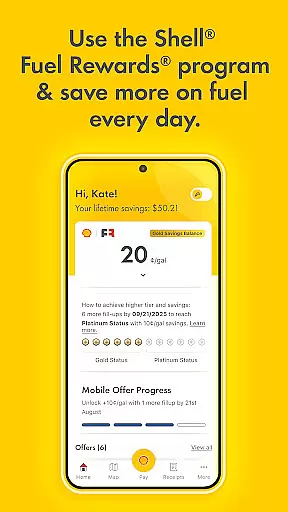
The Shell App is a comprehensive tool designed to enhance your experience at Shell stations. It offers users the ability to save on fuel through the Shell® Fuel Rewards® Program, where members can earn additional savings by using mobile payment options. The app also supports Platinum Status members who benefit from significant discounts per gallon.
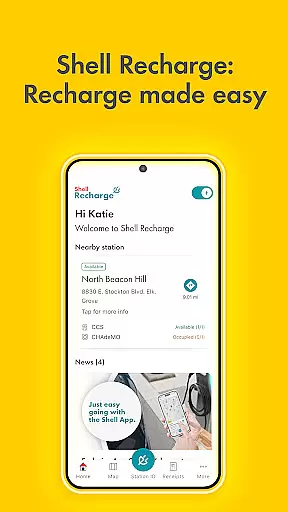
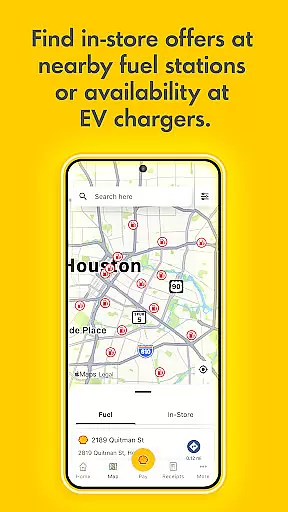
Additionally, the app provides fast and secure mobile payment solutions, making transactions seamless without the need to swipe a credit card. Users can easily locate nearby Shell stations and activate in-store offers. For electric vehicle owners, the app facilitates access to over 4,000 Shell Recharge EV charging stations across the U.S., allowing them to find, use, and pay for charging services conveniently.
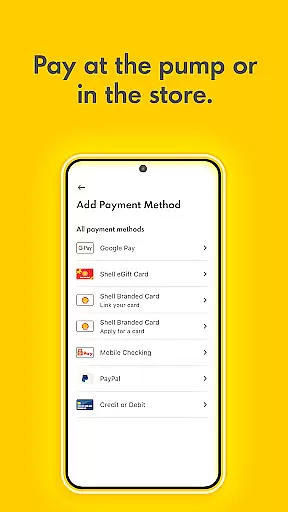
One of the standout features of the Shell App is its integration with the Shell® Fuel Rewards® Program, enabling users to save money every time they fill up. The app's mobile payment system supports various payment methods including Shell branded credit cards, PayPal, Apple Pay, and more, streamlining the payment process significantly.
Moreover, the Shell App includes functionalities such as locating nearby Shell stations, viewing transaction histories, and managing eGift cards. Electric vehicle drivers can utilize the app to access the Shell Recharge network, ensuring they can efficiently charge their vehicles at any of the 4,000+ stations nationwide.
When it comes to managing your vehicle's fuel consumption and savings, the Shell App provides detailed insights that help you make informed decisions. The app integrates with the Shellu00ae Fuel Rewardsu00ae Program, enabling users to monitor their fuel savings and usage patterns effectively.
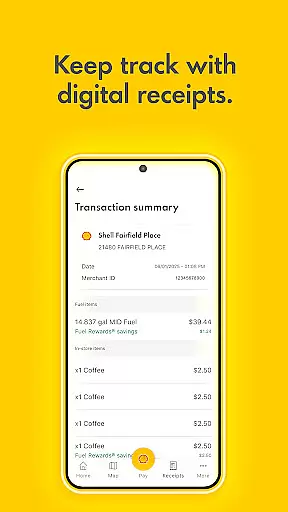
Through the Shell App, drivers can access comprehensive details about their loyalty transaction history, fuel savings, and in-store offers. This level of transparency allows users to understand exactly how much they are saving and where they can optimize their spending.
The app also supports Platinum Status members by offering them significant discounts, such as 10 cents per gallon, which is crucial for frequent drivers looking to cut costs. By providing clear data on fuel rewards and savings opportunities, the Shell App ensures that every user can maximize their benefits.
Ultimately, the detailed vehicle information available through the Shell App empowers users to manage their fuel expenses better, plan their trips more efficiently, and enjoy substantial savings over time.
Price transparency is a critical feature of the Shell App, ensuring that users have a clear understanding of their fuel costs and savings opportunities. By integrating mobile payment options and the Shellu00ae Fuel Rewardsu00ae Program, the app provides real-time visibility into pricing and discounts.
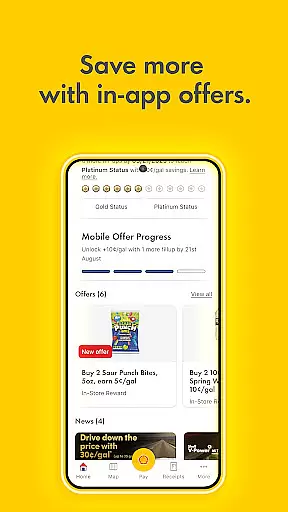
Users can view all active Fuel & In-store offers directly within the app, allowing them to take full advantage of available promotions. This transparency extends to the loyalty transaction history, where every purchase and reward is meticulously recorded and easily accessible.
In addition to displaying current prices and savings, the Shell App enables customers to use various payment methods, including credit/debit cards, PayPal, Apple Pay, and Google Pay. This flexibility ensures that users can choose the most cost-effective option for their transactions.
By offering a transparent view of fuel costs and savings, the Shell App not only enhances user trust but also encourages more frequent engagement, leading to greater overall satisfaction and financial savings.
User-friendly interface
Multiple payment options
Fuel savings program
EV charging support
Comprehensive station locator
Limited to Shell stations
Requires registration
Occasional bugs
Geographical limitations
Dependent on network availability

Attention! This is the theme for the Car Launcher app
 4.4
4.4
Realtime Charts is a plugin for the Torque Pro App (OBD 2 & Car)
4.20
Blink Charging Mobile app makes finding an EV charger an intuitive experience.
3.80
Instant diesel savings. No credit checks or fees. Nationwide growing network.
4.40
MySubaru: Download. Connect. Love.
4.70
Find Fast EV Chargers | Charge Your Vehicle at 1,100+ Fast Car Charging Stations
4.60
PayByPhone: A quick and easy way to pay for parking.
3.80
Autotrader is your online solution for buying and selling new and used cars.
4.40
Shop, finance, or sell today.
4.80
Practice the drills within MotoJitsu Master Riding Program Volume 1 & 2!
4.80
Car Values, Research and More
4.80
View your car’s service records and find out when maintenance is due.
4.70
Instantly redesign your car with AI. From sporty to futuristic, try it all.
4.50
Find, search, and browse 40,000+ used cars, SUVs, and trucks.
4.50
Automotive Electrical Wiring Diagrams
4.40
* This app needs an adapter cable and a certain OBD2 adapter to work *
4.20
ODB2 based monitoring application for the Chevy Bolt (2017-2021)
4.00
OBD diagnostics, Live Data, DPF regeneration for BMW
4.00
By enthusiasts, for enthusiasts
4.00


User Reviews