
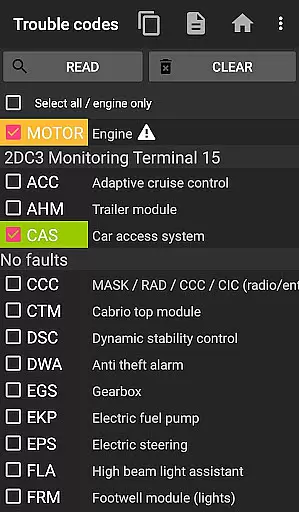
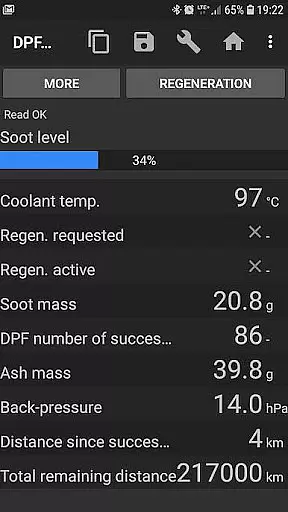
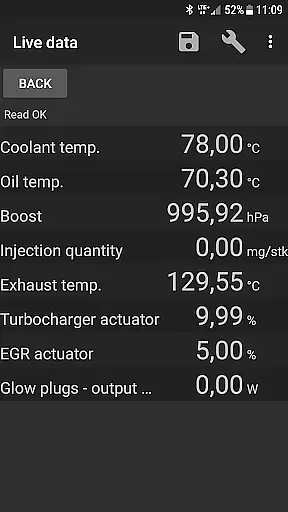
bimmer-tool is a comprehensive diagnostic application designed specifically for BMW car owners and enthusiasts. This app allows users to read and clear fault codes, request DPF regeneration, and access real-time engine data in compatible BMW models. With support for various OBD adapters, it provides an essential toolkit for monitoring and maintaining vehicle health.
The application's functionality varies depending on the vehicle model year. For cars manufactured before 2008, a K+DCan USB cable connection is recommended for optimal performance. Newer models can utilize wireless ELM adapters or ENET cables, offering flexibility in connectivity options. Whether performing routine maintenance or diagnosing complex issues, bimmer-tool delivers valuable insights into your BMW's performance.
By providing detailed vehicle information and diagnostic capabilities, bimmer-tool empowers users to take control of their car maintenance. From resetting service intervals to logging data for further analysis, this app bridges the gap between professional mechanics and DIY enthusiasts, making advanced vehicle diagnostics accessible to everyone.
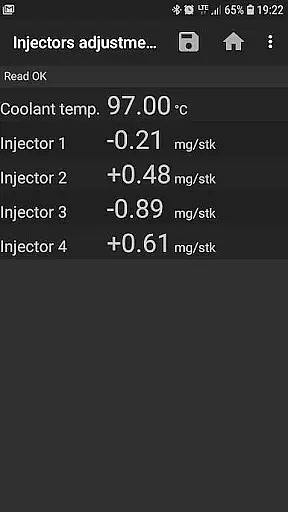
bimmer-tool stands out with its extensive feature set tailored for BMW diagnostics. The app enables users to read DPF regeneration status, reset adaptation values after filter replacement, and monitor crucial engine parameters like injectors adjustments and exhaust fumes pressure. These features provide comprehensive insights into the vehicle's condition and performance metrics.
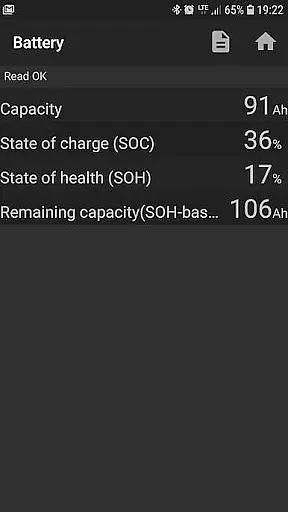
Advanced functionality includes the ability to log data to CSV files for detailed analysis, register battery replacements without altering properties, and reset various warning circuits. The application supports multiple connection types including USB, Bluetooth, and WiFi adapters, ensuring compatibility with different vehicle models and user preferences. Each connection method offers distinct advantages, from the reliability of USB to the convenience of wireless options.
What sets bimmer-tool apart is its adaptability to various diagnostic scenarios. The app's support for different communication protocols and adapter types demonstrates its versatility. Whether you're working on newer F/G series models or older pre-2008 vehicles, bimmer-tool provides the necessary tools to effectively communicate with your BMW's onboard systems, making it an indispensable companion for both professional technicians and enthusiastic owners.
Detailed vehicle information is crucial for any car owner who wants to understand their BMW's performance and health. bimmer-tool provides comprehensive data on various aspects of your vehicle, ensuring you have all the necessary details at your fingertips.
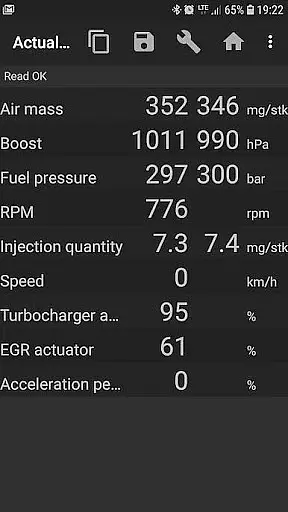
With this app, users can access live engine data, injector adjustments, exhaust fumes pressure, and more. This real-time insight allows drivers to monitor their car's condition closely and make informed decisions regarding maintenance and repairs.
The ability to log data to a CSV file further enhances the user experience by enabling detailed analysis over time. Whether you're tracking air mass, intake manifold pressure, or fuel pressure, having historical data can be invaluable for diagnosing issues and optimizing performance.
Overall, bimmer-tool empowers BMW owners with precise and extensive vehicle information, making it an essential tool for maintaining your car's health and longevity.
Price transparency in automotive tools is vital for users to understand the cost implications of using diagnostic applications like bimmer-tool. The app offers clear information about what features are available for free and which require additional purchases or specific hardware.
bimmer-tool lite serves as a trial version, allowing users to verify compatibility with their BMW and OBD adapter before committing financially. This approach ensures that customers know exactly what they are investing in, promoting trust and satisfaction.
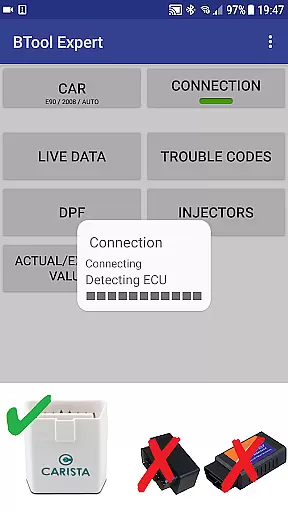
Additionally, the app lists recommended OBD adapters, providing links and detailed descriptions. Users can compare prices and choose the most reliable option without hidden costs, enhancing their overall experience and confidence in the product.
By offering transparent pricing and feature sets, bimmer-tool builds a trustworthy relationship with its users, ensuring they feel informed and valued throughout their journey with the application.
User-friendly interface
Comprehensive diagnostic tools
Wide adapter compatibility
Detailed engine data access
Flexible connection options
Limited functionality for older models
Requires compatible OBD adapter
Wireless connection may be unstable
Some features need specific cables
Professional knowledge required

Theme for Car Launcher
 4.2
4.2
* This app needs an adapter cable and a certain OBD2 adapter to work *
4.20
A full featured, real-time transit locator system
4.30
Discover new and used cars in Syria easily! Browse ads and connect with sellers.
3.70
Instantly redesign your car with AI. From sporty to futuristic, try it all.
4.50
Find, search, and browse 40,000+ used cars, SUVs, and trucks.
4.50
O'Reilly Pro will streamline your parts lookup and ordering process!
3.20
Quick and easy car diagnostics to get you the right fix.
4.70
A smarter way to park and reserve your spot ahead of time.
4.40
Take Control of Your Car
4.80
Lexus app currently supports 2010 or newer vehicles (2018 or newer for Hawaii).
4.80
Buy and sell your boat
4.70
OBDII - ELM327 Terminal tool for 96-00 Volvos
4.50
Launcher for use in the car
4.40
Instant diesel savings. No credit checks or fees. Nationwide growing network.
4.40
Autotrader is your online solution for buying and selling new and used cars.
4.40
Car Sounds Engine Sounds app welcomes Auto Lovers to feel Car Simulator Sound
4.20
AlfaOBD software for Fiat Group cars native diagnostic
3.70
Read and delete OBD codes with any ELM327 OBD scanner. Coding functions included
3.40


User Reviews