


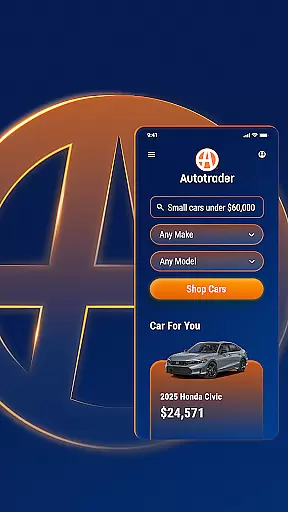








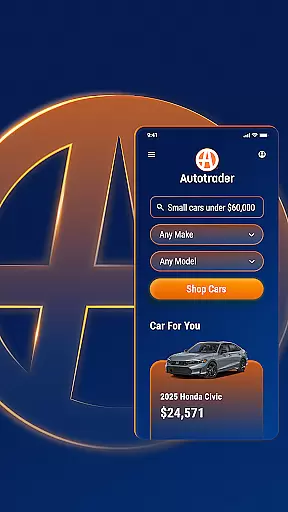


Autotrader is a premier automotive marketplace app designed to simplify the car-buying process. With over 6 million listings from 20,000 sellers, it offers an extensive inventory of new, certified, and used cars, trucks, and SUVs. The app leverages Kelley Blue Book® Price Advisor to ensure fair pricing on every listing, giving users confidence in their purchasing decisions.
The app provides personalized shopping experiences by allowing users to pick up where they left off and receive tailored recommendations based on preferred features. Users can set price drop alerts and get notifications for new listings matching their criteria. Autotrader's unique filters enable specific searches, including delivery options, interior and exterior colors, and advanced safety features.
Whether you're comparing vehicles, accessing condition reports, or contacting sellers directly, Autotrader streamlines the entire process. Its comprehensive tools make it easy to shop, share, and track your favorite cars all from your mobile device.
Autotrader stands out with its robust feature set tailored for car buyers. One of its key features is the Kelley Blue Book® Price Advisor, which provides pricing guidance on every vehicle listing, ensuring users get a fair deal. The app also offers personalized recommendations and search filters that allow users to refine results by specific criteria such as technology features, safety ratings, and even interior color.
Another notable feature is the Delivery to Your Door filter, enabling users to find vehicles that can be shipped directly to their home, eliminating the need for dealership visits. Additionally, Autotrader allows users to compare vehicles, save favorites, and access detailed condition reports when available. The app supports direct communication with sellers via phone, text, or email, making it convenient to negotiate and inquire about listings.
Users can create a My Autotrader account to sync their watchlist across devices, ensuring a seamless experience whether using a smartphone, tablet, or computer. These features collectively enhance the car-buying journey, offering convenience, transparency, and personalization.
When searching for a vehicle, having access to comprehensive details is crucial for making an informed decision. The Autotrader app provides extensive information on each listing, including specifications, performance data, and maintenance history. This ensures that users can evaluate the condition and value of used cars, trucks, and SUVs with confidence.
The integration of Kelley Blue Booku00ae Price Advisor offers users assurance that the listed prices are fair and competitive. By displaying price badges such as Good Price or Great Price, Autotrader enables shoppers to quickly identify deals that represent the best value. This feature empowers buyers to make purchasing decisions based on reliable market data.
Autotrader's detailed vehicle pages also include condition reports when available, giving potential buyers insights into any existing issues or necessary repairs. This transparency helps users avoid unexpected costs and choose vehicles that meet their standards for quality and reliability.
Price transparency is essential in the automotive marketplace, and Autotrader excels in this area by providing clear pricing information across its listings. Users can view not only the asking price but also receive guidance on what constitutes a fair deal through the Kelley Blue Booku00ae Price Advisor tool. This ensures that buyers have realistic expectations about vehicle costs.
In addition to displaying the current asking price, Autotrader highlights special designations like Good Price or Great Price badges. These indicators help users quickly assess whether a particular listing offers good value relative to similar vehicles on the market. Such clarity allows shoppers to prioritize their search efforts effectively.
Furthermore, Autotrader supports price drop alerts, notifying users when vehicles they're interested in become more affordable. This proactive approach to price monitoring ensures that buyers never miss out on a bargain, enhancing their overall shopping experience while maintaining full visibility into cost fluctuations within the automotive market.
User-friendly interface
Extensive vehicle listings
Fair price assurance
Personalized recommendations
Convenient dealer contact options
Occasional listing inaccuracies
Limited classic car options
Some features require account creation
Ads can be intrusive
Condition reports not always available

OBD diagnostics, Live Data, DPF regeneration for BMW
 4.00
4.00
Attention! This is the theme for the Car Launcher app
4.2
Wonder how much horsepower and torque your car/truck makes? Look no further.
3.40
Theme for Car Launcher
4.0
The Texaco App allows you to pay for fuel from the comfort of your car!
4.80
Mobile Phone Parking - So easy to park
3.70
1M+ high-quality auto parts at your fingertips. Fitment guaranteed.
4.70
Marathon ARCO Rewards members earn rewards & apply the rewards for fuel savings!
4.80
PayByPhone: A quick and easy way to pay for parking.
3.80
Car Values, Research and More
4.80
Shop cars & see your financing
4.60
Secure mobile payments & fuel savings at Phillips 66®, Conoco® and 76® stations
4.40
Taximeter; the professional's choice
4.30
Get your personalized financing options and shop for used cars today!
4.20
Control maps, media and messaging, with the Google Assistant while you drive
4.10
Blink Charging Mobile app makes finding an EV charger an intuitive experience.
3.80
Club Car Wash Mobile App—the fast lane to managing your wash membership.
3.30
Monitor specific TOYOTA parameters by adding this plugin to Torque Pro.
2.00
Theme for Car Launcher
4.1


User Reviews