
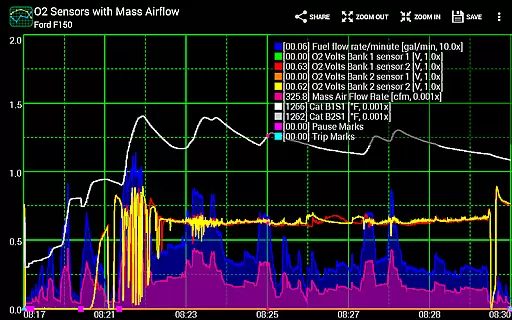
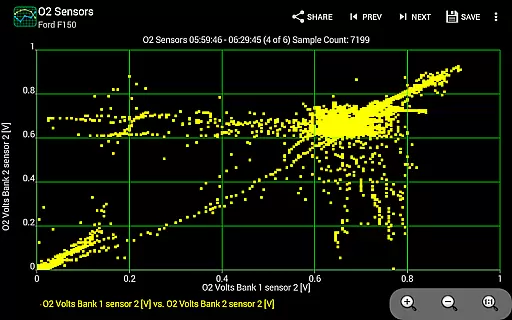
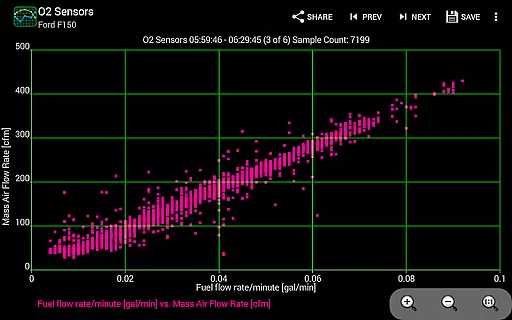
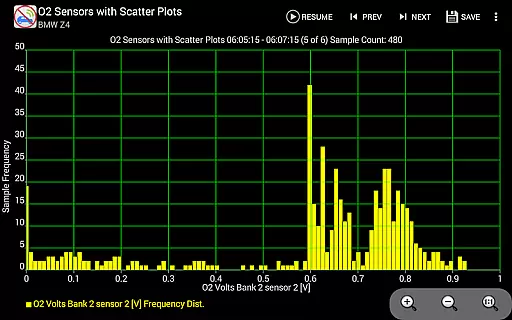
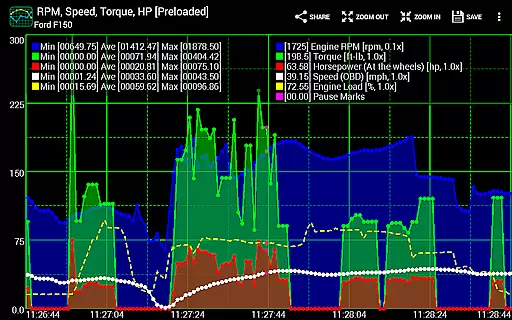
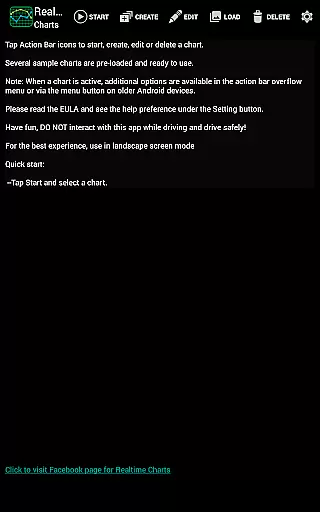
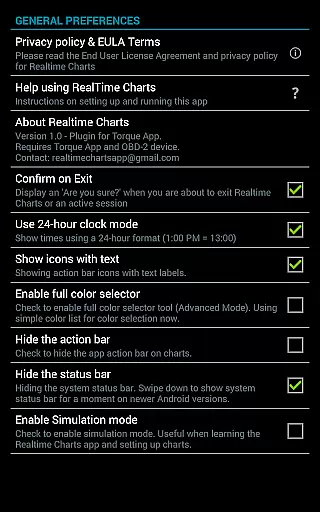
Realtime Charts for Torque Pro is a specialized plugin designed to enhance vehicle performance monitoring for automotive enthusiasts and professionals. This app allows users to graph up to 10 engine sensors simultaneously, providing real-time data visualization on Android devices. With features like scatter plot analysis and custom chart creation, it offers in-depth performance tracking.
The application supports advanced functionalities such as sensor data capture based on specific criteria and auto-pause options when the vehicle is stationary. Users can create up to 100 personalized charts, adjust sampling frequencies, and customize visual attributes. These capabilities make it an essential tool for detailed automotive analysis and tuning.
Ideal for hobbyists and mechanics, Realtime Charts facilitates sharing professional-quality screenshots on social media and automotive forums. Its compatibility with wireless OBD2 adapters and requirement of the Torque Pro app ensure accurate diagnostics and performance evaluations, making it invaluable for those invested in automotive performance optimization.
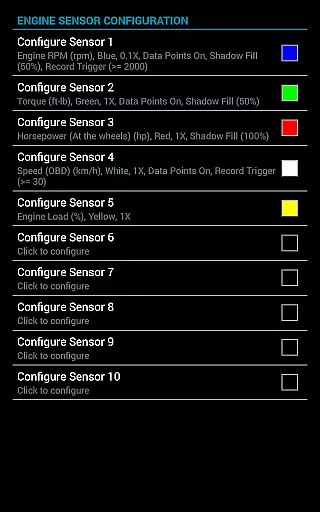
Realtime Charts for Torque Pro boasts an array of sophisticated features tailored for automotive diagnostics. The app's standout capability is its real-time graphing of up to 10 engine sensors, allowing users to monitor parameters like RPM, speed, and MPG concurrently. This simultaneous data visualization enables comprehensive performance analysis right on your Android device.
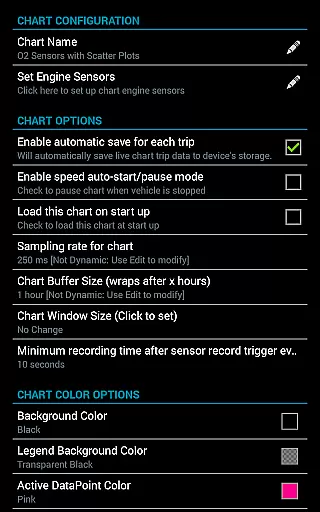
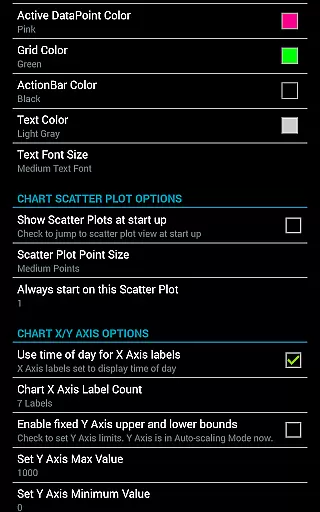
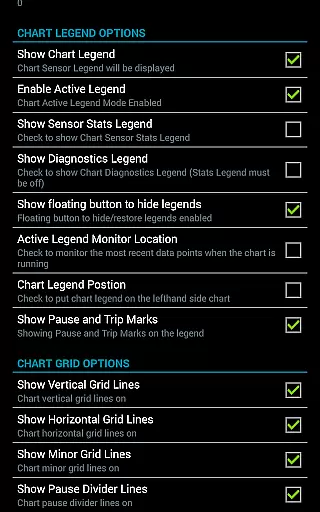
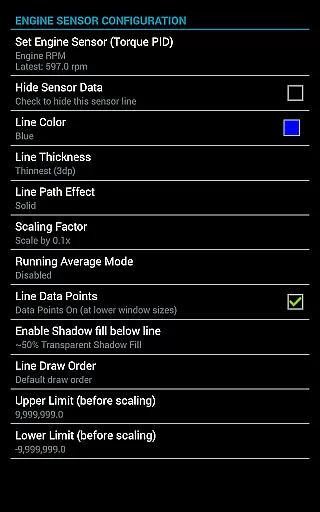
In addition to live monitoring, the app provides powerful analytical tools such as scatter plot and frequency analysis, both in real-time and on saved sessions. Users can create up to 100 custom charts with unique sensor combinations, adjustable sampling frequencies from 100ms to 10 seconds, and customizable visual elements including colors and series attributes. Advanced options like dynamic scaling and running averages further enhance data interpretation.
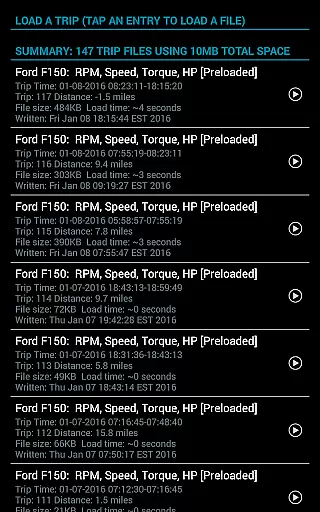
The app also includes practical features like session pausing with time compensation, automatic trip data saving, and background sensor recording. These functions ensure uninterrupted data collection and convenient review. With support for exporting Excel CSV files and simulation mode for chart design without ECU connection, Realtime Charts delivers a complete package for automotive performance monitoring and analysis.
Realtime Charts for Torque Pro offers an extensive monitoring solution that allows automotive enthusiasts to access detailed vehicle information with precision. This plugin app enables users to graph multiple engine sensors, such as RPM, speed, and MPG, in real-time on Android devices. Each sensor is displayed as a distinct series on the graph, providing an in-depth analysis of the vehicle's performance.
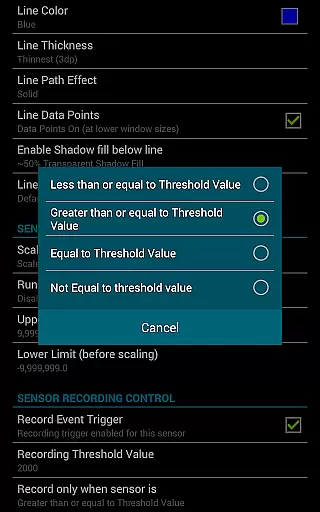
The ability to create custom charts enhances the user experience by allowing specification of up to 10 different PIDs (Parameter IDs), sampling frequencies, chart colors, and series attributes. With support for scatter plot analysis and features like auto-pause when the vehicle is stopped, users can capture data based on specific criteria, refining captures to particular conditions like RPM thresholds or speed.
This level of detail empowers users to monitor their vehicleu2019s health and performance accurately. The app's capability to save data for later review and perform complex analyses ensures that mechanics and hobbyists can make informed decisions regarding vehicle maintenance and tuning.
While Realtime Charts for Torque Pro does not directly deal with monetary transactions, it provides price transparency through its feature set that justifies the investment for automotive enthusiasts. By detailing the comprehensive features available, potential users understand what they are paying for, such as real-time monitoring of up to 10 engine sensors and the ability to create 100 custom charts.
The app outlines its unique capabilities, including performing scatter plot analysis, setting custom sensor thresholds, and exporting Excel CSV data files. These features highlight the value proposition, making it clear why it is a worthy addition to the Torque Pro app ecosystem. Users are not left guessing about additional costs, as the app operates as a plugin requiring only the initial purchase.
Furthermore, the app supports various Android versions and hardware configurations, ensuring broad compatibility without hidden fees or required purchases. This openness about system requirements and supported functionalities assures users of no unexpected expenses, enhancing trust and satisfaction with their purchase decision.
User-friendly interface
Real-time data visualization
Customizable chart options
Advanced analytical tools
Comprehensive sensor support
Requires separate OBD2 adapter
Torque Pro app dependency
Complex for beginners
High system requirements
Limited to Android platform

OBD1 ECMs application. Data log or tune directly from your phone or tablet!
 4.60
4.60
Attention! This is the theme for the Car Launcher app
4.1
Listings of Tesla's with FSD - Included package
4.60
Launcher for use in the car
4.40
Autolist - The Largest Selection of Local Used Cars and Trucks
4.50
Automotive Electrical Wiring Diagrams
4.40
Available in select states.
4.00
Find, search, and browse 40,000+ used cars, SUVs, and trucks.
4.50
A smarter way to park and reserve your spot ahead of time.
4.40
Oil change service & coupons for car maintenance at Valvoline Instant Oil Change
4.70
View your car’s service records and find out when maintenance is due.
4.70
1M+ high-quality auto parts at your fingertips. Fitment guaranteed.
4.70
DMV practice test 2025: Driver License permit test & written test for all states
4.70
MySubaru: Download. Connect. Love.
4.70
Instantly redesign your car with AI. From sporty to futuristic, try it all.
4.50
Taximeter; the professional's choice
4.30
AI Powered - Automotive Mechanic Assistant
4.30
The Smarter Way Forward
3.30
Club Car Wash Mobile App—the fast lane to managing your wash membership.
3.30


User Reviews