
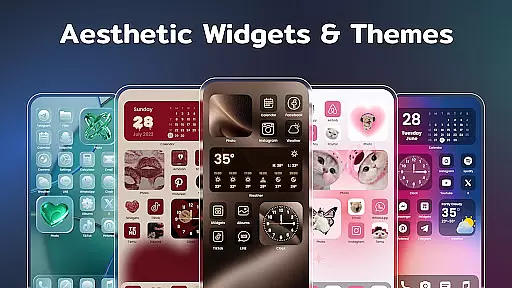
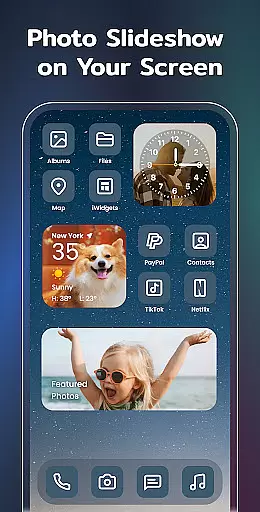
Color Widgets, Theme is a comprehensive lifestyle app designed to enhance your Android device's home screen with customizable widgets and themes. The app offers a wide range of aesthetic options including clock, photo, X-panel, calendar, weather, battery level, Bluetooth status, and event timer widgets in multiple sizes.
With its user-friendly interface, you can easily personalize your phone screen to reflect your unique style. Whether you want to add functional widgets for practicality or stylish themes for aesthetics, this app caters to all your customization needs. From changing app icons to setting up event timers, Color Widgets, Theme ensures that your device stands out while staying organized.
The app's versatility makes it suitable for various users, from those who prioritize functionality to those who value design. By integrating seamlessly with all Android devices, it provides an exclusive and personalized experience that transforms your home screen into a reflection of your personality and keeps your life in order.
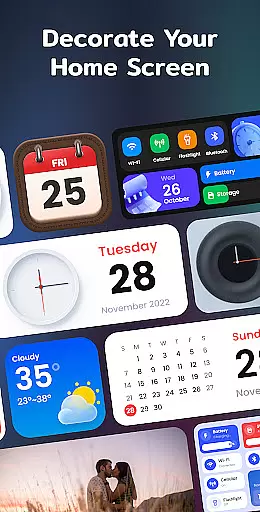
Color Widgets, Theme stands out with its extensive features tailored to provide both utility and personalization. One of the key highlights is the X-Panel widget, which consolidates essential shortcuts and phone statuses like network connection, Bluetooth, and battery level onto your home screen, allowing quick access and control.
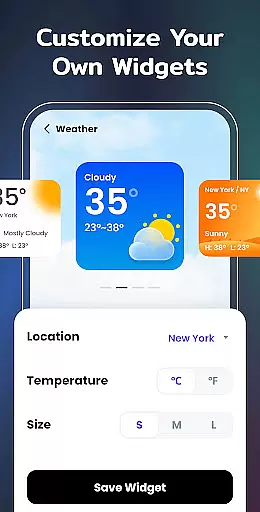
In addition to functional widgets, the app offers creative and vintage-style calendar widgets, exquisite clock widgets available in analog and digital formats, and weather widgets displaying real-time local weather information. These widgets not only serve practical purposes but also enhance the visual appeal of your device.
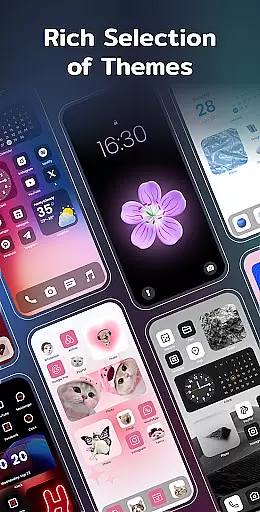
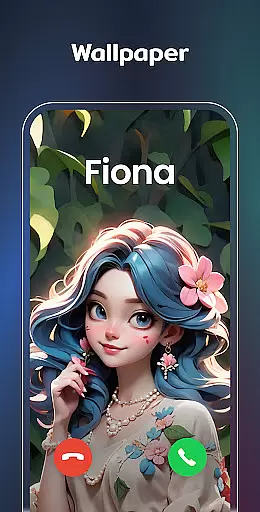
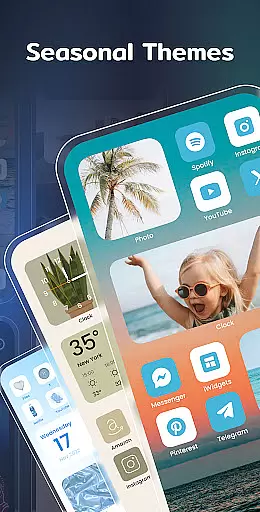
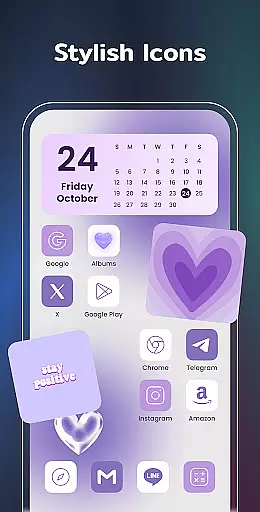
Customization is at the core of Color Widgets, Theme. You can redesign app icons, apply preset themes in various styles such as anime, neon, and aesthetic, and even customize wallpapers. With upcoming widget types like to-do lists and notes, the app continues to evolve, ensuring that users have new ways to maintain efficiency and express their individuality.
Color Widgets, Theme offers an extensive range of widgets and themes that cater to various lifestyle needs, making it a comprehensive tool for personalizing your Android device. The app includes clock, photo, X-panel, calendar, weather, battery level, Bluetooth status, and event timer widgets, ensuring that all aspects of daily life are covered.
Each widget is designed with multiple sizes and styles, allowing users to tailor their home screens to their specific preferences and requirements. Whether you need a quick glance at the weather, a stylish clock, or a practical event timer, this app provides the tools necessary to keep you informed and organized throughout your day.
The inclusion of diverse themes and custom icons further enhances the personalization options available. Users can choose from preset themes in different styles such as anime, neon, aesthetic, and human, which not only change the look of their widgets but also allow for a cohesive and unique home screen design that reflects their individuality.
By covering a wide array of lifestyle categories, Color Widgets, Theme ensures that users can create a personalized and functional home screen that meets their diverse needs. This versatility makes the app an invaluable tool for anyone looking to enhance both the aesthetics and utility of their device.
The content provided by Color Widgets, Theme is crafted with authenticity and attention to detail, ensuring users receive accurate and reliable information through its various widgets. Each widget, whether it's for weather, calendar, or device status, is designed to deliver real-time data and updates, enhancing the user's ability to stay informed about their environment and schedule.
Expertise is evident in the app's design, which allows for seamless integration of widgets into the user's home screen without compromising performance or accuracy. The developers have paid special attention to the functionality and reliability of each widget, ensuring that they not only look good but also provide value through precise and timely information.
Furthermore, the app's commitment to quality is demonstrated through its regular updates and improvements based on user feedback. This dedication to refining and expanding the widget offerings shows a level of professionalism and credibility that reassures users of the app's reliability and ongoing relevance in the ever-evolving tech landscape.
With features like location-based weather updates and customizable event timers, Color Widgets, Theme establishes itself as a credible source for lifestyle management tools. Users can trust that the information displayed on their home screens is both authentic and beneficial, contributing to a more organized and stylish digital experience.
User-friendly interface
Wide range of customization
Functional and aesthetic widgets
Regular updates with new features
Compatible with all Android devices
Requires multiple permissions
Some features may feel redundant
Premium themes need purchase
Occasional performance lags
Limited iOS support

Take Hobby Lobby with you wherever you go!
 3.40
3.40
Premium floor cleaning robots
4.50
Paranormal EVP, Ghost Box, Spirit box, ITC, Haunted, Spirit communication device
3.70
Spiritus Ghost Box is an Audio and Visual ITC tool for paranormal research.
4.00
Customize your Wear OS watch with festive Christmas figures and colors!
4.5
See wait times and check into a hair salon ahead of time with Online Check-In.
4.80
Futuristic watchface inspired by Back to the Future: sleek, retro, timeless
4.5
A unique and customizable watch face which rotates its layout every minute.
4.80
Remotely monitor the time and temperature of food cooking on your grill.
4.60
Smart & Healthy Living
4.60
This app is intended to support professional EMDR therapy.
4.50
Material You inspired colors with BIG and Bold looks for Wear OS watches.
4.20
Mixing Colors for Menswear
4.20
SmartHQ: Your Connected Home Command Center
4.10
Unique Dual Colors with 6 Custom Complications for Wear OS watches!
3.40
Smart home security protection
3.20
The Miracle Box includes methods used by Steve Huff of Huff Paranormal.
3.20
A daily quote for success
4.4
Big bold hybrid watch face with 30 colors, 5 fonts & 5 complications.
4.1


User Reviews