
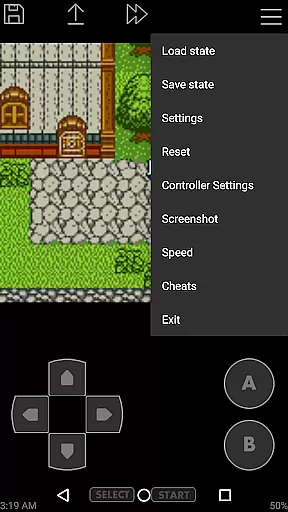
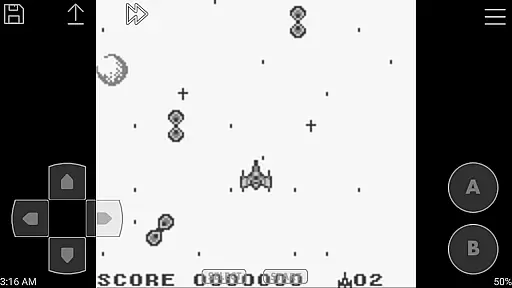
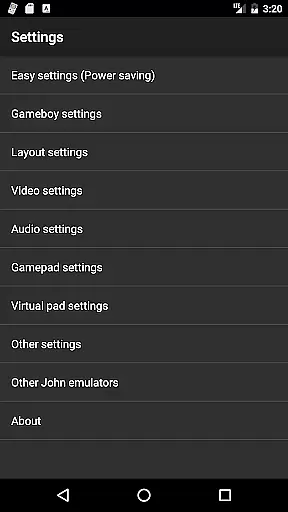
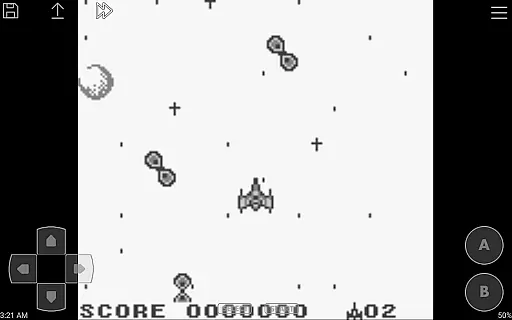
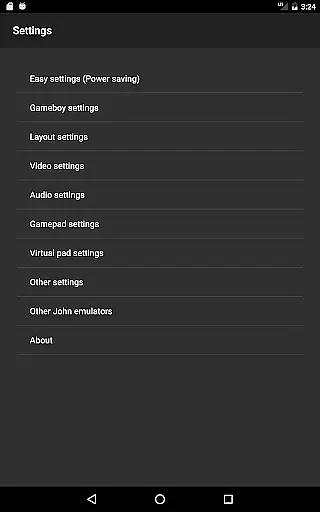
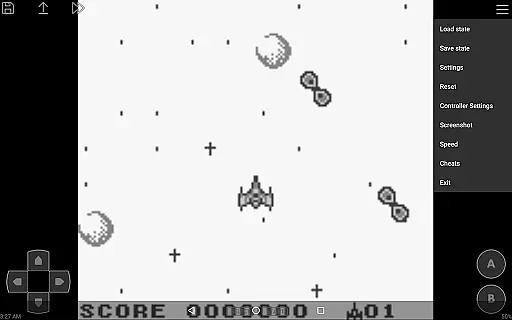
John GBC is a high-performance Game Boy and Game Boy Color emulator designed for Android 6.0 and above. This app offers an authentic emulation experience through its original GBC engine while providing modern features like high-quality rendering and customizable controls.
The emulator supports various essential functionalities including save states with previews, fast forward and slow down options, and cheat systems. With support for both touch controls and external Bluetooth controllers, it delivers a versatile gaming experience on mobile devices.
Ideal for retro gaming enthusiasts, John GBC allows users to play their favorite classic games directly from their game files stored on their device. The app ensures smooth performance without advertisements or the need for an internet connection, making it a reliable choice for uninterrupted gaming sessions.
John GBC stands out with its robust feature set tailored for retro gaming fans. The app's original GBC engine provides accurate emulation while supporting zipped game files and save states with visual previews, ensuring convenience and authenticity in gameplay.
Users can enjoy enhanced control options such as customizable keys, turbo buttons, and virtual on-screen keypads. Advanced functionalities like fast forward, slow down (ranging from x0.25 to x16 speed), and cheat code support (Game Genie/Game Shark/PAR) offer greater flexibility during gameplay.
Additional highlights include Dropbox integration for seamless data management, Super Game Boy borders for aesthetic enhancement, and full controller support for MOGA and other Bluetooth devices. These features collectively create a premium emulation experience without ads or unnecessary permissions.
Arcade authenticity and nostalgia are crucial elements for any arcade-style game or emulator, ensuring that the experience mirrors original arcade machines. John GBC delivers this by emulating the classic Game Boy and Game Boy Color systems with precision.
The app's original GBC engine is designed to replicate the exact functionality and feel of traditional arcade games. This attention to detail ensures that users can relive the nostalgic experience of playing their favorite retro games on modern devices.
With features like Super Gameboy borders and high-quality rendering, John GBC enhances the visual appeal while staying true to the original graphics. These elements help maintain the charm and authenticity of arcade gaming, making it a delightful experience for enthusiasts.
Furthermore, support for zipped files and save states with previews adds convenience without compromising the nostalgic value. Players can easily manage their game files and continue from where they left off, just like in the old days of arcade gaming.
Control responsiveness is vital for an optimal gaming experience, especially in arcade games where timing and precision are key. John GBC excels in this area by offering customizable keys and turbo buttons, allowing players to tailor the controls to their preferences.
The virtual on-screen keypad is intuitively designed, providing tactile feedback that mimics physical arcade buttons. This design ensures that players can execute actions swiftly and accurately, maintaining the fast-paced nature of arcade games.
In addition to customizable controls, John GBC supports external Bluetooth and MOGA controllers. This feature caters to players who prefer physical controllers, enhancing the overall control responsiveness and delivering a seamless gaming experience.
Fast forward and slow down options (ranging from x0.25 to x16) further augment control responsiveness by letting players adjust the game speed. Whether you need to speed through sections or slow down for intricate maneuvers, John GBC offers the flexibility needed for an engaging arcade experience.
Fast emulation speed
Customizable controls
No advertisements
Save state support
Bluetooth controller support
Requires game files
No free version
Limited to GB/GBC
Internal storage needed
Paid app only

A retro-flavoured infinite scroller Glyph toy for the Nothing Phone (3)
 4.3
4.3
Frenetic party game, pass the bomb to the other players!
3.80
Join the art challenge: Guess the word and draw fast before the timer runs out!
4.20
Local offline 2 3 4 player multiplayer minigames - race, tanks, football
4.60
Jump and fly your way through danger in this rythm-based action platformer!
4.50
Ready… Set… DASH! Play now!
4.70
Play fun multiplayer games with friends on one device! Two, Three, Four players!
4.60
This app is a very fast emulator
3.40
Original Space Adventure Experience
4.60
Flip and flail a rag doll through endless levels and plunge into outlandish fun!
4.60
Motorcycle racing games! Prove your paperboy can win in the bike race 3D!
4.50
Nostalgia.GBC is a high quality GBC emulator.
4.50
Eat & evolve your shark in the ultimate shark survival game!
4.50
NES Emulator
4.40
Three awesome new levels for The Impossible Game.
4.30
Antistress & relaxing games,stress relief; Antistress toys, calming games.
4.20
Neogeo MVS/AES Emulator
3.30
Turn-based pixel game where jumping is the only weapon!
4.3
Snake Legacy, sans pub, repensé pour une expérience fluide et élégante.
4.2


User Reviews