
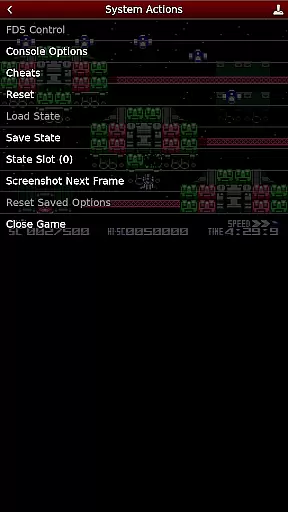
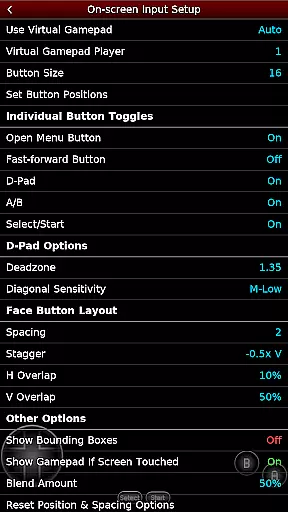
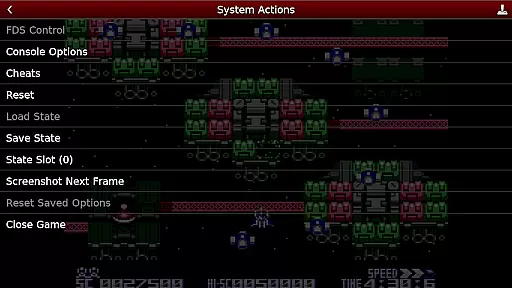
NES.emu is an advanced open-source NES emulator, also known as Famicom in Japan. It is based on FCEUX and features a minimalist UI with a focus on low audio and video latency. The app supports a wide range of devices from the original Xperia Play to modern devices like the Nvidia Shield and Pixel phones.
With its compatibility for .nes and .unf file formats, Famicom Disk System emulation, and VS UniSystem support, NES.emu offers a versatile gaming experience. Users can enjoy configurable on-screen controls and support for Bluetooth/USB gamepads and keyboards, making it compatible with HID devices such as Xbox and PS4 controllers.
This emulator is ideal for retro gaming enthusiasts who wish to relive the classic NES games on their modern devices with minimal setup and high performance.
NES.emu boasts a rich set of features designed to enhance the emulation experience. It supports various file formats including .nes, .unf, and optionally compressed files with ZIP, RAR, or 7Z. For Famicom Disk System enthusiasts, the app allows selecting BIOS in the options using .fds files.
Gamers can take advantage of the VS UniSystem support by simply pushing Start to insert coins. The app uses FCEU-compatible cheat files (.cht extension) with editing capabilities, adding another layer of customization. Unique Zapper/Gun support lets users touch the screen to fire, with additional options to simulate firing away from the TV.
The app's dedication to user experience extends to its configurable on-screen controls and extensive Bluetooth/USB gamepad & keyboard support, ensuring compatibility with any HID device recognized by the OS.
Arcade authenticity and nostalgia are crucial elements for enthusiasts seeking to relive the classic gaming experience. NES.emu, as an advanced open-source NES emulator, captures the essence of original arcade games while providing modern enhancements.
This emulator supports a wide array of devices, from legacy models like the Xperia Play to contemporary ones such as Nvidia Shield and Pixel phones. By including Famicom Disk System emulation and VS UniSystem support, it delivers an authentic arcade feel that resonates with both retro gamers and new players alike.
Users benefit from not just the accurate reproduction of classic games but also enjoy enriched features like configurable on-screen controls and peripheral support for Bluetooth/USB gamepads. This blend of nostalgia with current technology offers a unique gaming experience that bridges generations.
The true value lies in its ability to bring back memories for those who experienced the original era while introducing younger audiences to the roots of video gaming culture through high-quality emulation.
Control responsiveness is a key factor in delivering an immersive gaming experience, particularly in arcade-style games where precision and timing are paramount. NES.emu excels in this area by offering highly responsive controls that cater to both casual players and competitive gamers.
The emulator supports various control schemes, including touch screen interactions for Zapper/Gun games and fully configurable on-screen controls. Gamers can also connect external devices such as Xbox and PS4 controllers via Bluetooth or USB, ensuring compatibility with any HID device recognized by the operating system.
This flexibility translates into tangible benefits for users, allowing them to choose their preferred method of interaction without compromising performance. The quick response times and customizable options enhance gameplay fluidity, making each session more engaging.
Ultimately, NES.emu's commitment to responsive controls ensures that every player can enjoy seamless gameplay experiences reminiscent of traditional arcades, fostering greater satisfaction and enjoyment.
Low audio/video latency
Wide device compatibility
Versatile file format support
Famicom Disk System emulation
Customizable controls
No ROMs included
Complex setup for beginners
Requires external storage access
Limited user interface
Device-specific issues

GBA Emulator
 4.40
4.40
Gameboy Color Emulator
4.60
BallStack is a vibrant match-3 game where you stack and match colorful balls!
4.3
Fruit is waiting to be sliced, ninja. Play the hit mobile game !
4.50
M64Pro FZX Classic Emulator for Android
4.0
Amid the vastness of the universe, you are a Black Hole about to be swallowed!
5.00
Mine & Craft Block Mini World! Survival Crafting and Building & Creative Online.
4.30
Venture into the galaxy to fight against the invasion of space invaders.
4.60
The only Sega Saturn emulator for Android
4.40
Meet Snake Run Race! Slither through an obstacle course in our fun running game!
4.70
R-TYPE game
4.60
Payback 2 includes everything from tank battles to high speed helicopter races!
4.50
Eat & evolve your shark in the ultimate shark survival game!
4.50
PC Engine/TurboGrafx-16 Emulator
4.50
Jump and fly your way through danger in this rythm-based action platformer!
4.50
Sit back and relax! Tap to move the black hole, and swallow weapons to win.
4.20
Mine planets, upgrade your space ship, battle others, and dominate the galaxy!
3.90
A fast, full-featured GBA emulator with link cable emulation.
3.90
Infinite Arcade
4.1


User Reviews