
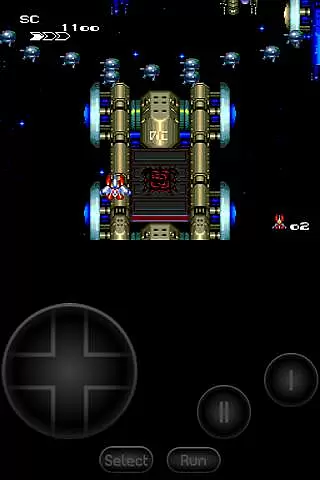
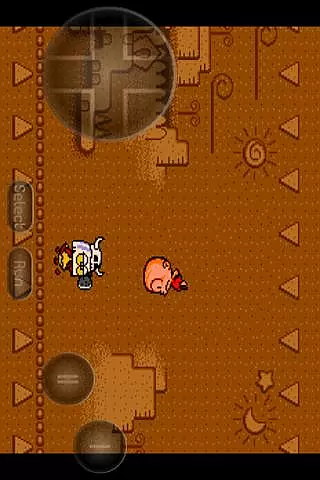
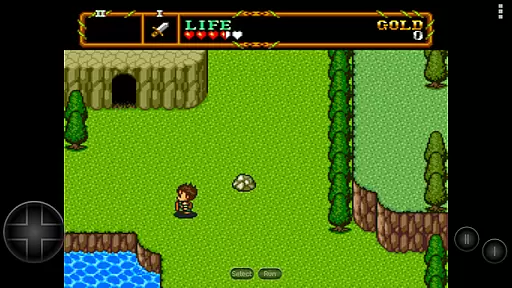
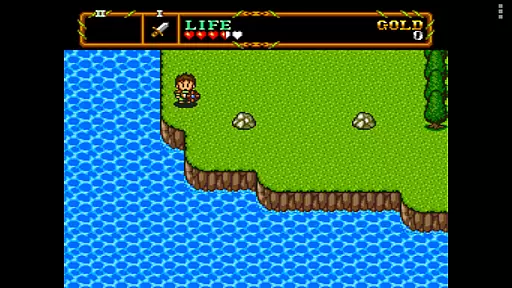
PCE.emu is an advanced open-source emulator for PC Engine and TurboGrafx-16 gaming consoles. It offers a minimalist user interface with a strong focus on reducing audio and video latency, ensuring smooth gameplay across a wide range of devices from older models like the Xperia Play to modern smartphones such as the Nvidia Shield and Pixel series.
The app supports various file formats including .pce and .sgx, optionally compressed in ZIP, RAR, or 7Z files. With CD emulation via .cue files and support for FLAC, Ogg Vorbis, and Wav audio tracks, users can enjoy an authentic retro gaming experience. Configurable on-screen controls and compatibility with Bluetooth/USB gamepads make it versatile for different gaming preferences.
Whether you're revisiting classic games or exploring them for the first time, PCE.emu provides a seamless way to enjoy your favorite titles on the go.
PCE.emu stands out with its comprehensive feature set tailored for retro gaming enthusiasts. The emulator supports multiple file formats such as .pce, .sgx, and compressed archives, allowing users to load a variety of game files effortlessly. Its CD emulation capabilities via .cue files enable players to experience games that originally required physical discs.
Audio quality is enhanced through support for FLAC, Ogg Vorbis, and Wav formats, ensuring accurate sound reproduction. The app's configurable on-screen controls provide flexibility, while compatibility with Bluetooth and USB gamepads caters to those who prefer tactile feedback during gameplay.
With Android's storage access framework integration, users can easily access their game files stored on both internal and external storage options like SD cards and USB drives. This makes managing and playing large game libraries convenient and efficient.
Arcade authenticity and nostalgia are crucial elements for any emulator aiming to recreate the classic gaming experience. PCE.emu, as an advanced PC Engine/TurboGrafx-16 emulator, excels in delivering this by supporting a wide array of original game formats including .pce, .sgx, and CD-based games through .cue files.
The emulator's compatibility with various devices ensures that users can enjoy their favorite arcade games on modern hardware without losing the charm of the original titles. With support for both internal and external storage, gamers have the flexibility to manage their game library efficiently.
By focusing on low audio/video latency, PCE.emu enhances the nostalgic experience, providing seamless gameplay that closely mirrors the responsiveness of arcade machines. This attention to detail makes it an ideal choice for enthusiasts looking to relive the golden era of arcade gaming.
Control responsiveness is a key factor in delivering an immersive and enjoyable gaming experience. PCE.emu addresses this by offering configurable on-screen controls that allow users to customize their interface according to personal preferences and play styles.
In addition to touch controls, the emulator supports Bluetooth and USB gamepads, ensuring compatibility with a wide range of HID devices such as Xbox and PS4 controllers. This versatility provides a tactile and responsive control scheme that caters to both casual players and hardcore gamers.
With its focus on minimizing input latency, PCE.emu guarantees that every action is registered instantly, enhancing the overall gaming experience. This commitment to performance ensures that users can fully immerse themselves in their favorite titles without being hindered by unresponsive controls.
Low audio/video latency
Wide device compatibility
Supports multiple file formats
Configurable controls
Active development and support
No ROMs included
Requires technical knowledge
Limited to specific consoles
Occasional crashes reported
Dependent on third-party updates

Monster Run its a game for relax.
 4.0
4.0
Turn-based pixel game where jumping is the only weapon!
4.2
Sit back and relax! Tap to move the black hole, and swallow weapons to win.
4.20
Hit as hard as you can and make the penguin learn to fly! Arcade jumping game
4.50
Sega Saturn Emulator
4.20
Jump and fly your way through danger in this rythm-based action platformer!
4.50
Flip and flail a rag doll through endless levels and plunge into outlandish fun!
4.60
Collect layers in running game & build the biggest slinky toy to beat the giant!
4.30
This is an emulator for a certain 64 bit console with online cloud backup.
4.80
Master the skies in this epic airplane shooting game! Join the air force now!
4.80
Full featured version of Pizza Boy A (GBA emulator)
4.80
Create your restaurant story & make food on a crazy kitchen in this cooking game
4.70
Gameboy Color Emulator
4.60
Premium version. Save the galaxy from alien shooter in this classic game
4.50
Suck the other’s blood and be the longest surviving mosquito!
4.40
Millions of crafters have smashed billions of blocks! Now you can join the fun!
4.40
Genesis, Mega Drive, Mega CD, Master System, Game Gear Emulator!
4.20
A fast, full-featured GBA emulator with link cable emulation.
3.90
Snake Legacy, sans pub, repensé pour une expérience fluide et élégante.
4.0


User Reviews