
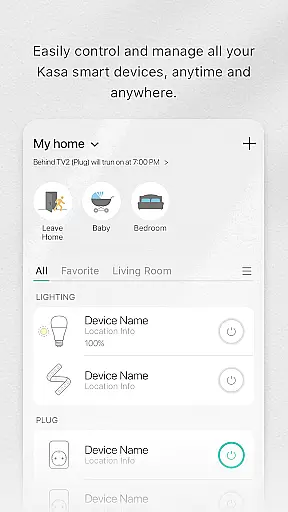
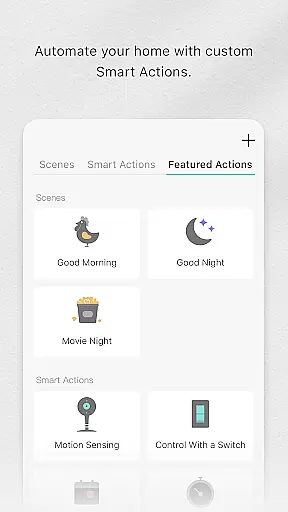
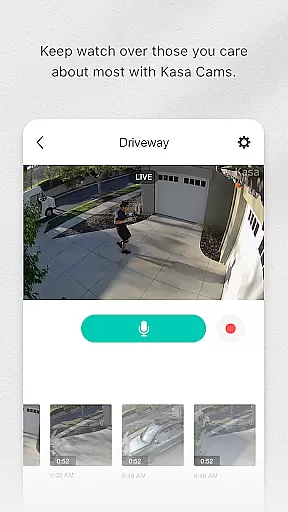
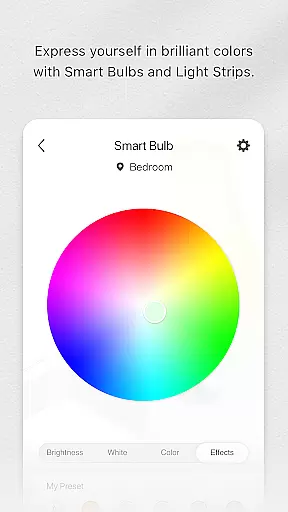
Kasa Smart is a comprehensive home automation app designed to manage TP-LINK smart devices. It allows users to remotely control and schedule appliances, set up Away Mode for enhanced security, and customize device settings from anywhere in the world.
The app supports a wide range of products including smart plugs, switches, power strips, bulbs, cameras, routers, and range extenders. With its intuitive interface, Kasa Smart makes it easy to integrate smart technology into your daily life, providing convenience, energy savings, and peace of mind.
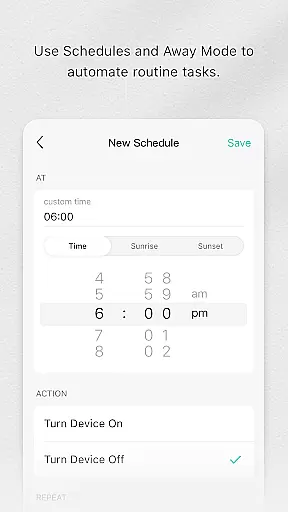
Kasa Smart offers an impressive array of features that enhance home automation. Users can create schedules and timers for their devices, ensuring optimal energy usage and convenience. The app's Away Mode feature automatically turns devices on and off at random intervals, simulating occupancy when you're not home.
Advanced functionalities include real-time monitoring of connected devices, remote access through internet connection, and grouping multiple devices for simultaneous control. The app also provides detailed energy usage reports for compatible devices, helping users make informed decisions about their electricity consumption.
Kasa Smart by TP-LINK offers a comprehensive range of smart home devices, ensuring that users can find solutions tailored to various aspects of their lifestyle. The app supports an extensive lineup including smart plugs, switches, power strips, bulbs, IP cameras, routers, and range extenders.
Each device category serves a unique purpose in enhancing daily living. For instance, smart plugs and switches allow for automated control of home appliances, while smart bulbs provide customizable lighting options. IP cameras contribute to home security, and smart routers ensure reliable connectivity throughout the house.
By covering multiple facets of a connected lifestyle, Kasa Smart enables users to manage their homes more efficiently. Whether it's automating routine tasks or enhancing home security, the app provides tools that cater to diverse needs.
The wide-ranging compatibility ensures that users can integrate different devices seamlessly into their smart home ecosystem. This holistic approach not only simplifies device management but also enriches the overall smart living experience.
When it comes to smart home technology, content authenticity is crucial for user trust and satisfaction. Kasa Smart guarantees that all information provided within the app is directly from TP-LINK, a reputable manufacturer known for its quality networking products.
Every feature description, usage guideline, and troubleshooting tip found in Kasa Smart is verified by experts at TP-LINK. This ensures that users receive accurate instructions on setting up and managing their smart devices effectively.
Moreover, regular updates keep the content current with technological advancements and user feedback. By maintaining high standards of accuracy and reliability, Kasa Smart fosters confidence among its users regarding the authenticity of its content.
This commitment to expert-verified content enhances the credibility of Kasa Smart as a go-to source for managing TP-LINK smart home devices, providing peace of mind to users who rely on these tools for their daily convenience and safety.
User-friendly interface
Wide device compatibility
Remote access and control
Energy-saving scheduling
Enhanced security features
Limited to TP-LINK devices
Requires stable internet
No offline functionality
Basic automation options
Subscription fees for advanced features

Unique BIG BOLD TIME with amazing colors and customisations.
 3.70
3.70
Spiritus Ghost Box is an Audio and Visual ITC tool for paranormal research.
4.00
Smart & Healthy Living
4.60
Discover your Nationality, Family Origin, and Ancestry from one selfie
4.50
Creativity and savings for kids, beginners and experts in arts and crafts
3.50
Wear your favorite memories, loved ones, pets or travel photos on your watch
4.1
The App can control Roborock vacuum cleaners from anywhere with rich features.
4.60
Remotely monitor the time and temperature of food cooking on your grill.
4.60
Just play, earn rewards, fetch gift cards, and turn gaming into real payouts!
4.80
Countdown to Christmas 2025 with festive games & activities in a virtual village
4.80
Good magnifier app to see tiny things bigger and more clearly!
4.80
Colorful minimal digital watch face for Wear OS
4.60
Smart controls for your Ember Smart Mugs
4.10
Do you want to communicate with spirits?
3.80
Easily manage your child's playtime, spending messaging and more.
3.50
Smart home security protection
3.20
A watch face with transparency and fluid visuals inspired by liquid glass design
4.1
A daily quote for success
4.5
Cute animated Thanksgiving watchface for your WearOS smartwatch
4.0


User Reviews