
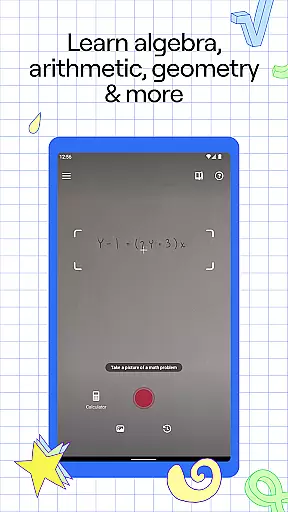
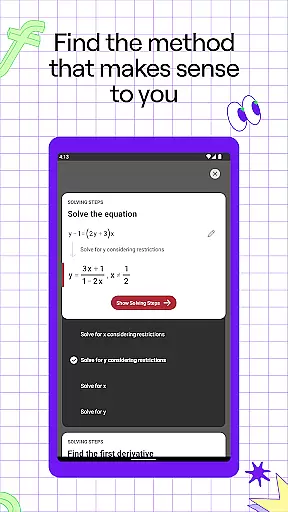
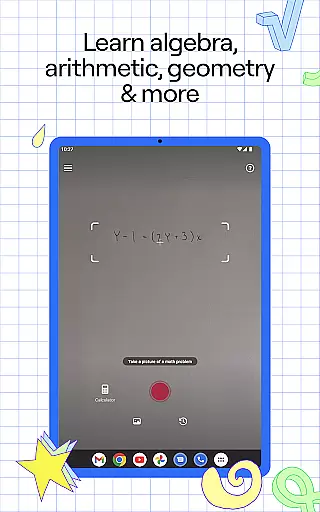
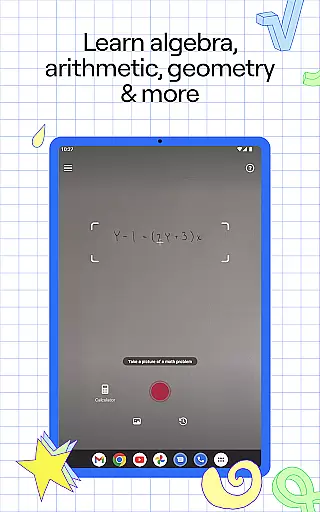
Photomath is an innovative educational app designed to assist students in learning and mastering mathematics. The app's core functionality lies in its ability to scan and solve math problems using a smartphone camera, providing step-by-step explanations and solutions. Whether you're tackling basic arithmetic or advanced calculus, Photomath breaks down each problem into manageable steps, ensuring a deep understanding of the underlying concepts.
Beyond simple problem-solving, Photomath offers a comprehensive learning experience. It features various teacher-approved methods, interactive graphs, and video learning resources. The app caters to learners of all levels, from elementary school to university, covering topics such as algebra, trigonometry, and calculus. With its instant support system, Photomath acts as a 24/7 virtual tutor, making it an invaluable tool for students worldwide.
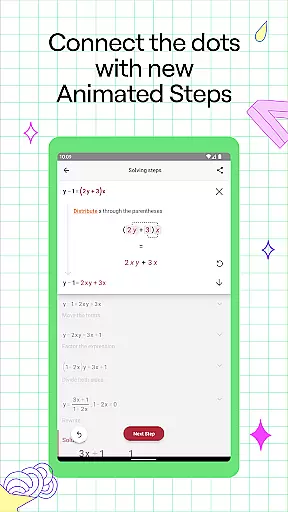
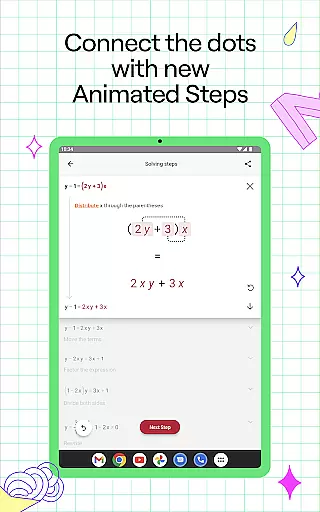
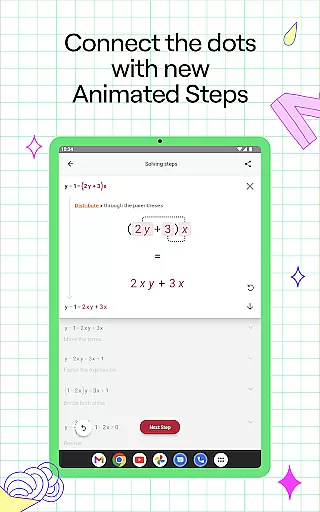
Photomath stands out with its rich array of features designed to enhance the learning experience. One of its key features is the step-by-step explanation tool, which provides detailed breakdowns of math problems, helping users understand not just the solution but also the process behind it. This feature includes animated tutorials that visually demonstrate each step, making complex concepts easier to grasp.
In addition to problem-solving, Photomath offers interactive graphs that allow users to visualize mathematical functions and relationships. The app also includes a powerful scientific calculator and supports multiple solution methods for a single problem. These features collectively create an engaging and effective learning environment, empowering students to learn at their own pace and build confidence in their mathematical abilities.
Photomath stands out in the education category by providing highly accurate and authoritative math content. The app is designed to assist learners from basic arithmetic to advanced calculus, ensuring that every solution and explanation is vetted by experts.
The step-by-step explanations are crafted by a team of mathematicians and former math teachers, guaranteeing that users receive teacher-approved methods for solving problems. This meticulous approach ensures that each step not only leads to the correct answer but also enhances understanding.
For users, this means less guesswork and more learning. Photomath's detailed breakdowns help students grasp complex concepts with ease, making it an invaluable tool for anyone looking to improve their math skills. The inclusion of Animated Steps further enriches this experience by visually demonstrating the progression of each step.
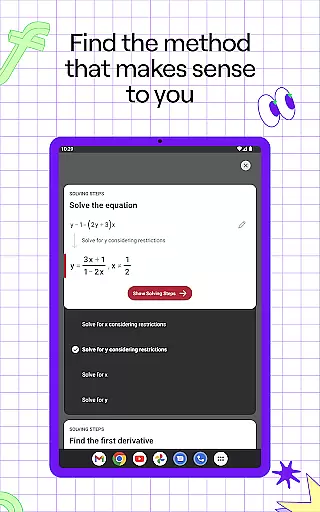
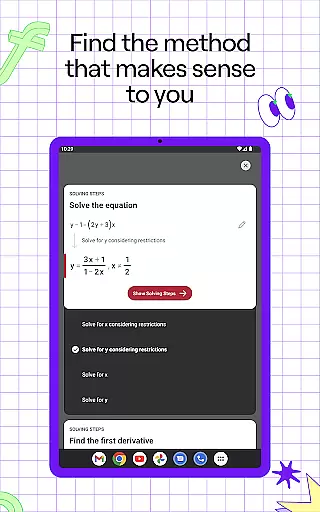
Photomath excels in offering personalized learning paths tailored to individual needs. By breaking down each problem into manageable steps, the app allows users to learn at their own pace, which is crucial for mastering mathematical concepts.
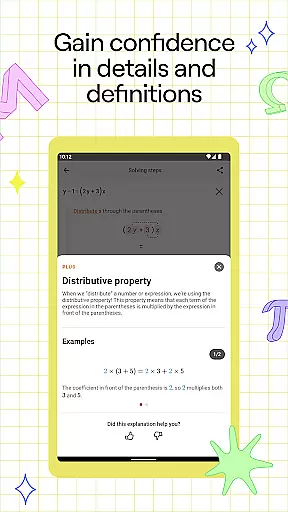
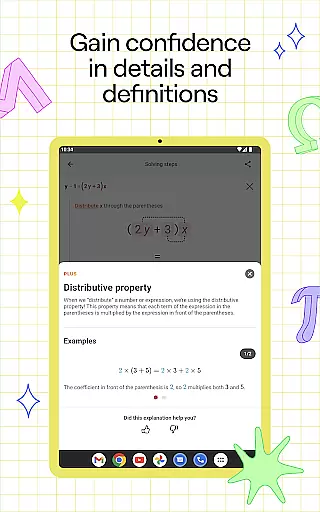
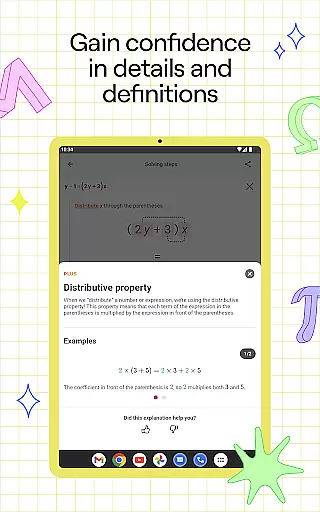
The app supports self-paced learning by functioning as a 24/7 virtual tutor. Whether checking homework or stuck on a problem late at night, Photomath provides instant support. Detailed steps include definitions and rationale, enabling comprehensive review within each explanation.
Photomath Plus takes personalization further with custom Animated Tutorials and Textbook Solutions, catering to those who wish to explore various learning methods. This adaptability makes Photomath suitable for learners of all levels, from beginners to advanced students tackling complex topics like calculus.
Accurate solutions
Step-by-step guidance
Interactive learning tools
Supports multiple math levels
24/7 virtual tutoring
Premium subscription cost
Limited free features
Requires internet connection
Occasional incorrect scans
Advanced topics need Plus version

Learning the ancient Viking language made simple
 4.70
4.70
Dinosaurs coloring book game. Drawing and painting dinos.
4.50
Age-Related Child Developmental Milestones
4.80
Master the NRP with 700+ questions, rationales, and updated NREMT scenarios.
3.00
The Fighter Verses Bible memory system helps you memorize God's Word.
4.50
The FE Clock is a way to track sun & moon around the circle of the earth.
4.30
Stack the States makes learning about the 50 states fun!
4.70
Learn to make peaceful contact with extraterrestrial civilizations
4.10
Learn & Speak New Languages
4.70
The best way to study for your amateur radio license exam.
4.90
Study for your 608 certification.
4.50
Professional Award-Winning Astronomy Star Map App With Telescope Control
4.40
A magical world of fun, building, and learning with Mickey Mouse and more!
4.20
Deal Craps (Practice Craps Payouts)
3.80
Bebefinn and Baby Shark educational, animated videos & games for kids
3.40
Quiz App to help case managers studying for CCMC Certification, 200+ Questions
3.40
The official CCM Glossary app, including 700+ terms and definitions.
2.90
A 2024 digital study guide for the Expert Infantryman and Expert Soldier's Badge
4.2
Animals pop up and make sounds—learn names and noises in Peekaboo Barn!
4.3


User Reviews