
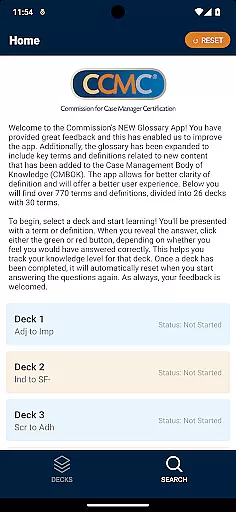

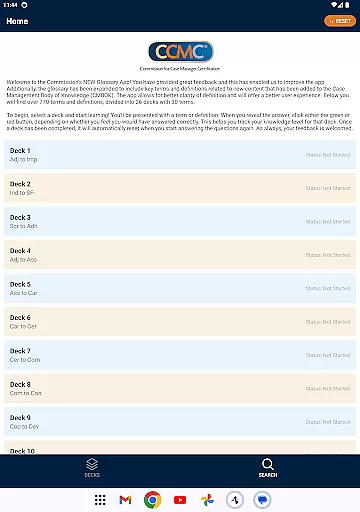
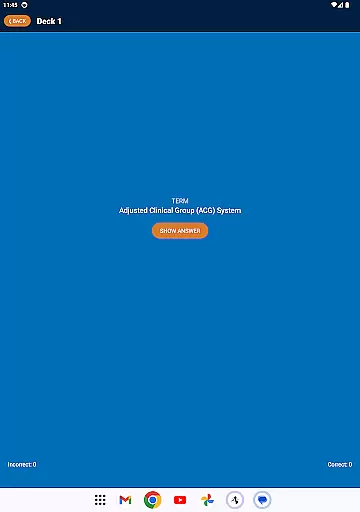
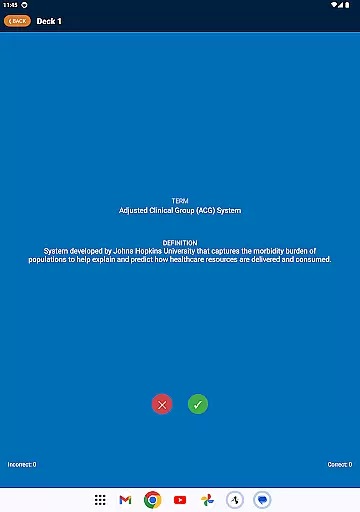

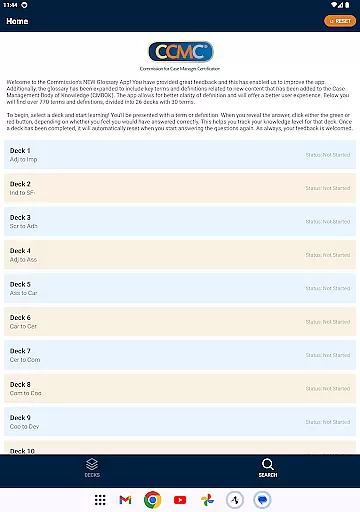
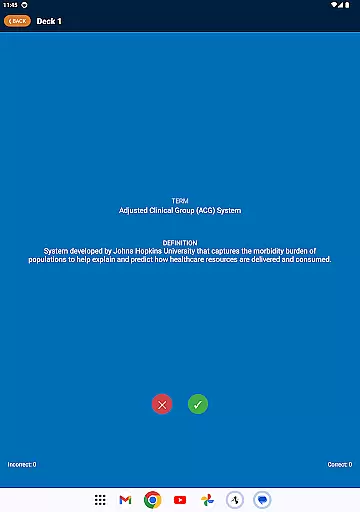

The CCM Glossary App is an educational tool designed to help users learn and master over 770 terms and definitions related to case management. The app organizes these terms into 26 decks, each containing 30 terms, providing a structured learning experience. Users can track their progress by marking their understanding of each term through interactive features.
One of the standout features of this app is its ability to adapt to user feedback. With expanded content from the Case Management Body of Knowledge (CMBOK), it offers improved clarity and an enhanced user experience. Whether you're studying for exams or looking to deepen your understanding of case management terminology, this app provides a comprehensive and accessible solution.
The CCM Glossary App offers several notable features that enhance the learning process. First, it includes over 770 terms and definitions divided into 26 decks, allowing users to focus on specific areas of interest. Each deck resets automatically after completion, enabling continuous learning and review.
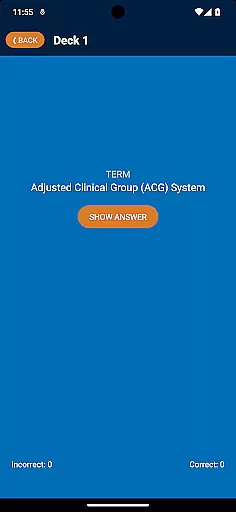
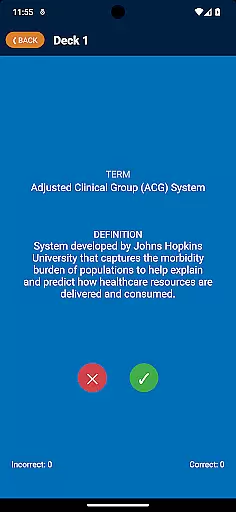
Another key feature is the interactive tracking system. Users can indicate whether they answered correctly using green or red buttons, helping them monitor their knowledge level. This functionality not only aids in retention but also allows users to identify areas where they need further study. Additionally, the app incorporates user feedback to improve clarity and expand content, ensuring it remains up-to-date and relevant.
In the realm of educational applications, content accuracy is paramount. The CCM Glossary App offers over 770 terms and definitions, ensuring that users have access to a comprehensive and precise knowledge base. This app meticulously incorporates feedback from its users to maintain the highest standards of content accuracy.
Each term and definition within the app is derived from authoritative sources, specifically the Case Management Body of Knowledge (CMBOK). This guarantees that learners are engaging with material that is not only accurate but also aligned with current industry standards and practices.
The app's dedication to clarity and precision significantly enhances the user experience. By expanding the glossary to include key terms related to new content in the CMBOK, it ensures that users receive the most up-to-date information available.
Ultimately, the emphasis on content accuracy and authority empowers users to learn with confidence. Knowing that the information they are studying is reliable allows learners to focus on mastering the material rather than questioning its validity.
One of the standout features of the CCM Glossary App is its ability to offer personalized learning paths. This functionality enables users to tailor their learning experience according to their individual needs and preferences, enhancing both engagement and retention.
Upon opening the app, users can select from 26 decks, each containing 30 terms. As users progress through these decks, they engage with terms and definitions at their own pace. The app employs an intuitive system where users indicate their familiarity with each term, thereby tracking their knowledge level for that deck.
This personalized approach facilitates a more effective learning process. Users can focus on areas where they need improvement, while also reinforcing their existing knowledge. The app's ability to reset completed decks ensures continuous learning and mastery.
By providing a customized learning journey, the CCM Glossary App not only makes education more accessible but also more impactful. Users can achieve their learning objectives more efficiently, making this app an invaluable tool for anyone looking to expand their expertise in case management.
User-friendly interface
Comprehensive glossary
Interactive learning tools
Continuous updates
Feedback-driven improvements
Limited to case management
No offline mode
Requires constant internet
Interface may feel dated
Occasional bugs reported

Turn scrolling hours into improving your knowledge, communication, intelligence
 4.50
4.50
A 2024 digital study guide for the Expert Infantryman and Expert Soldier's Badge
4.2
Study the questions most likely to be asked during the Oral & Practical Exams.
2.80
Gain new skills in 10 minutes
4.70
An easy to use yet powerful and full-featured flashcard study app.
4.50
Study for your 608 certification.
4.50
Engage in learning science and math with the award-winning PhET simulations!
4.70
An aviator’s preparation, study and test tool for FAA Knowledge Exams.
3.80
Learn to make peaceful contact with extraterrestrial civilizations
4.10
Experience the sky, planet earth and the solar system like never before
4.90
The best way to study for your amateur radio license exam.
4.90
Learning the ancient Viking language made simple
4.70
Perform physics experiments with your phone. (by the RWTH Aachen University)
4.70
Welcome to the Speak Navajo Language Application - Volume 1
4.50
Ignite curiosity, spark learning: All babybus videos &games
4.30
Pass your FAA written with flying colors - Study Buddy can help.
4.30
Listen, request and record pronunciations in more than 450 languages. Everywhere
3.90
Learn and joke with the Silly Turkey!
4.0
Pickleball guide complete with illustrated Pickleball drills and helpful info
4.3


User Reviews