
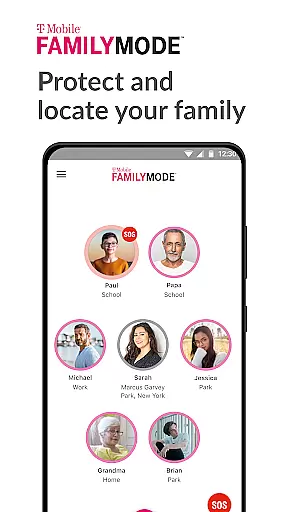
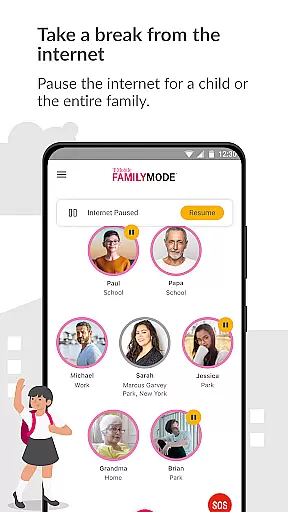
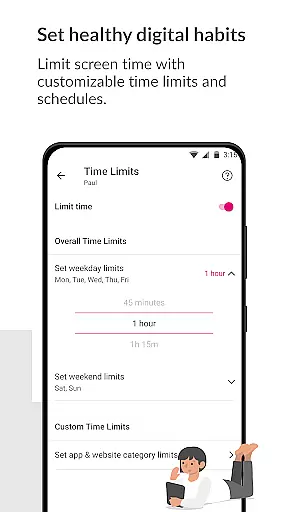
T-Mobile FamilyMode is a comprehensive family safety app designed to help parents manage their children's digital habits while ensuring their safety. The app allows real-time location tracking of family members, helping you stay connected and informed about your loved ones' whereabouts. With features like pausing Internet access during dinner or setting time limits for screen usage, FamilyMode makes digital parenting more manageable.
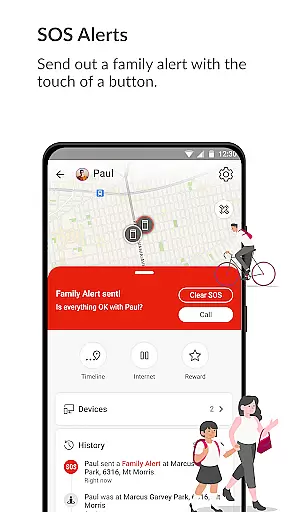
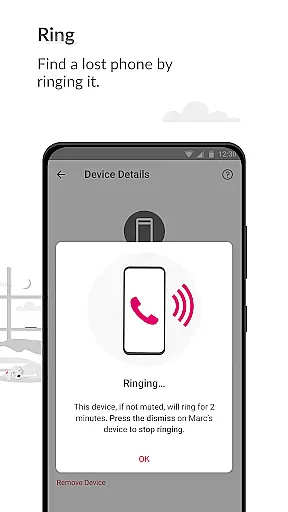
One standout feature is the ability to locate lost devices by ringing them remotely. Additionally, the SOS alert function provides peace of mind, allowing family members to send out emergency alerts with a single touch. Whether it's monitoring online content through customizable filters or rewarding positive behavior with extra screen time, this app equips parents with tools to create a safer digital environment for their children.
This app is particularly useful for modern families who want to balance technology use with quality family time. By combining location tracking, content filtering, and device management, T-Mobile FamilyMode offers a complete solution for parents seeking to protect and guide their children in today's digital world.
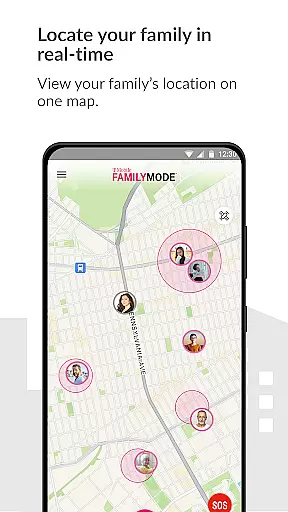
T-Mobile FamilyMode stands out with its robust set of features tailored for parental control and family safety. One of the key functionalities is the real-time location tracking, which not only shows where your family members are but also traces the paths they took. This feature is complemented by the ability to remotely ring a lost device, ensuring that misplaced phones can be quickly recovered.
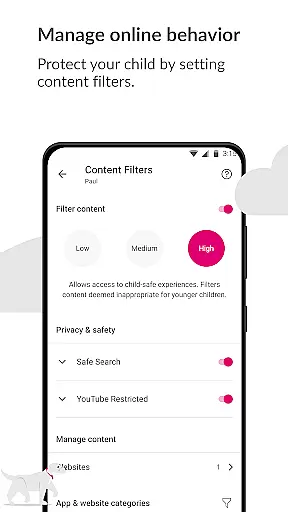
The app also includes an SOS alert system, enabling users to send emergency notifications to designated contacts with just one tap. Another notable feature is the comprehensive content filtering system, which allows parents to block inappropriate websites and apps based on age-appropriate criteria. These filters can be customized to fit individual family values and needs.
Additionally, FamilyMode helps establish healthy digital habits by letting parents set time limits on internet usage and pause connectivity during important family moments. The app's intuitive interface makes it easy to manage these settings, providing a seamless experience for parents who want to ensure their children's online safety without constant supervision.
When it comes to parenting apps, the credibility of content and expert validation are paramount. T-Mobile FamilyMode offers a suite of features designed with input from child safety experts and digital parenting professionals. The app allows parents to set healthy digital habits by configuring time limits, pausing internet access, and filtering age-appropriate content.
The real-time location tracking and path history features are not only designed for convenience but also for the safety of children, ensuring parents have accurate information about their kids' whereabouts. These features have been thoughtfully integrated to provide peace of mind to families while maintaining privacy and security standards.
Furthermore, the new SOS alert feature has been developed to ensure that family members can quickly communicate when they need help. This functionality, along with the ability to find lost devices, underscores the app's commitment to safety and reliability. All these features are regularly updated and reviewed to maintain high standards of content credibility and expert validation.
Growth tracking in the digital age is not just about physical development but also encompasses online behavior and digital literacy. T-Mobile FamilyMode takes this into account by providing tools that track and manage a child's digital growth. Parents can monitor and guide their children's online habits across devices, ensuring they develop healthy relationships with technology.
The app's content filters are an essential tool for growth tracking accuracy. They allow parents to set predefined or custom filters that align with their values and their child's maturity level. This ensures that children are exposed only to appropriate content, which aids in their emotional and intellectual growth.
Additionally, the ability to reward good grades with more screen time ties real-world achievements to digital privileges. This encourages children to strive for academic success while teaching them to balance work and play. With these features, FamilyMode supports parents in accurately tracking both the digital and real-world growth of their children, fostering a balanced upbringing.
Real-time location tracking
Remote device ringing
Customizable content filters
Easy-to-use interface
Comprehensive parental controls
Limited to T-Mobile users
Requires constant internet
Premium features may cost extra
Dependent on Google API
May drain device battery

Block apps, set screen time limits, and customize usage schedules
 4.50
4.50
All-In-One Pregnancy Tracker, Your Baby's Milestones, Growth Stages & Parenting
4.70
Pregnancy and baby formula tips for moms, plus Enfamil coupons & cash back
4.10
Keep Your Family Safe with Pollog Family Assistants
4.10
Protect kids online safety through GPS tracking,screen time control,app blocking
4.20
Learn according to the age of your child and consult with other moms.
4.20
Live Location, Alerts & 2-Way Voice for Kids and Adults with Special Needs
4.60
All-In-One Pregnancy Tracker, Your Baby's Milestones, Growth Stages & Parenting.
4.90
Advanced baby tracking, expert sleep help & parenting support for every stage.
4.80
Track baby’s development & growth week by week with BabyCenter’s pregnancy app!
4.90
Introduce real food to baby with First Foods® Database, baby led weaning BLW
4.80
Family GPS locator app — child location tracker. GPS kids tracker, family safety
4.70
App/Game blocker & GPS tracker
4.50
All-in-one pregnancy app, contraction timer, kick counter & due date calculator
4.40
Babysitting video camera - Turn your two phones or tablets into a single nanny.
4.40
Watching baby, helping parents
4.10
Save money on diapers. Get the Pampers Rewards app.
3.90
Little loved one's monitoring, Sleep tracking and Parenting content.
3.80
The Baby’s Bounty App is your hub to register for our diaper banks in Nevada
3.70


User Reviews